Power Boost
This app is used for improving memory utilization on the phone. You can free up memory to
speed up the phone.
• From Home Screen, press
OK Key
• Using the
Navigation key
, press
OK key
on
Power Boost.
• Using the
Navigation key
, select the desired action, press
OK Key.
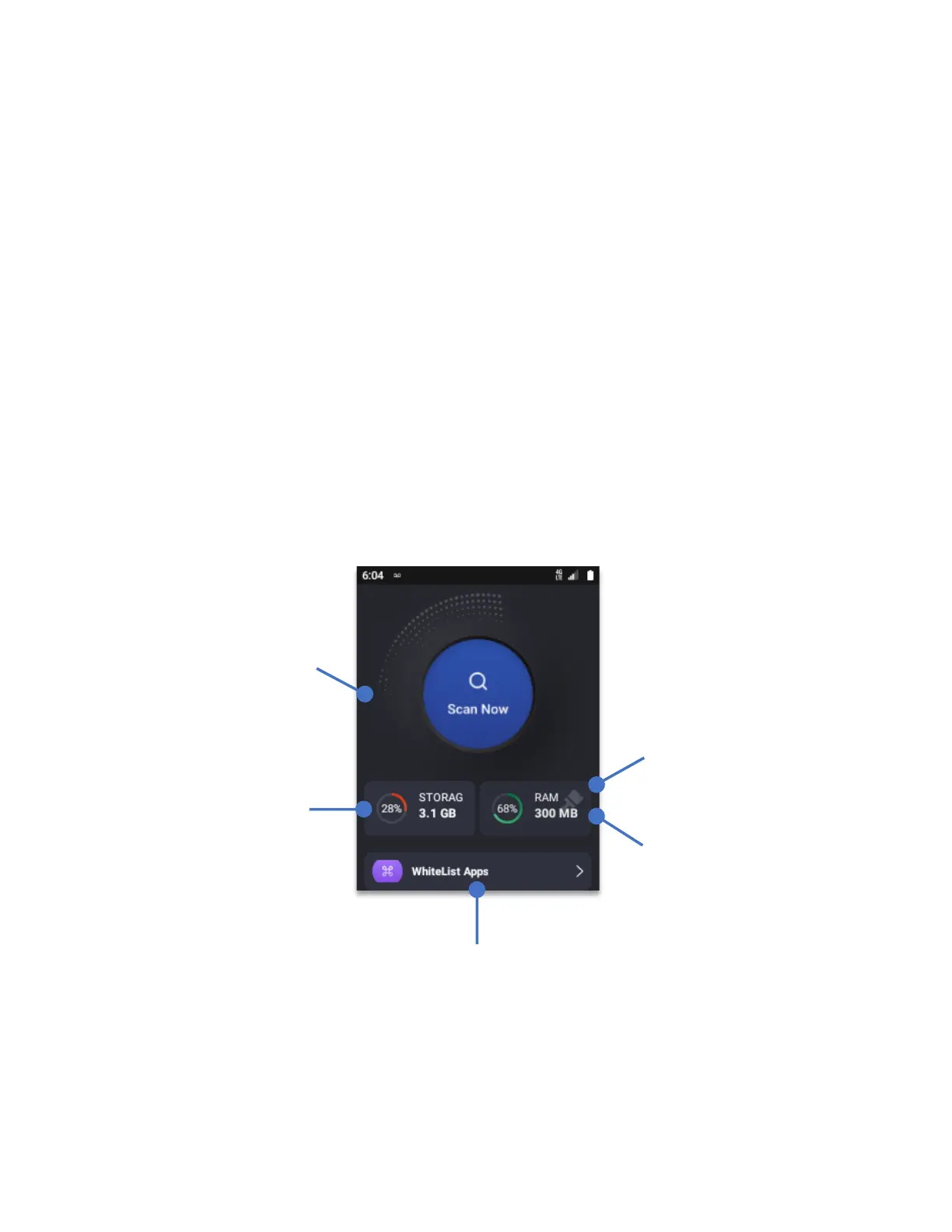
Scan now:
Will perform a search displaying the Cache, Apps and Junk files found on the
system. After the search, the Power Boost app will display the amount of storage that can be
reclaimed by erasing Cache, certain Apps or the Junk files.
To execute the deletion of either Cache, Apps or Junk Files, navigate using the
navigation key
,
and press the
OK key
on the checkmark space besides each of the options.
Displays the total
amount of storage
available.
Displays the total
amount of RAM
available
Whitelisted apps will
not close even by
performing a RAM
cleanup
By selecting and
pressing the OK Key,
the Power Boost will
perform a RAM cleanup
Selecting
“Scan
Now”
and pressing
OK key
, the Power
Boost app begins a
full scan of files that
can be deleted to
regain storage
space.



 To Next Page