Bluetooth
• From Home Screen, press
OK Key
• Using the
Navigation key
, press
OK key
on
Tools & Settings.
• Using the
Navigation key
, press
OK Key
on
Settings
.
• Using the
Navigation key
, press
OK Key
on
Wireless & Network
.
• Using the
Navigation key
, press
OK Key
on
Bluetooth
.
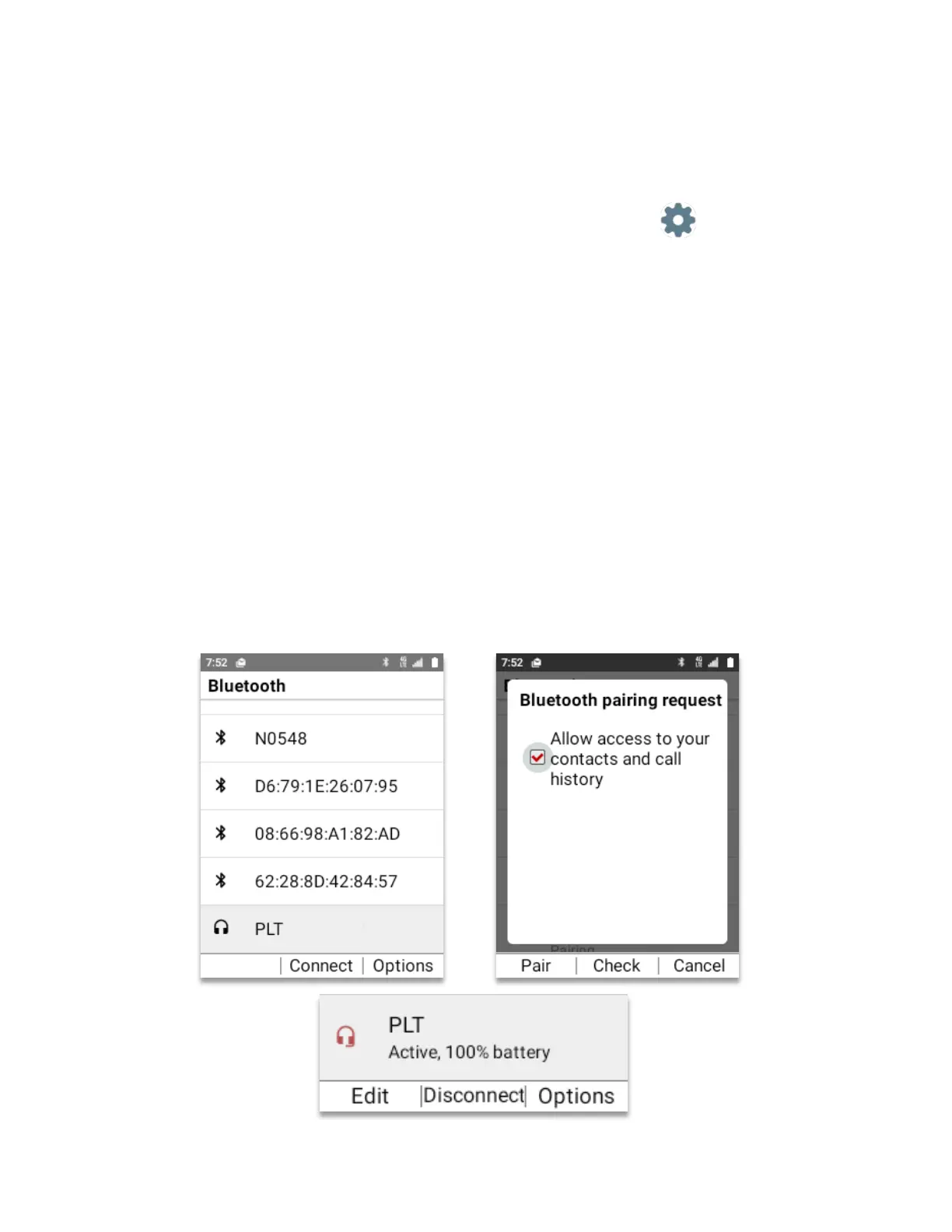
Pair a new Bluetooth device
1. Verify that Bluetooth is ON.
2. If Bluetooth is Off, turn it on by pressing
OK key (Select)
3. Using
Navigation key
scroll to “On”.
4. Press
OK key (Set)
5. Your Bluetooth external device must be in pairing mode.
6. Using
Navigation key
scroll to the Bluetooth device to connect.
7. Press
OK key (Connect)
8. Bluetooth pairing request will appear.
9. Press the
Left Soft Key (Pair)
to finalize pairing.
10. The Bluetooth external device is now paired and ready to use.
11. The Bluetooth main window will show the device is active.



 To Next Page