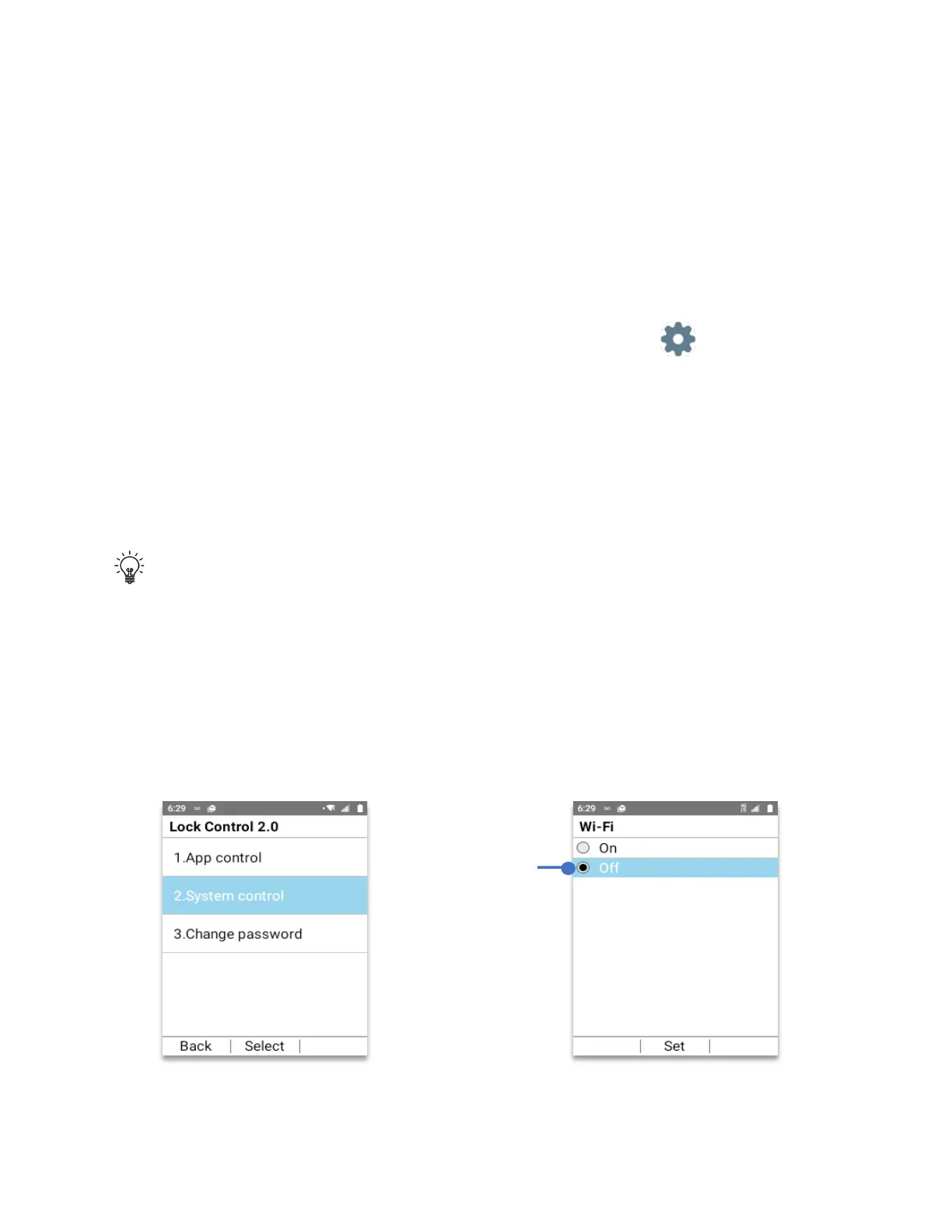
To turn Off Wi-Fi
The Schok flip has an advanced security function called
Schok Lock Control
which allows the
user to control with a six digit password which features and applications can be disconnected.
To turn off Wi-Fi the user must first pre-configure Lock Control, fully explained on the Lock
control section of this user manual.
• From Home Screen, press
OK Key
• Using the
Navigation key
, press
OK key
on
Tools & Settings.
• Using the
Navigation key
, press
OK Key
on
Lock Control
.
• Using the
Navigation key
, press
OK Key
on
Wireless & Network
.
• If you haven’t setup Lock control, using
your physical keypad
create a 6 (six) digit
password.
• Press
OK key (OK)
to save the password.
• If you already setup Lock control, using your
physical keypad
add your password.
• Press the
OK key
.
TIP:
Immediately after setting the password, write it on a secure place that you can
remember. If you lose your password, you will not be able to use certain features of the
device, having to reset the device to regain control, losing the information that was not
previously backup.
1. Using your
Navigation key
scroll to
“System control”
, press the
OK key
.
2. Using your
Navigation key
scroll to
“Allow Wi-Fi”
, press the
OK key (Select)
3. Using your
Navigation key
scroll to
“Off”
4. Press the
OK key (Set)
Your Wi-fi is now off. Without the Lock control password, it cannot be turned on.
To turn Wi-Fi Off,
Select “Off”
press
OK key
(Set)



 To Next Page