To manually add a WiFi network
• From the Wi-Fi menu, press the
Right soft key (Options)
• Using the
physical keypad
enter the Wi-Fi network name (SSID)
• Using the
Navigation key
, select “password”.
• Using the
physical keypad
input the password.
• Press the
OK key (Save)
Saved Networks: Inside the Wi-Fi “Options” menu you can find the “Saved networks” which
displays all the networks that have been registered with the device.
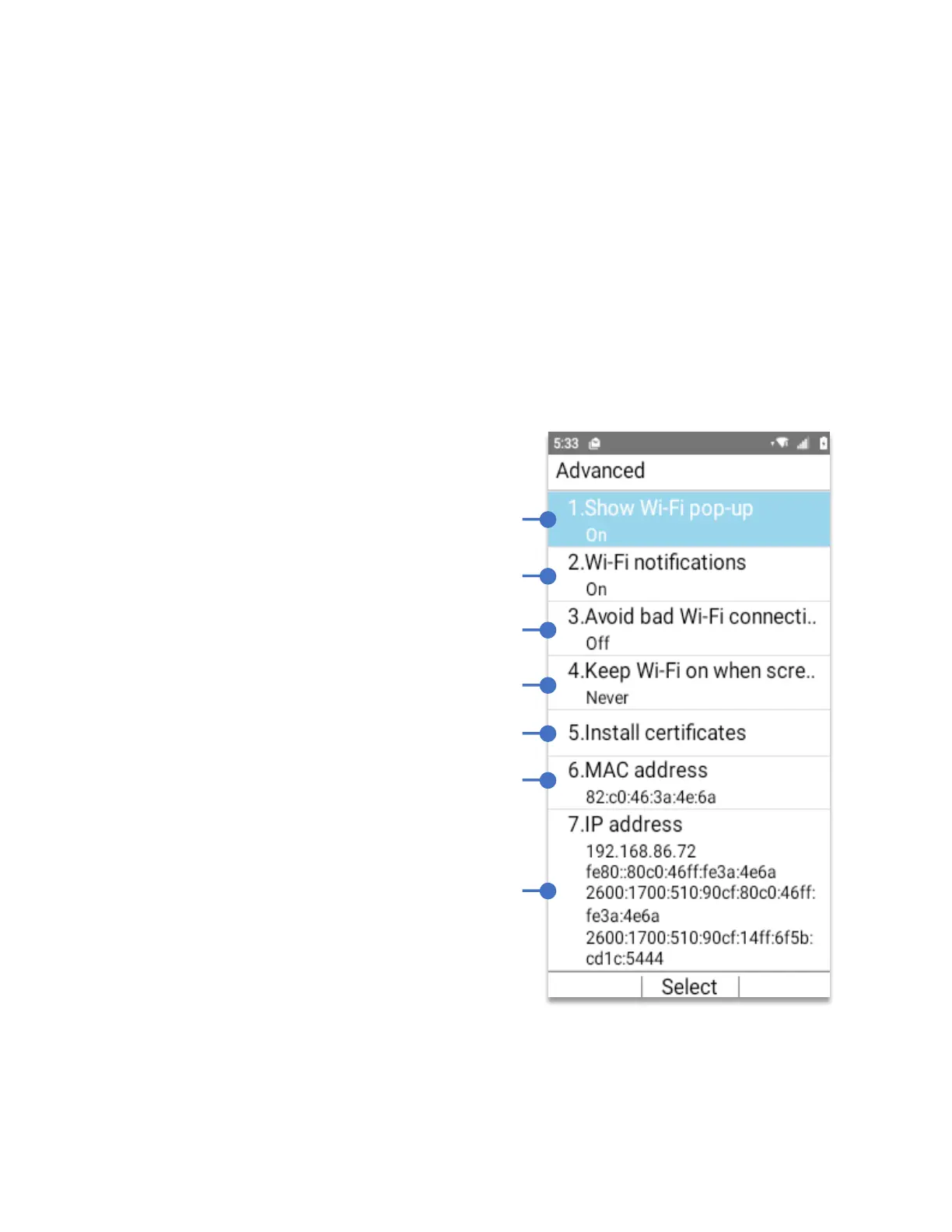
Wi-Fi Advanced menu: Provides additional specific Wi-Fi connection settings:
Enable to display pop-up window when a
Wi-Fi network is connected.
Enable to be notified if Wi-Fi networks are
available nearby.
Enable to use the mobile network when the
Wi-Fi network doesn’t have a signal
Set the Wi-Fi connection active when the
screen is off.
Allows you to install certificates from storage.
Unique ID assigned to a Network interface
controller (NIC) for use as the network address.
Unique ID that identifies a device on the internet
or local network.



 To Next Page