Media
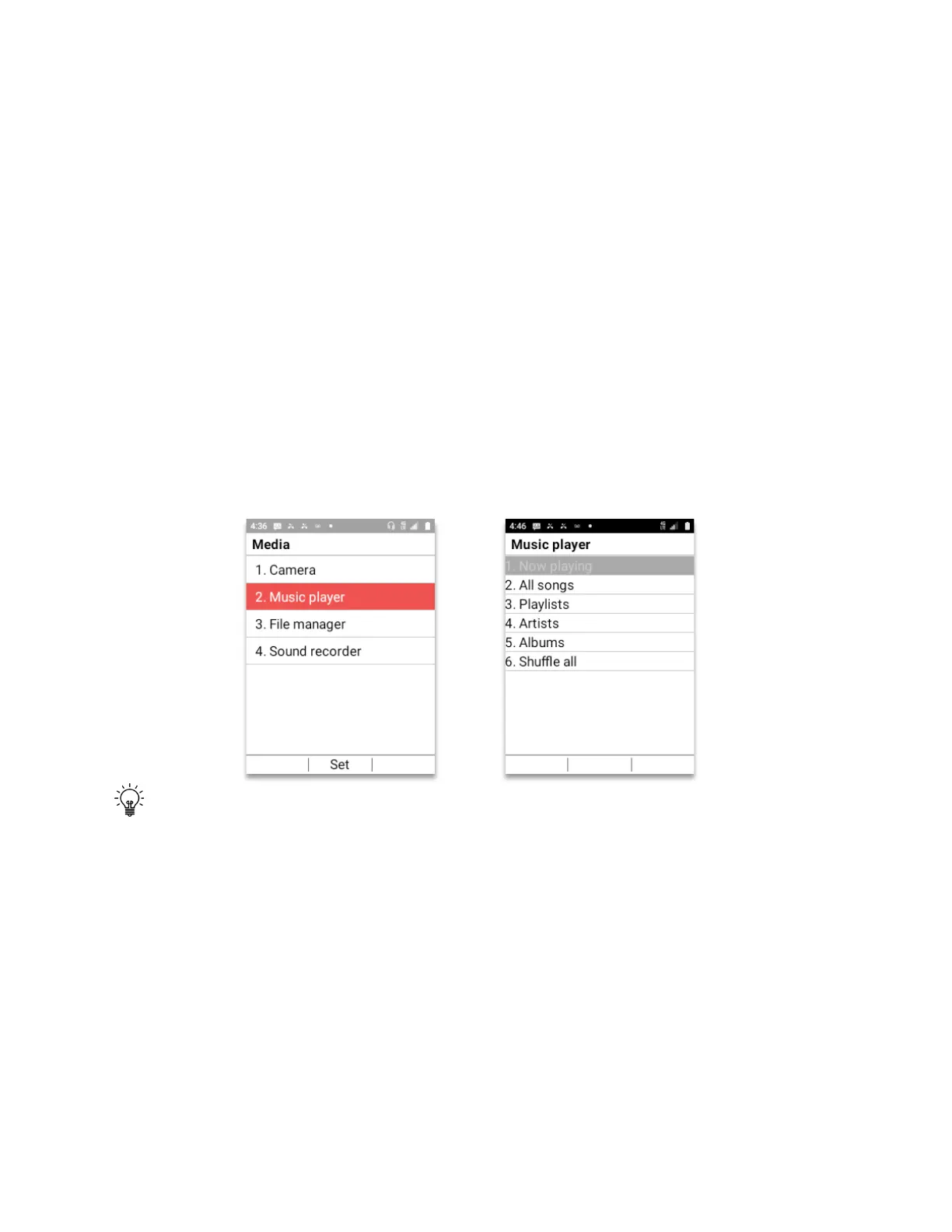
Media app is where all the pictures, music, videos and voice recordings can be played.
• From Home Screen, press
OK Key
• Using the
Navigation key
, press
OK key
on
Media.
1.
Camera:
The camera will open the camera app. After opening, press
Left Soft key
(Gallery)
to see all pictures taken by the camera app.
2.
Music:
The music player menu will open showing different music options available.
3.
File manager:
The Files app will open. Navigate to the Movies folder to watch any
movie or clip placed inside the folder.
4.
Sound recorder:
The Sound recorder app will open. You can record voice memos.
Pressing the
Right soft key (Options)
you can change the quality of the recording or
Auto save the file to a customized directory.
Tip:
When watching a movie or clip, you can set the Schok flip to automatically change the
view to horizontal. To do this, follow these steps:
• From Home Screen, press
OK Key
• Using the
Navigation key
, press
OK key
on
Tools & Settings.
• Using the
Navigation key
, press
OK Key
on
Settings
.
• Using the
Navigation key
, press
OK key
on
Phone settings.
• Using the
Navigation key
, press
OK key
on
“Auto-rotate screen”.
• Using the
Navigation key
, select
“On”
. Press the
OK key.
• Press the
End call/Power button
to exit.
Now, every time there is a video playing, by turning the phone to a horizontal position, the
video will enter automatically into horizontal mode.



 To Next Page