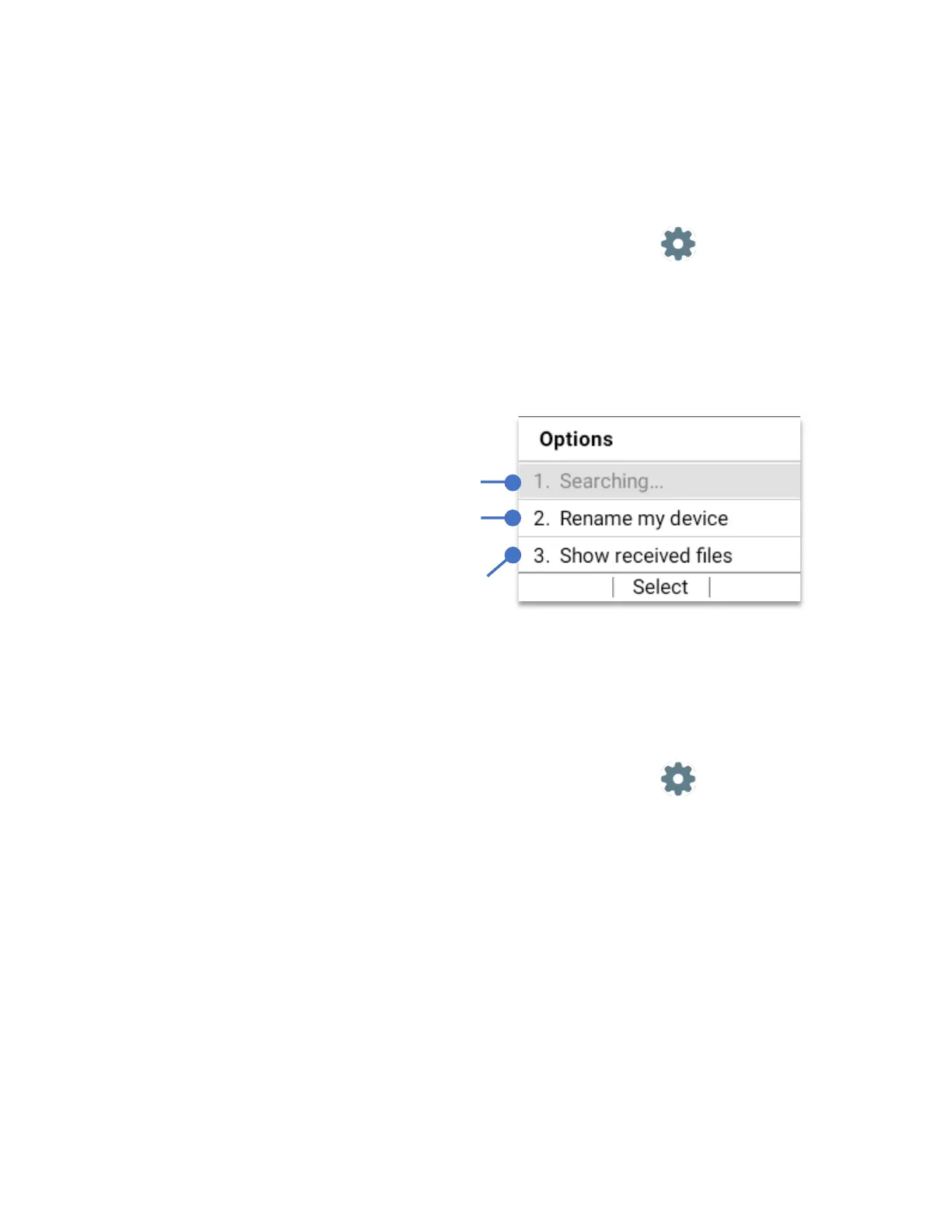
Bluetooth options
• From Home Screen, press
OK Key
• Using the
Navigation key
, press
OK key
on
Tools & Settings.
• Using the
Navigation key
, press
OK Key
on
Settings
.
• Using the
Navigation key
, press
OK Key
on
Wireless & Network
.
• Using the
Navigation key
, press
OK Key
on
Bluetooth
.
• Press the
Right Left Key (Options)
Tethering & Mobile hotspot
• From Home Screen, press
OK Key
• Using the
Navigation key
, press
OK key
on
Tools & Settings.
• Using the
Navigation key
, press
OK Key
on
Settings
.
• Using the
Navigation key
, press
OK Key
on
Wireless & Network
.
• Using the
Navigation key
, press
OK Key
on
Tethering & Mobile hotspot
The “Tethering & Mobile Hotspot” main menu will appear. There are three main options:
1. USB Tethering option.
2. Mobile Hotspot.
3. Bluetooth tethering.
Press “Search” to refresh Bluetooth search.
Press “Rename my device” to change the
name of a paired device
Press “Show received files” to show a list of
all the files received to the device via
Bluetooth.



 To Next Page