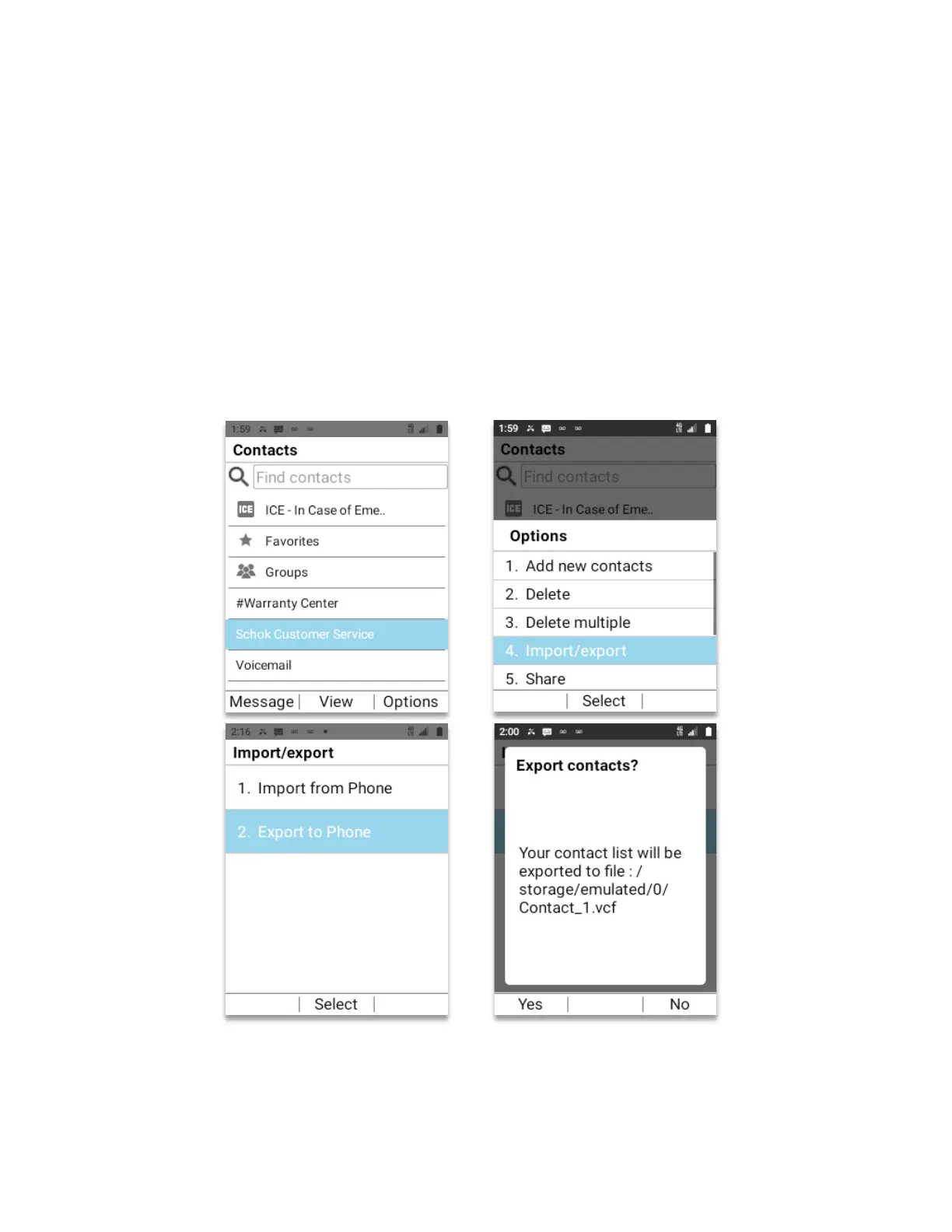
Export Contacts
• From Home Screen, press
OK key
• Using the
Navigation key
scroll to
“Contacts”
, press
OK key
.
1. Using the
Navigation key
, select the contact that needs to be exported, press the
Right soft key (Options)
.
2. The
Options
menu will open. Using the
Navigation key
, select
Import/export
and
press the
OK key
.
3. The
Import/export
menu will open. Using the
Navigation key
, select
Export to Phone
and press the
OK key
.
4. The contact has been exported to the root of the device file system.
A pop-up window will open showing the location inside the device where the contact has been
exported. This location is on the root directory where all folders are located. The file will be
saved with the extension .VCF (vCard file)



 To Next Page