EasyManua.ls Logo

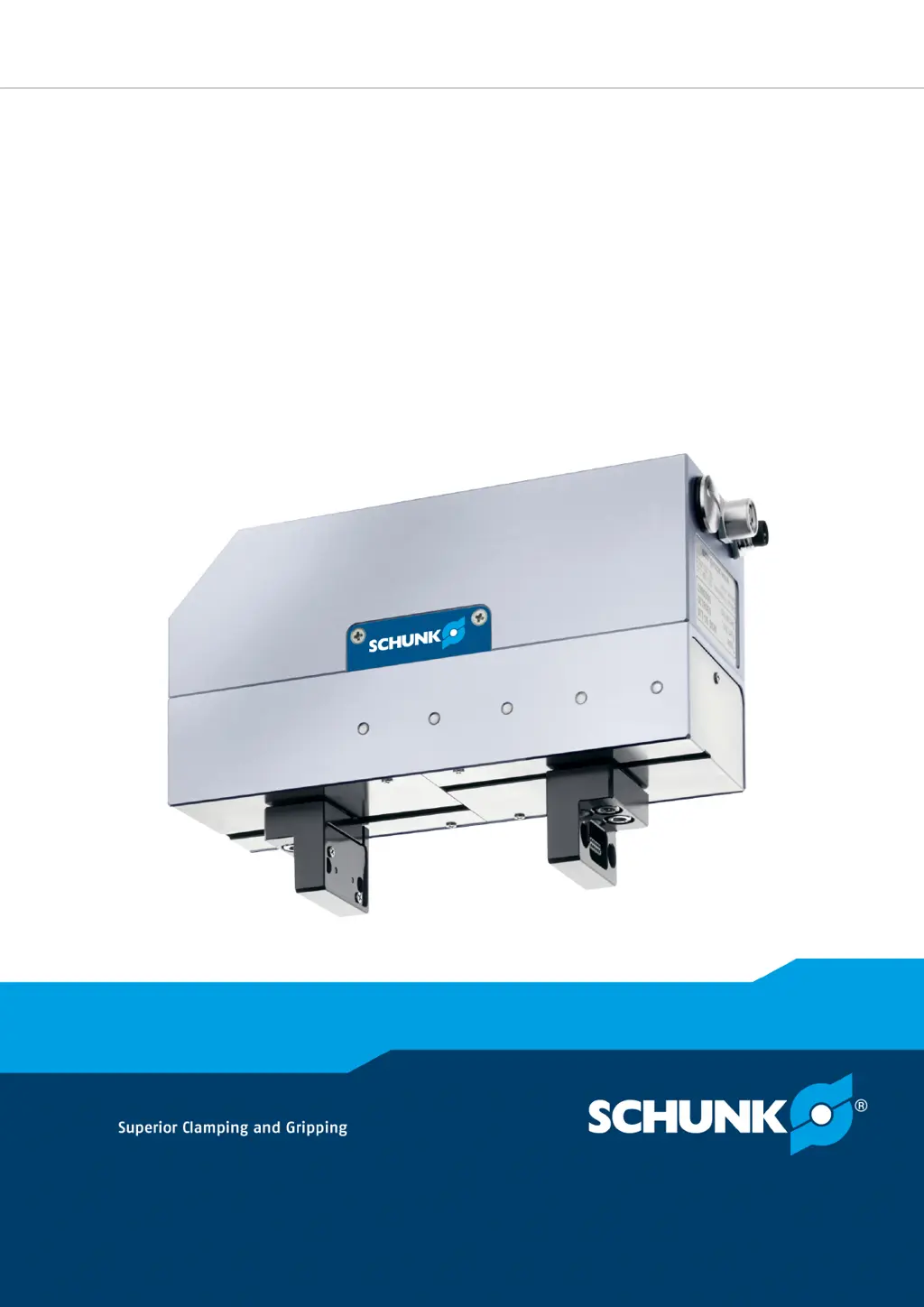
SCHUNK WSG 50 - User Manual

SCHUNK WSG 50
76 pages
Print Icon
To Next Page IconTo Next Page
Loading...
Translation of the original manual
Assembly and operating manual
WSG 50
Servo-electric 2-finger parallel gripper

Table of Contents

Questions and Answers

  • B
    Bryan OrtizAug 16, 2025
    What to do if SCHUNK Industrial Equipment gripper jaws don't move?
    • J
      Joel WigginsAug 16, 2025
      If the gripper jaws on your SCHUNK industrial equipment aren't moving, several factors could be at play. Start by verifying the power supply and all connections and communication cables. Ensure the operating voltage meets the equipment's requirements. Check the connections and communications cables. Also, examine the mounting surface for evenness, and if uneven, try loosening the mounting screws before reactivating the equipment. Confirm that the product is used within its defined application parameters to prevent overloading. Finally, check the operating state of the product for any error messages (indicated by yellow or red LEDs) and verify interface addressing and connection parameters.
  • S
    Sara KeithAug 19, 2025
    Why does SCHUNK WSG 50 Industrial Equipment gripper stop abruptly?
    • A
      Angela ButlerAug 19, 2025
      An abrupt stop in your SCHUNK industrial equipment gripper could be due to several reasons. First, check the power supply to ensure it's properly connected. Communication issues can also cause this, so verify the connections and communication cables. If a fast stop occurred, examine the gripper control system's status, determine the cause, and acknowledge the fast stop if required. Also, check the operating state of the product for error messages (indicated by yellow or red lights).
  • A
    Alexander JoyceAug 22, 2025
    How to check power supply for SCHUNK WSG 50 Industrial Equipment if gripper jaws don't move?
    • C
      Charles LaraAug 23, 2025
      If the gripper jaws on your SCHUNK industrial equipment aren't moving, and you suspect a power issue, begin by checking the power supply to ensure it is providing sufficient operating voltage. Also, check requirements on power supply.
  • C
    Carrie JohnsonAug 26, 2025
    How to check communication for SCHUNK WSG 50 if gripper jaws don't move?
    • T
      Tony ScottAug 26, 2025
      If the gripper jaws on your SCHUNK industrial equipment aren't moving, and you suspect a communication issue, begin by checking the connections and communications cables. Then check interface addressing, such as IP address, PROFIBUS station address, or CAN-ID, and verify the connection parameters.
  • M
    Mario HendricksAug 28, 2025
    How to troubleshoot no web interface connection on SCHUNK WSG 50 Industrial Equipment?
    • T
      thomas93Aug 28, 2025
      If you're experiencing connection problems with the web interface of your SCHUNK industrial equipment, start by checking the power supply and ensuring it is properly connected. Next, verify the connections and communication cables. Then, check the network settings on both the product and the computer you are using to access the interface.
  • R
    Richard WardAug 31, 2025
    What to do if SCHUNK WSG 50 gripper jaws jam?
    • V
      vjohnsonAug 31, 2025
      If the gripper jaws on your SCHUNK industrial equipment are jammed, it might be due to the base jaws being stuck in the housing. This can occur if the mounting surface isn't sufficiently even. Check the evenness of the mounting surface. Try loosening the mounting screws of the product and actuate the product again.
  • M
    Melissa BrownSep 3, 2025
    How to check power supply if SCHUNK WSG 50 Industrial Equipment gripper stops abruptly?
    • U
      ubanksSep 3, 2025
      If your SCHUNK Industrial Equipment gripper stops abruptly, check the power supply to ensure it is properly connected.
  • R
    Robert CarterSep 6, 2025
    What to do if SCHUNK WSG 50 component is broken?
    • C
      Cynthia FaulknerSep 6, 2025
      If a component of your SCHUNK industrial equipment is broken, possibly due to overloading, replace the component or send it to SCHUNK for repair. Make sure that the product was only used in the context of its defined application parameters.
  • L
    Leslie FowlerSep 9, 2025
    How to check communication if SCHUNK Industrial Equipment gripper stops abruptly?
    • W
      William RichmondSep 9, 2025
      If your SCHUNK Industrial Equipment gripper stops abruptly, check the connections and communications cables.
  • C
    croweSep 12, 2025
    How to check operating state of SCHUNK WSG 50 if gripper jaws don't move?
    • E
      Ebony LawrenceSep 12, 2025
      If the gripper jaws on your SCHUNK industrial equipment aren't moving, check the operating state of the product for any error messages; these may be indicated by yellow or red LEDs on the product.

SCHUNK WSG 50 Specifications

General IconGeneral
TypeParallel gripper
Stroke50 mm
Stroke per finger25 mm
Max Payload5 kg
Operating Voltage24 V DC
Protection ClassIP40
Operating Temperature0 - 50 °C
Gripping Force50 N
Communication InterfaceRS-232

Related product manuals