Overview • 63
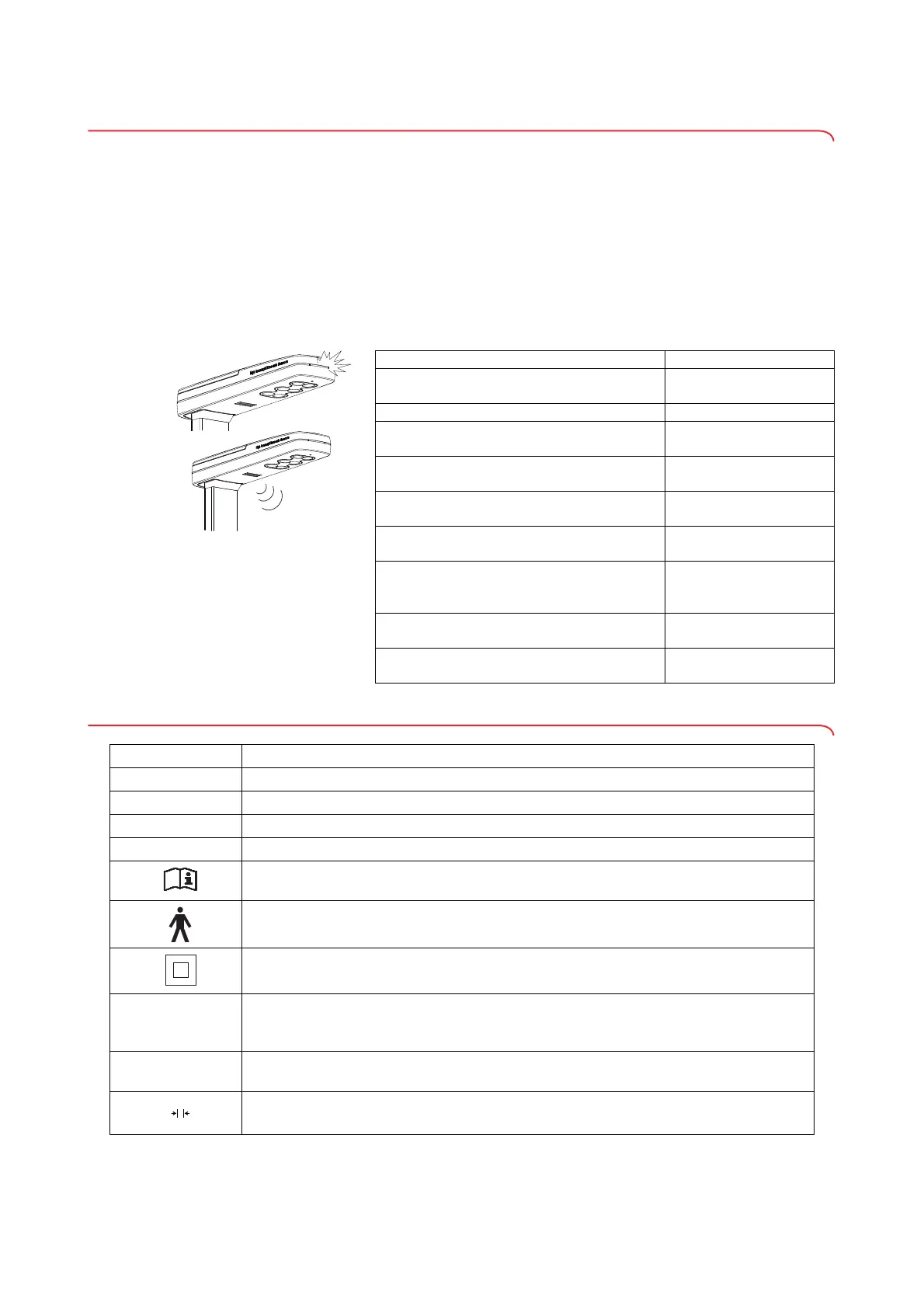
3.5 Device signals and voice output
The automatic weight and height detection of the device allows the patient to
perform a measurement independently.
During the measuring operation, the device supports measurement by means
of acoustic and visual signals, as well as voice output.
NOTE
The acoustic signals and voice output of the device can be configu-
red. Details can be found in the section entitled "Configuring voice
output (menu)" on page 82.
The table below is a summary of the signals and voice output of the device in
the sequence of the measuring operation:
3.6 Identification on the device ID label
Signal/voice output Meaning
Status LED on ultrasound head continuously
on
The device is ready for
measurement
"Please stand upright and look straight." Instruction to the patient
Status LED on ultrasound head goes off
The measuring operation
is in progress
"Do not move. The measurement starts
now."
Instruction to the patient
Short beeps
The measuring operation
is in progress
Long beep
The measuring operation
is complete
"Your weight is (...) kilograms. Your height is
(...) centimeters. Your Body Mass Index is
(...)."
Announcement of the
measured results
"The measurement is completed. Please
step off the platform."
Instruction to the patient
"Take your printed ticket."
Instruction to the
patient/to staff
Text/symbol Meaning
Mod
Model number
Approval Type
Type designation of design approval
S/N
Serial number, consecutive
ProdID
Product identification number, consecutive
Follow instructions for use
Electrical medical device, type B
Insulated device, protection class II
e
Value in mass units (verified models)
• States the difference between two consecutive display values
• Used to classify and verify a scale
d
Value in mass units (non-verified models)
States the difference between two consecutive display values
Weighing range (verified models)


 To Next Page
 Loading...









