The seca 360° wireless network • 91
Device registration If you set up a wireless group with this device, it searches for other active
devices from the seca 360° wireless system. The registered devices are
shown in the display of the device in the form of modules (e.g. Mo 3) by
means of numbers. The numbers have the following meaning:
• 1: personal scale
• 2: length measuring device
• 3: wireless printer
• 4: PC with seca USB wireless adapter
• 7: baby scale
• 5, 6 and 8-12: reserved for system expansion
6.2 Operating the measuring station in a wireless group (menu)
All the functions you need to operate the device in a seca wireless group can
be found in the "rF" submenu.
.
* Information on how to navigate in the multifunctional display menu can be
found on page 81.
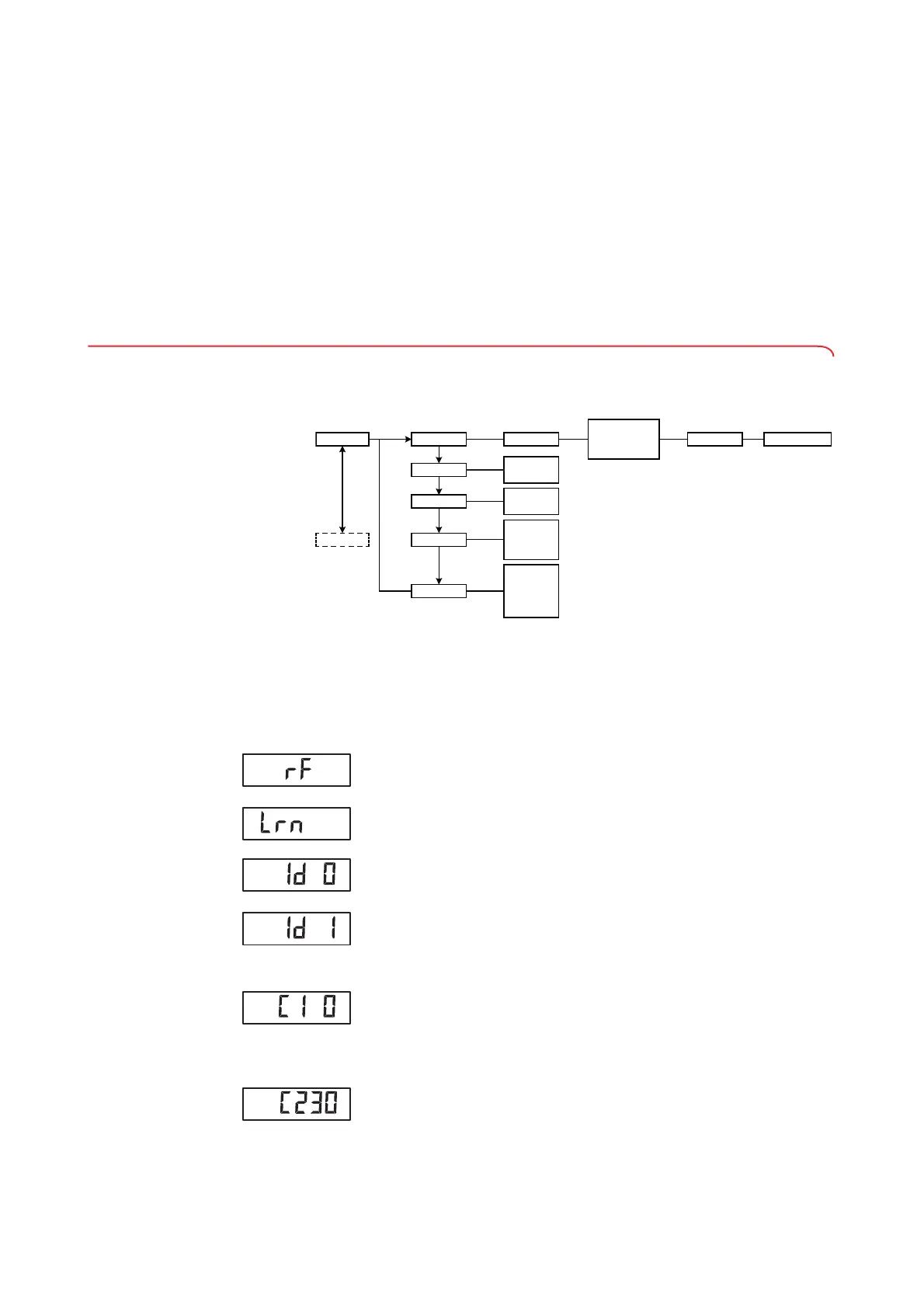
Setting up a wireless group (Lrn) To set up a wireless group, follow the instructions below.
1. Switch on the device.
2. Call up the menu.
3. Select the item "rF" from the menu.
4. Confirm your selection.
5. Select the "Lrn" (learn) menu item.
6. Confirm your selection.
The wireless group currently set (in this case: wireless group 0 "Id 0") is
displayed.
If the wireless group "0" already exists and you want to set up another
wireless group with this device, select a different ID using the arrow keys
(here: wireless group 1 "Id 1").
7. Confirm your selection of wireless group.
The device suggests a channel number for Channel 1 (in this case:
"C1 0").
You can adopt the proposed channel number or use the arrow keys to set
a different channel number.
8. Confirm your selection for Channel 1.
The device suggests a channel number for Channel 2 (in this case:
"C230").
You can adopt the proposed channel number or use the arrow keys to set
a different channel number.
rF
..........
Autosend
System
Autoprint
Time
• Year
• Month
• Day
• Hour
• Minute
• HI
• MA
• HI_MA
• Off
• On
• Off
• On
• Off
Learn Group (ID) Stop Reg. Devices (mo)
• Channel 1 (C1)
• Channel 2 (C2)
• Channel 3 (C3)
*


 To Next Page
 Loading...









