34 •
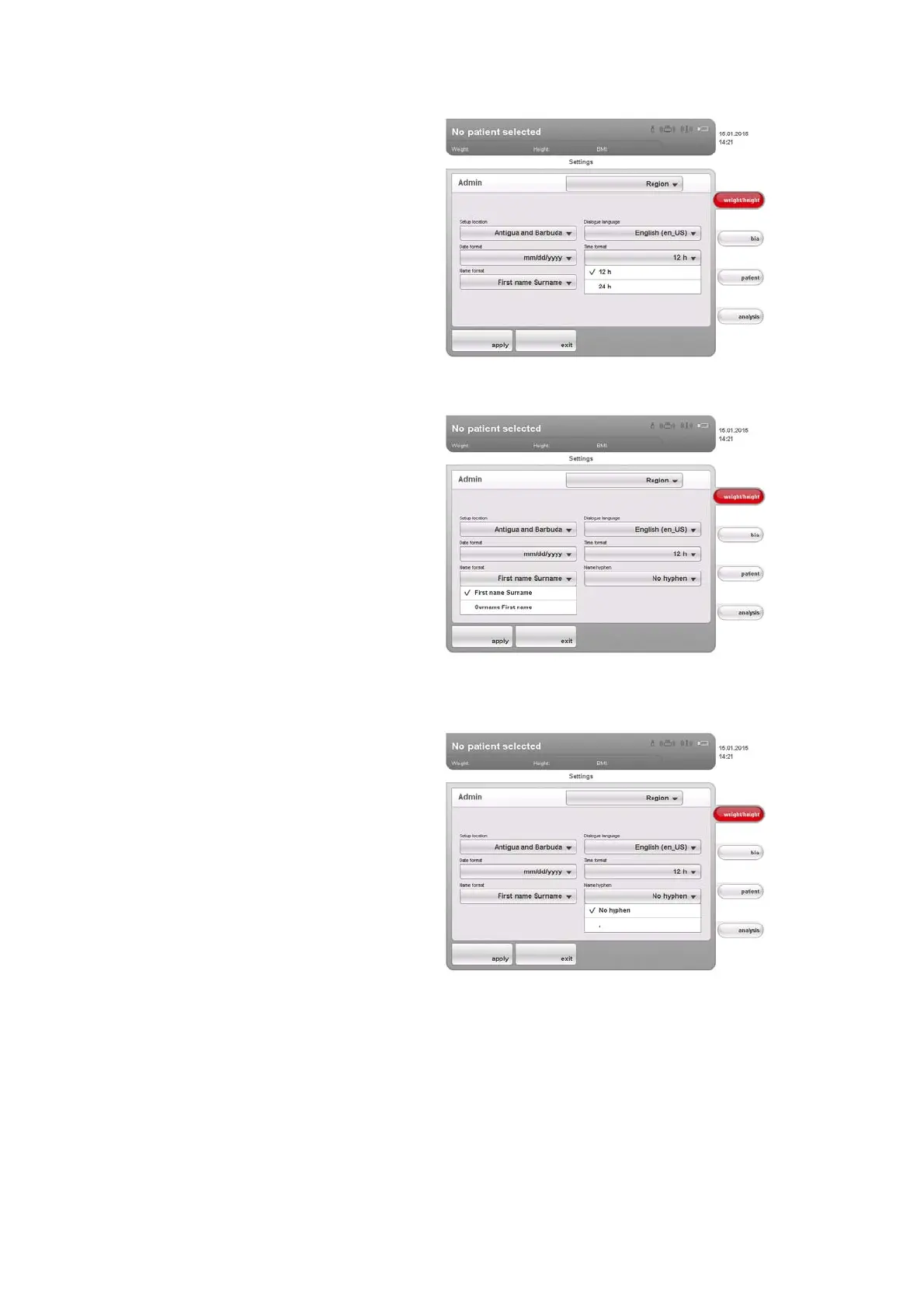
7. In the Name format drop-down menu, select the desired sequence for the
patient's name and surname.
Patients' first names and surnames will be displayed in the device's lists
and dialog windows in accordance with the sequence you select.
8. In the
Name hyphen drop-down menu, select the desired hyphenation.
In lists and dialog fields, patients' first names and surnames will be
separated by the selected character.
ATTENTION!
Loss of data, incorrect assignment of measurements
The settings for name sequence and name hyphens are not automati-
cally synchronized with the settings in the PC software. If the settings
do not match, patients may be confused and measurements assigned
to the incorrect seca patient file.
► Ensure that the same settings for name sequence and name hy-
phen are made both on the device and in the PC software.



 To Next Page