Configuring the device • 39
The two communication modules and the seca patient database are installed
automatically when you select the options
Server or Complete for installing
the
seca 115 PC software.
NOTE:
Also observe the Administrator Manual for the
seca 115 PC software.
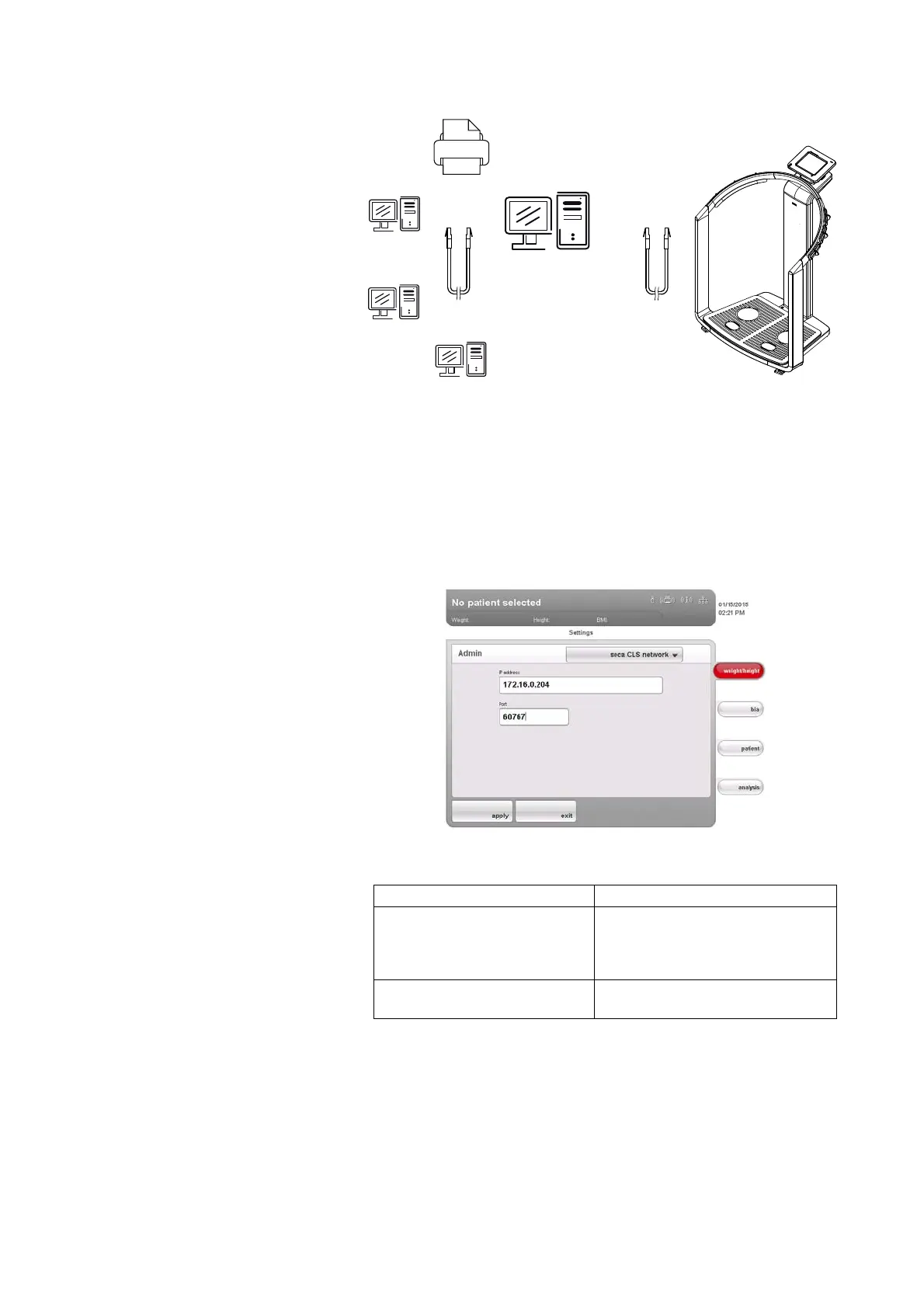
The CLS server and seca mediator service are addressed via the same IP
address and the same port. To set up this link, proceed as outlined below.
1. Call up the administrator menu on the device.
2. In the drop-down menu, select the seca CLS network element.
The current settings are displayed.
3. In the
IP address line, enter the appropriate IP address.
4. In the
port line, enter the line “n+100” (n = port for the PC selected under
3., default: 60667).
5. Press the apply button.
The new settings are active.
IP-Adresse: 192.168.2.12
seca mediator service
seca Patientendatenbank
Port: 60667
CLS-Server
seca 115 Client (optional)
sec 115 Client
seca 115 Client
seca 115 Client
Netzwerk-Drucker
Network printer
seca 115 client (optional)
CLS server
seca mediator service
seca patient database
IP address 192.168.2.12
Port: 60667
seca 115 client
seca 115 client
seca 115 client
Configuration IP address
seca 115 PC software as a client/
server solution
The IP address of the PC on which
the seca 115 PC software was
installed with the options Server or
Complete
seca 115
PC software as a stand-
alone solution
IP address of the PC workstation



 To Next Page