Instructions for Use
Resting & Stress ECG with seca
ct330/331 and seca diagnostic 5.9
3.2.3 Connecting training devices for stress ECG
→ Connect the training device to the PC with the supplied cable (serial
port)
1)
.
→ Make a note of the serial port number, see Windows Device
Manager. The number of the serial port will be needed later in seca
diagnostic.
→ Some devices (e.g., ergometer ec5000 and treadmill er2100) can be
connected to the PC using a network cable.
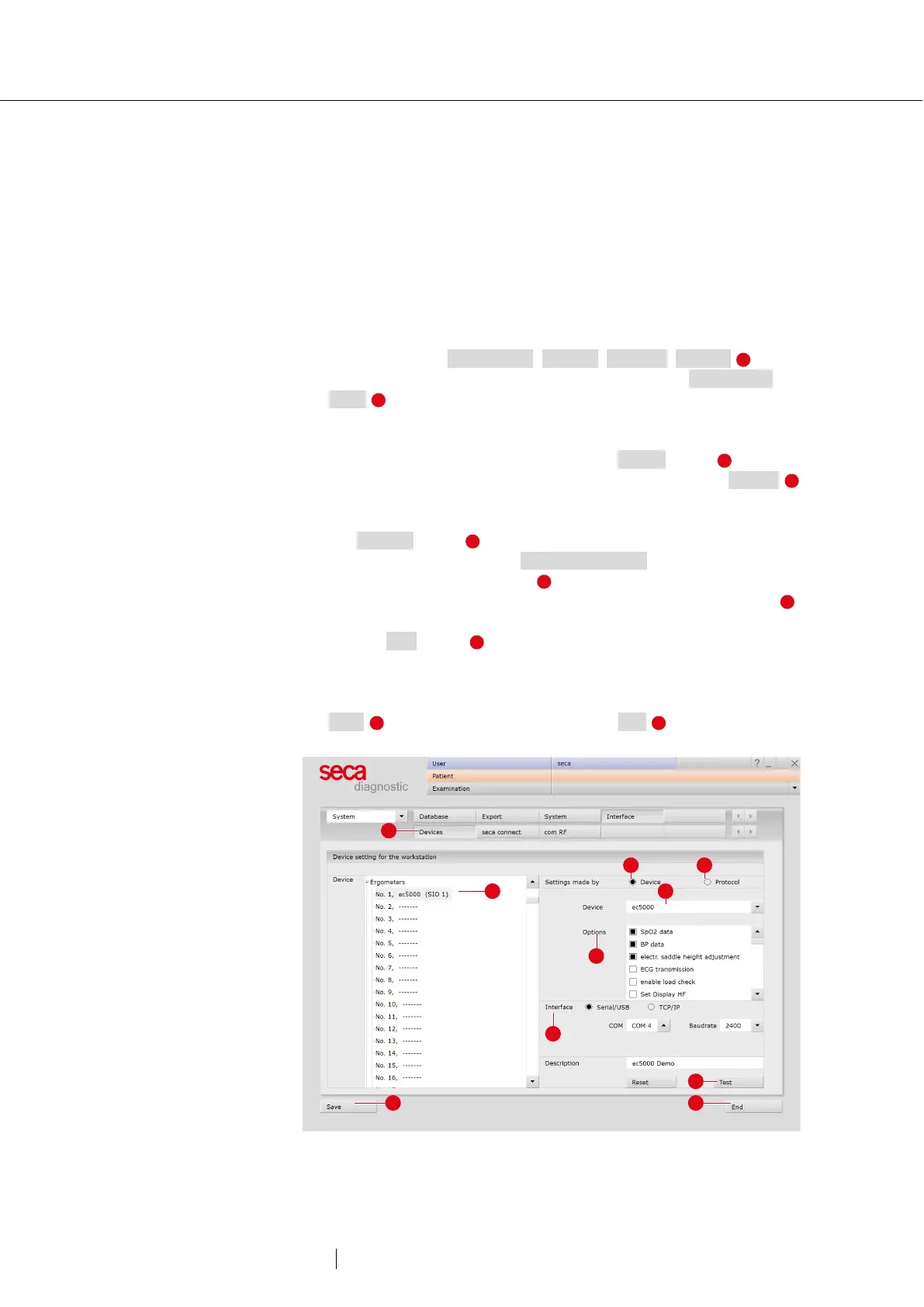
→ Start seca diagnostic.
→ Open the screen Examination, Settings, Interface, Devices .
→ In the left half of the window, select the device, e.g., Ergometers,
No. 1 .
→ In the right side of the window, change the device settings as
required.
→ If the device type is known, select the Device option and in
the “Device” dropdown list select the device type, e.g. ec5000
.
→ If the device type is not obviously recognizable, select the
Protocol option and in the “Protocol” dropdown list select the
connected device, e.g., customed/ergoline.
→ In the “Options” dropdown list , set the device options.
→ Details about the device connection are entered in the “Interface”
area.
→ Use the Test button to check whether the connection between
the device and the PC is working.
→ If the connection is successful, “Status: O.K. started” appears in the
test dialogue box.
→ Save your input. Close the screen with End .
Fig. 12: Connecting training devices with seca diagnostic
1) The number of serial ports on
the PC can be expanded with
USB-to-serial converters or a
PCI plug-in card with serial
ports.



 To Next Page