Instructions for Use
Resting & Stress ECG with seca
ct330/331 and seca diagnostic 5.9
3.7.3 Resting ECG evaluation screens
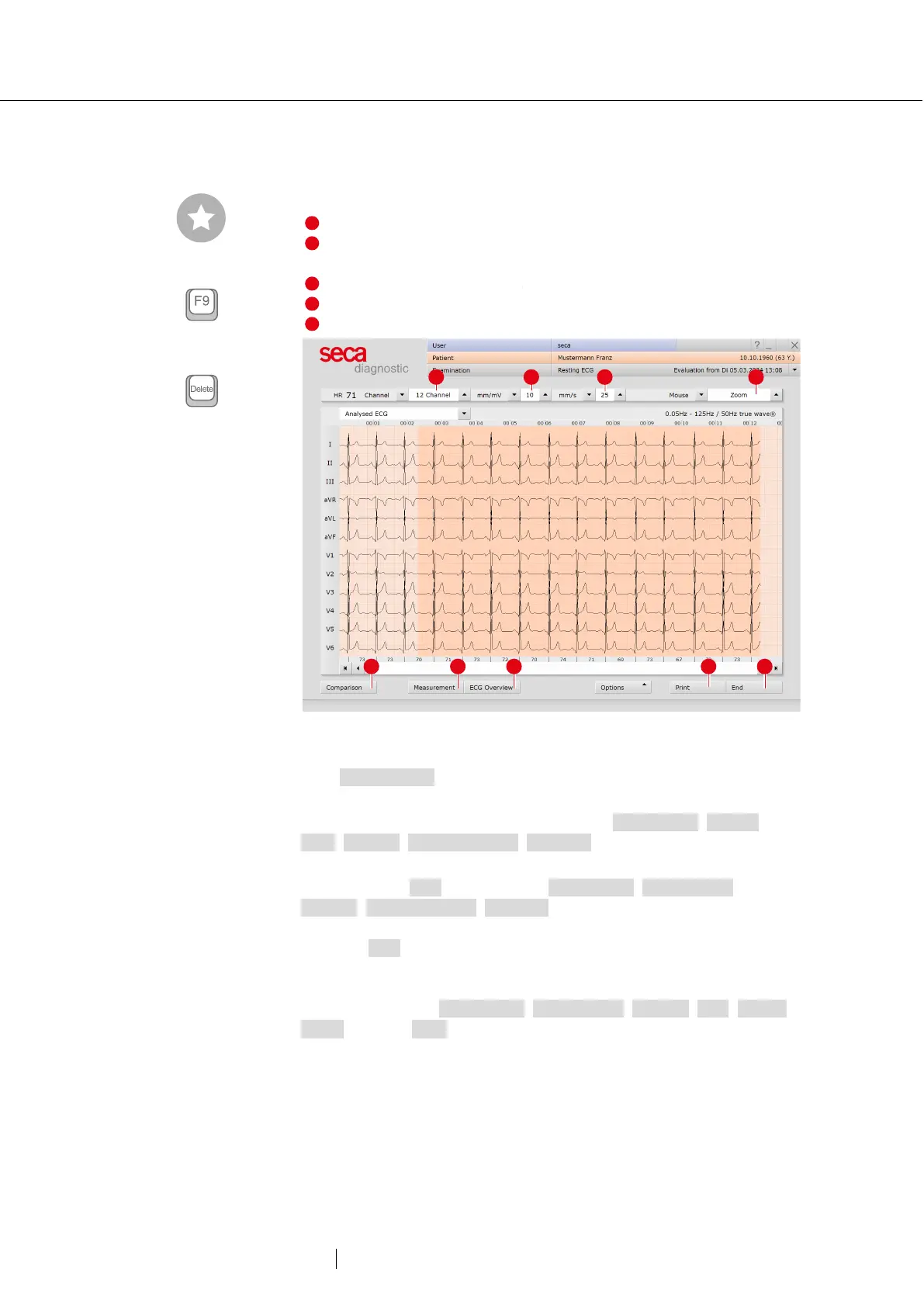
ECG start screen
Setting options for the ECG display
Mouse functions for precise viewing and measuring of the ECG
signal (Zoom, Analysis, Measure HR, Measure, Marking)
Further evaluation screens
Button for closing the evaluation
Fig. 35: Evaluation Resting ECG, ECG start screen
If the Measurement view is set as the start screen, you will find the same
operating and navigation elements (1 to 5) there.
The evaluation start screen can be set under Examination, Resting
ECG, Settings, Menu/Functions, Workflow in the “Menu/Functions,
Show evaluation” area.
Settings for the Print button: On the Examination, Resting ECG,
Settings, Menu/Functions, Workflow screen, in the “Workflow, Print”
area, you can specify whether the advanced print menu is displayed
when the Print button is clicked (default) or whether printing is performed
automatically and without further settings, according to the default print
settings (= defined printout). The standard print settings for Resting ECG
can be found under Examination, Resting ECG, Settings, Print, Printed
pages. Click on Save to apply your input.
Tip: Keyboard shortcuts
Blood pressure input
Deletes a marking if it was
previously selected by mouse
click



 To Next Page