Instructions for Use
Resting & Stress ECG with seca
ct330/331 and seca diagnostic 5.9
3.10 Optional: Reporting with approval process
If seca diagnostic is used with approval process, authorised persons
with corresponding user rights can save pre-reports of other persons as
a report without having to close the evaluation already opened by the
previous examiner (shortened workflow) or enter pre-reports/reports
directly if the evaluation was created by a person without reporting
rights.
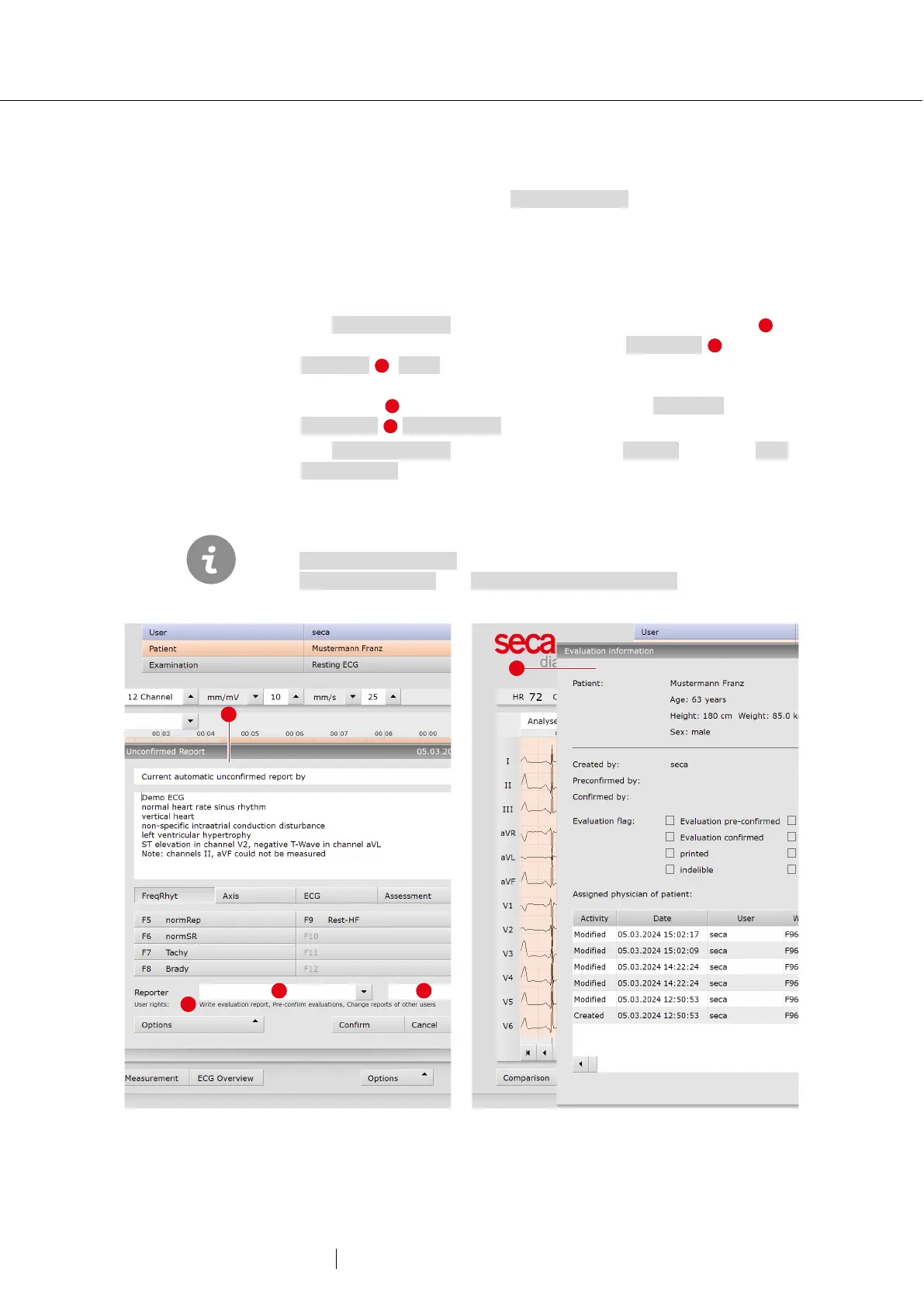
The approval process is visible in the unconfirmed report dialogue of
an evaluation. The user can be changed there: User name ,
Password , Enter. During the login process, the user rights of the
respective user are checked and the software interface is adapted
accordingly . The reporting is documented in the evaluation
information (context menu).
The approval process must be activated in the Settings and in the seca
service center for each user and project. The user rights must be set to
match the workflow. Contact seca.
Pre-reporting physicians must have the user right
, reporting physicians must have the user rights
and Change reports of other users.
47: Unconfirmed report dialogue with approval process
48: Evaluation information



 To Next Page