Instructions for Use
Resting & Stress ECG with seca
ct330/331 and seca diagnostic 5.9
For Stress ECG: Unconfirmed report with Duke Treadmill Score
In order to display the Duke Treadmill Score, some settings are required
in seca diagnostic, see 3.2.5 Extended ECG settings, p. 39. Information
on calculating the Duke Treadmill Score can be found in the appendix,
see 5.1 Values and formulas in the ECG evaluation, p. 80.
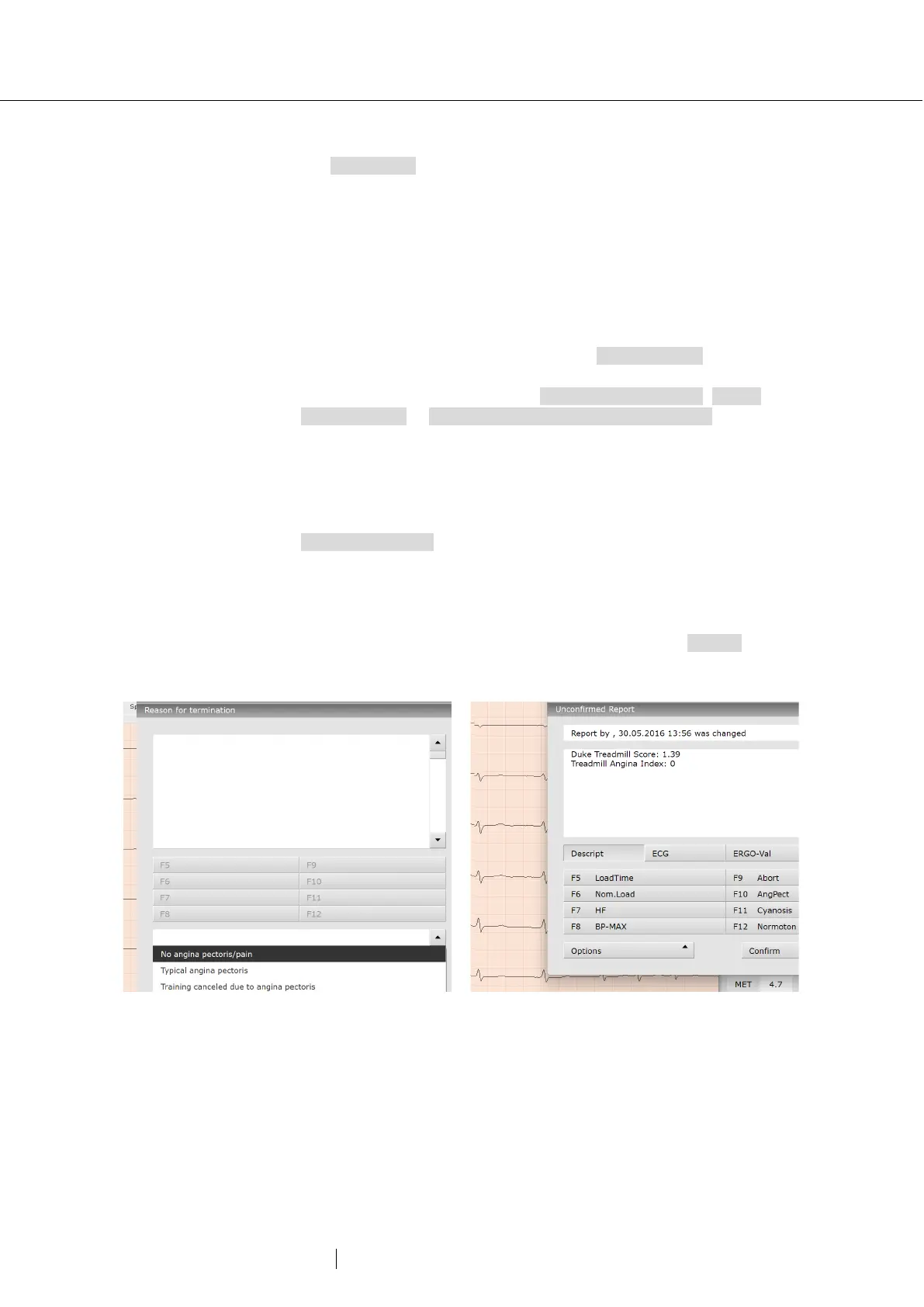
In order to display the Duke Treadmill Score in seca diagnostic, the
Treadmill Angina Index (TAI) must first be specified. If the TAI has not
yet been entered during the recording of the stress ECG, carry out the
following steps in the evaluation. Open the context menu (right-click on
the evaluation interface) and click there on Reason for end. Select the
appropriate entry from the drop-down menu at the bottom of the
“Reason for termination” dialogue: No angina pectoris/pain, Typical
angina pectoris or Training cancelled due to angina pectoris. The Duke
Treadmill Score is calculated using this information and other measured
values from the stress ECG.
To display the Duke Treadmill Score, call up in the unconfirmed report
dialogue in the stress ECG evaluation. Open the context menu in the
evaluation (right-click on the evaluation interface) and click there on
Unconfirmed report. In the unconfirmed report dialogue, select the text
module that contains the variable for outputting the Duke Treadmill
Score. If there is no text module for this, enter the export elements or
variables directly into the white text field of the unconfirmed report
dialogue: {DUKE_SCORE} and {TREADMILL_ANGINA_INDEX}. The
values are displayed in the unconfirmed report. Click on Confirm to
apply your input.
45: Specifying the TAI in the “Reason for termination”
46: Unconfirmed report text with the Duke Treadmill



 To Next Page