Instructions for Use
Resting & Stress ECG with seca ct330/331 and seca diagnostic 5.9
5.2 Keyboard navigation and shortcuts
Use the quick access, keyboard control and keyboard shortcuts to work
quickly and conveniently.
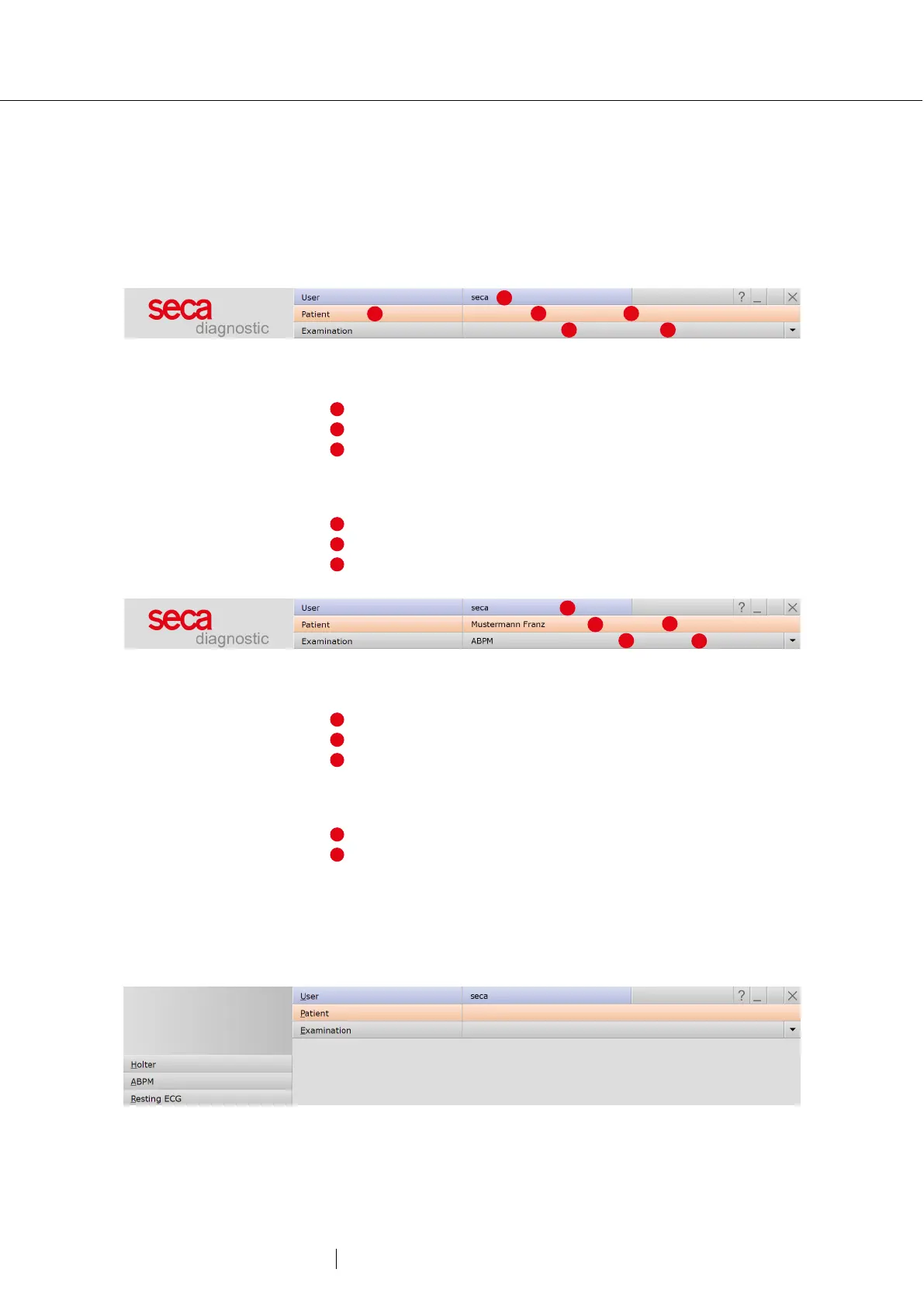
Quick links in the main navigation
Left click
→ Change user password
→ Call last patient
→ Examination main menu
Right click
→ Evaluation search
→ Call last patient
→ Most recently opened evaluation
Left click
→ Change user password
→ Patient master data
→ Menu of the current examination
Right click
→ All evaluations of the patient
→ Last opened evaluations of this examination
Keyboard navigation
Pressing the Alt key underlines the first letter of a screen button.
Pressing an initial letter again triggers the corresponding button.



 To Next Page