Instructions for Use
Resting & Stress ECG with seca
ct330/331 and seca diagnostic 5.9
3.9 Confirming the evaluation
Unconfirmed report and report
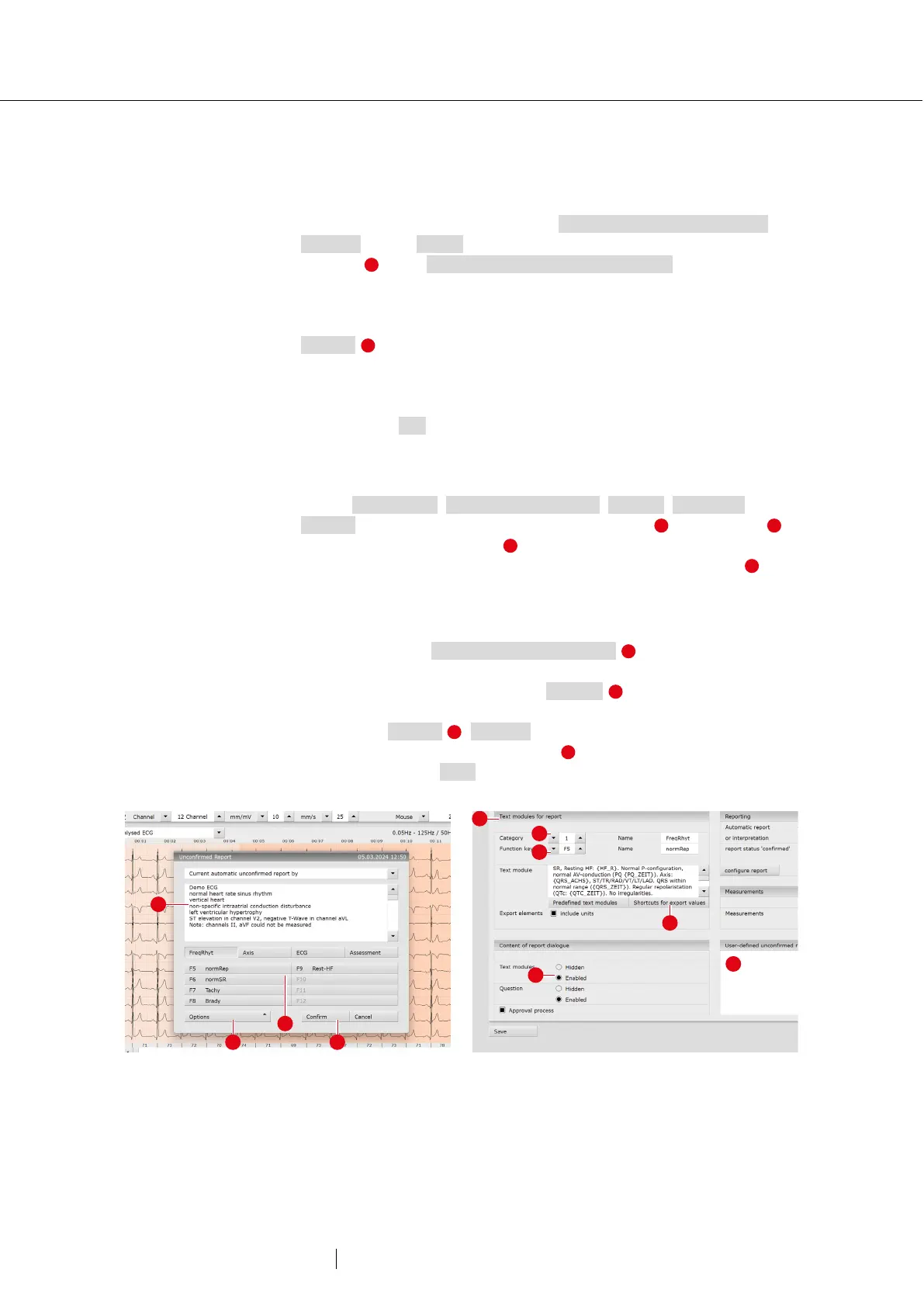
The unconfirmed report is opened by right-clicking on the evaluation
interface. Select Report in the context menu. Enter your details in the
text field . If the Unconfirmed report or interpretation option is selected
in the system settings, an unconfirmed automatic system report is
already present in the text field. If necessary, older reports can be
displayed via the report history (drop-down list above the text input field).
Confirm saves your input and the unconfirmed report becomes a
(preliminary) report, depending on the current user's report rights. If your
(unconfirmed) report is not yet complete and is to be saved without
obtaining the status “Evaluation (pre-)confirmed”, reset the report status
when ending (End) the evaluation.
Text modules – an aid for writing reports
On the Examination, Resting & Stress ECG, Settings, Diagnostic,
Reports screen page, text modules can be created . Four groups
with up to eight text modules can be created. The text modules are
called up in the unconfirmed report via the keyboard (F5 to F12) .
A text module can be composed of text and variables. Instead of a
variable, the actual value from the evaluation is inserted into the report
text when using a text module. The structure of a variable is
{VARIABLE}. With Shortcuts for export values you receive a list with
all variables. If the text modules are to be displayed in the unconfirmed
report dialogue, make sure that the Enabled option is activated.
Otherwise, the text modules can be displayed in the unconfirmed report
dialogue via Options , Texts on. It is also possible to write a text that is
displayed in each unconfirmed report . The text can be changed in the
unconfirmed report. Save your entries.
43: Unconfirmed report
44: Text modules



 To Next Page