Instructions for Use
Resting & Stress ECG with seca
ct330/331 and seca diagnostic 5.9
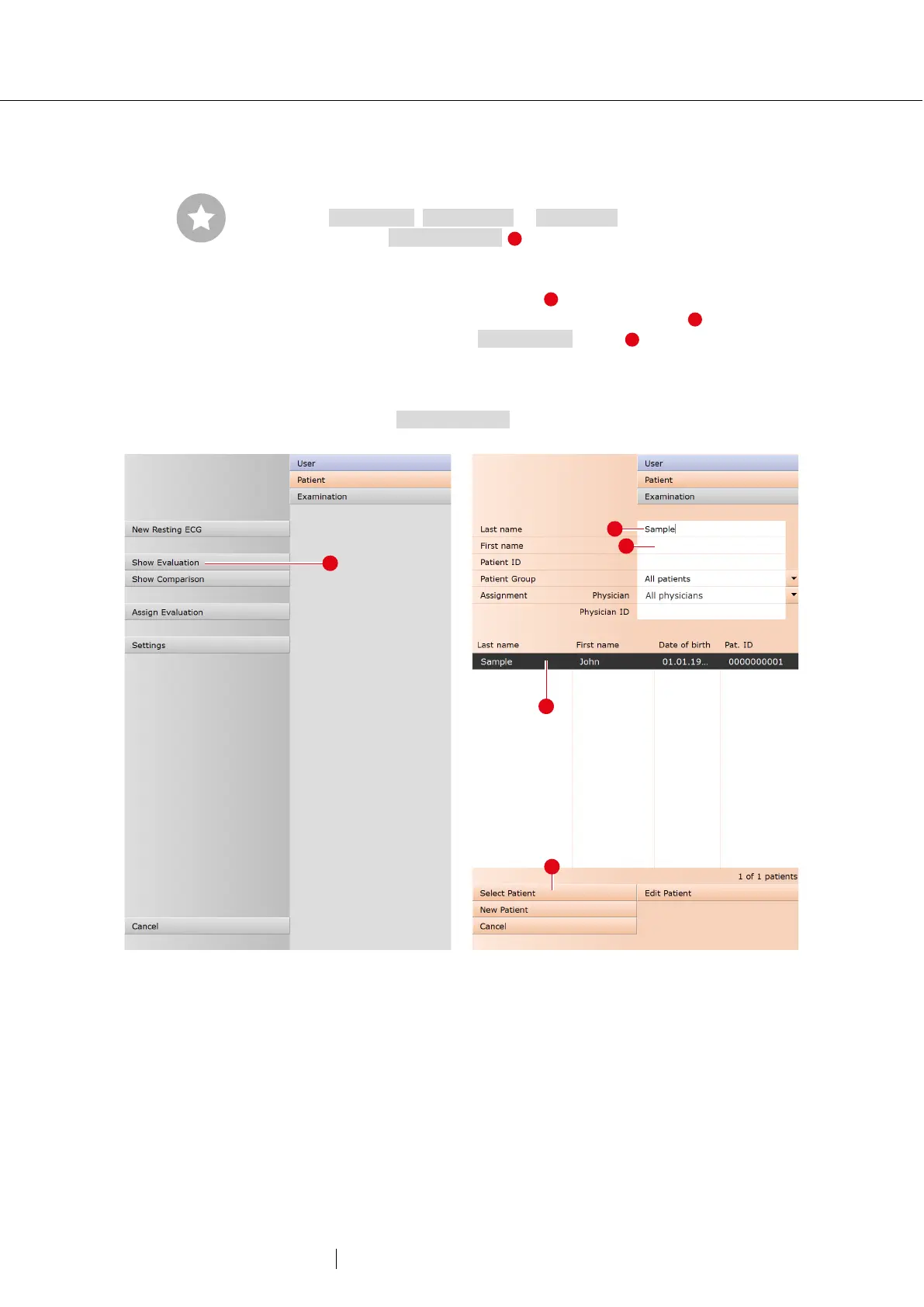
3.6.2 Opening an evaluation via the evaluation menu
→ Open the examination main menu via
Examination, Resting ECG or Stress ECG.
→ Click on Show evaluation .
→ The patient search screen appears. Select the patient whose
evaluation you want to open. Enter the name of the patient in the
input fields of the search mask .
→ Select the patient from the list below the input fields and confirm
the selection with the Select patient button or by double-clicking
on the name.
→ A list with all evaluations of the patient is displayed. Select the
desired evaluation from the list and open it by double-clicking or
using the Show evaluation button.
31: Resting ECG main menu
32: Select patient
Tip for entries in the patient
menu: Press the tab key to
move the cursor to the next
input field.



 To Next Page