Instructions for Use
Resting & Stress ECG with seca
ct330/331 and seca diagnostic 5.9
Advanced search, creating filter sets
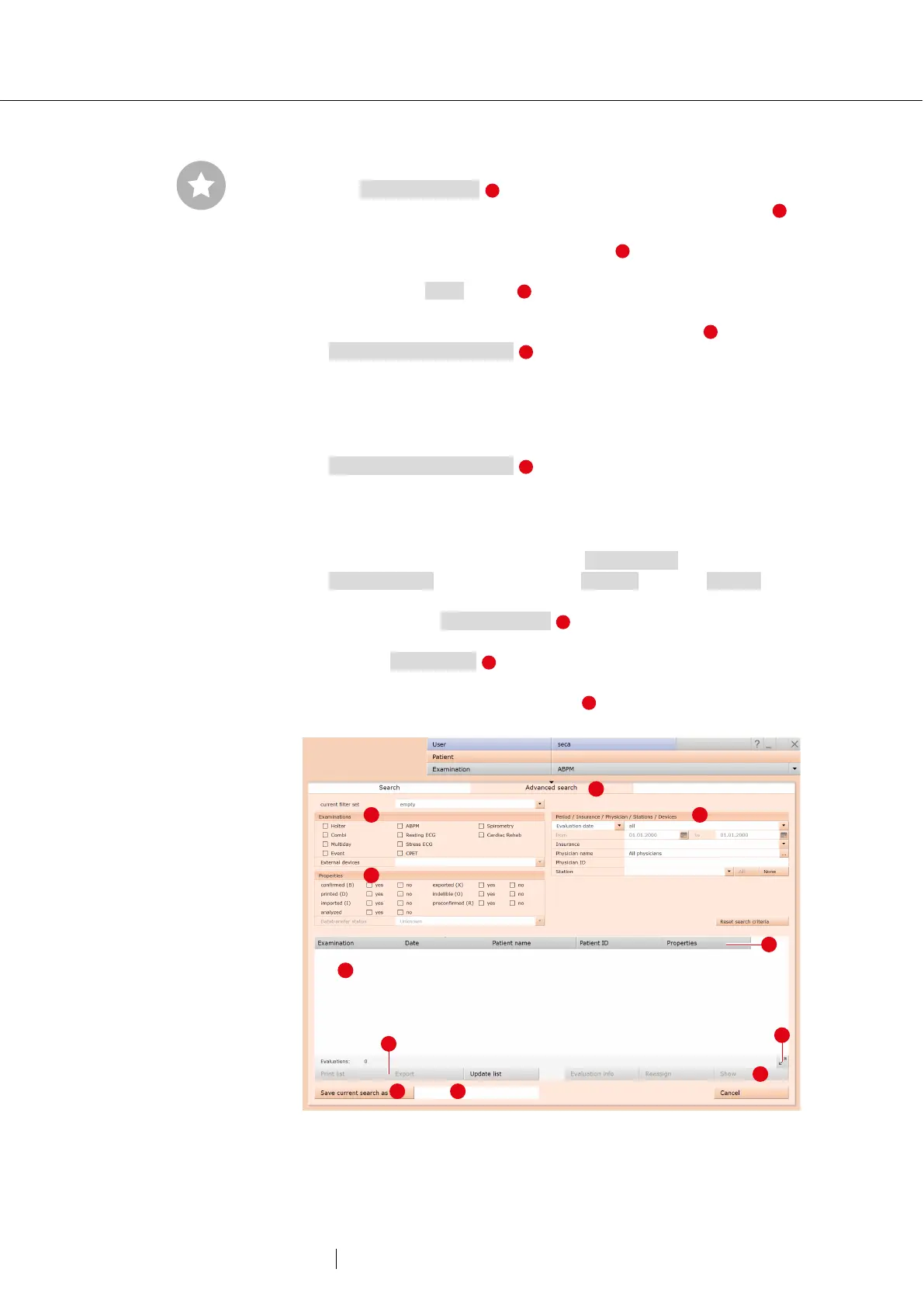
→ The Advanced search is used to create filter sets and to quickly
select search criteria (e.g., examination, properties, time period) .
By setting certain search criteria, the search is narrowed down.
→ The search results are displayed as a list .
→ An evaluation is opened by double-clicking on the corresponding
line or via the Show button .
→ The selected search criteria can be saved as a filter set with a
corresponding name. Enter the name in the input field and click
Save current search as set .
Editing filter sets
→ Select the filter set to be edited, (current filter set).
→ Adjust the search parameters (e.g. examination, time period).
→ Save current search as set overwrites the previous set.
→ If a new name is assigned beforehand, a new set is created.
Configuring the list of search results
→ Right-click on the screen to open the context menu. There click on
Select columns and set the required columns. Click on Confirm to
apply your changes.
→ By clicking on a column heading , the list is sorted by this column
and the sorting within the column can be reversed.
→ With the arrow button at the bottom right of the list, the list can be
enlarged or reduced.
→ The list can be printed and exported .
Fig. 30: Evaluation search, extended search
Reference between the end
dialogue and the evaluation
search - In order to make proper
use of the evaluation search,
the status of the evaluation
must be set correctly in the end
dialogue when you exit an
evaluation. Example: An
evaluation can only be found in
the evaluation search with the
property confirmed “No” if the
status “Evaluation confirmed” is
NOT selected in the end
dialogue.



 To Next Page