Instructions for Use
Resting & Stress ECG with seca
ct330/331 and seca diagnostic 5.9
3.6 Opening evaluations
3.6.1 Opening an evaluation via the evaluation search
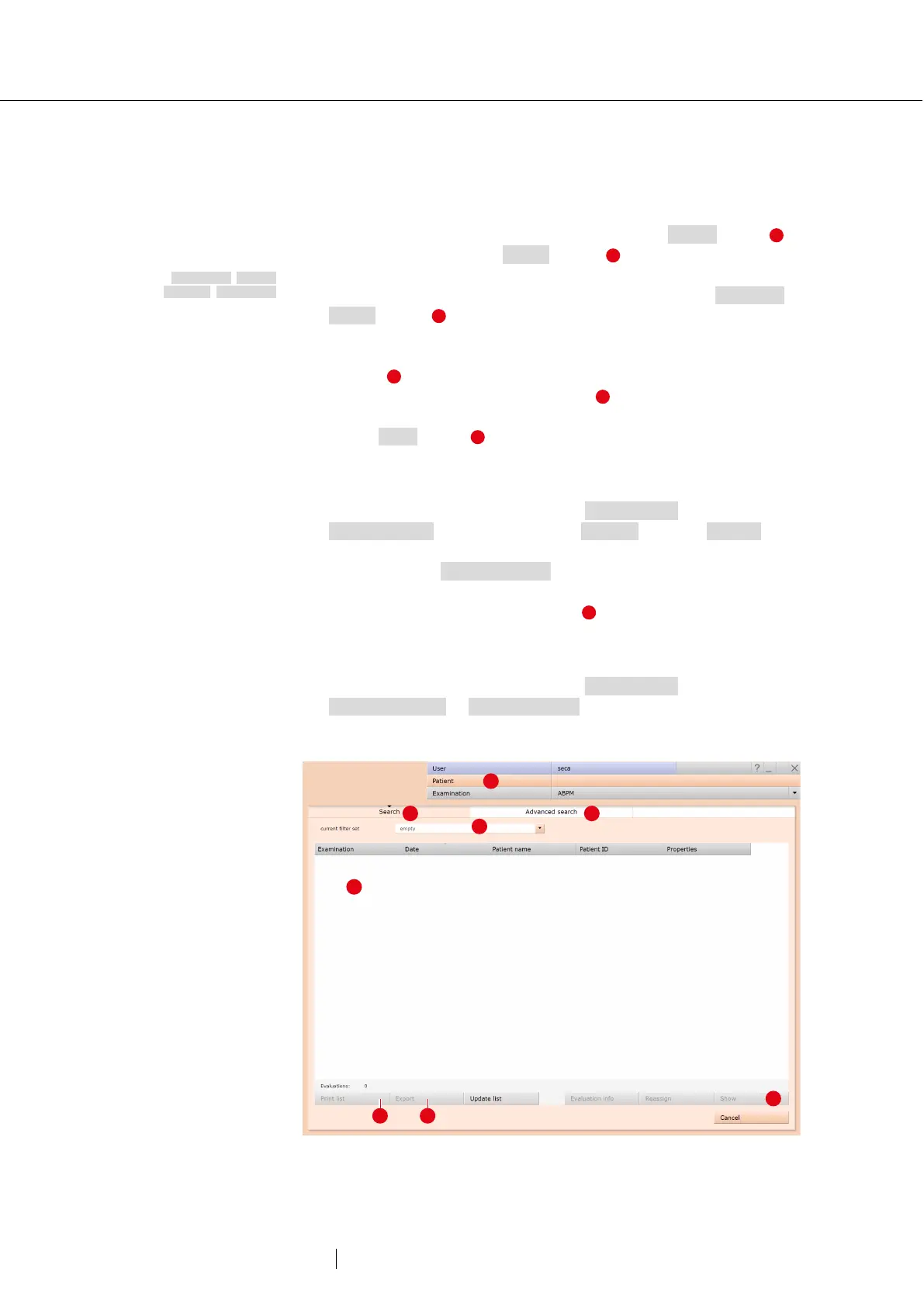
→ To open the evaluation search
1)
right-click on the Patient button .
→ With factory settings, the search screen is displayed. Here,
previously saved search criteria, so-called filter sets, can be used to
search for evaluations. Filter sets can be created on the Advanced
search screen .
→ Depending on the default setting of the system, a filter set is already
active and the search results are displayed here full-screen
as a list .
→ If no filter set is active yet, select a set .
→ Open an evaluation by double-clicking on the corresponding line or
via the Show button .
Configuring the list of search results
→ Right-click on the screen to open the context menu. There click on
Select columns and set the required columns. Click on Confirm to
apply your changes.
→ By clicking on a column heading, the list is sorted by this column
and the sorting within the column can be reversed.
→ The list can be printed and exported .
Renaming filter sets, deleting filter sets
→ Right-click on the screen to open the context menu. There, click on
Rename filter set or Delete filter sets.
→ Follow the instructions.
Fig. 29: Evaluation search, search with filter sets
1) The evaluation search can be
configured in the seca
diagnostic settings, see
Examination, Settings,
Database, Eval. search.



 To Next Page