Instructions for Use
Resting & Stress ECG with seca
ct330/331 and seca diagnostic 5.9
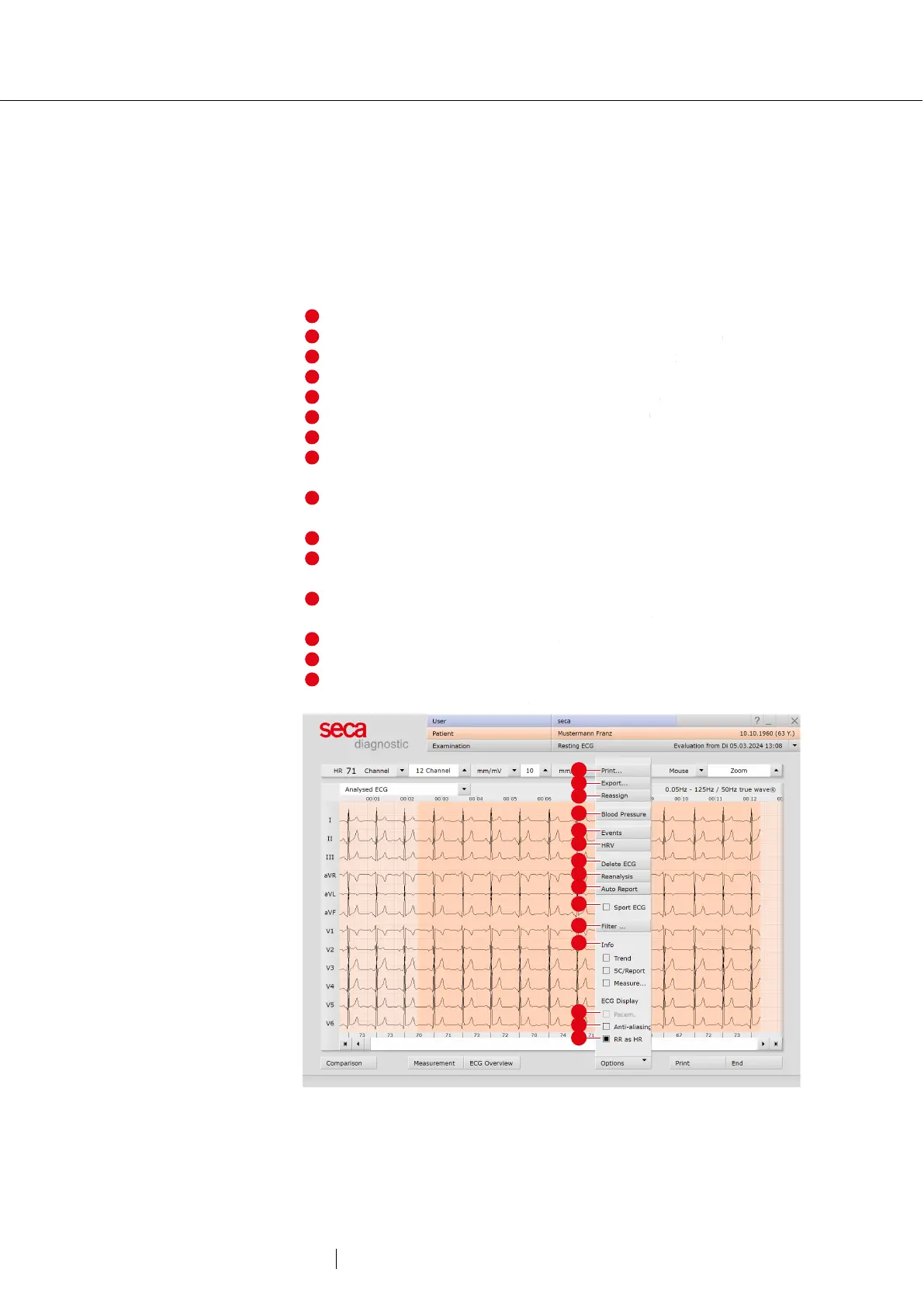
Options menu
The scope and contents of the options menu change depending on
which screen of the evaluation you are on. On the Measurement screen,
for example, you can activate the display of ST values in the options
menu and set which markers are to be displayed in the summary
complexes.
Print menu for temporary changes to the print settings
Export of the evaluation (e.g., as Excel, PDF, DICOM...)
If necessary, assign evaluation to another patient
Manual blood pressure input (F9 key)
HR trend, display of events in ECG (e.g., VBP)
Tables and graphics for heart rate variability
1)
Deletes the ECG outside the marked and analysed sections
New analysis of ECG signal for resetting manual changes in
ECG, additions to the report remain available
Automatic creation of a new report after manual changes have
been made in the ECG recording
Analysis of the ECG according to criteria for competitive athletes
Switching on and off filters in the ECG (options: Display ECG as
saved, unfiltered or filtered ECG - mains filter, muscle filter
Show and hide additional content on the right-hand side of the
screen: e.g. cumulative complexes and report
Show or hide pacemaker spikes
Graphic flattening of ECG signal
In the bar below the ECG the heart rate is displayed instead of
RR intervals in milliseconds
Fig. 36: Resting ECG evaluation, Options menu
1) For the RR variability to be
displayed, at least five minutes
of ECG needs to be recorded!



 To Next Page