6. Navigation and Control System
SMF-MP10S User guide V1.1 Shanghai Seer Intelligent Technology Corporation 26
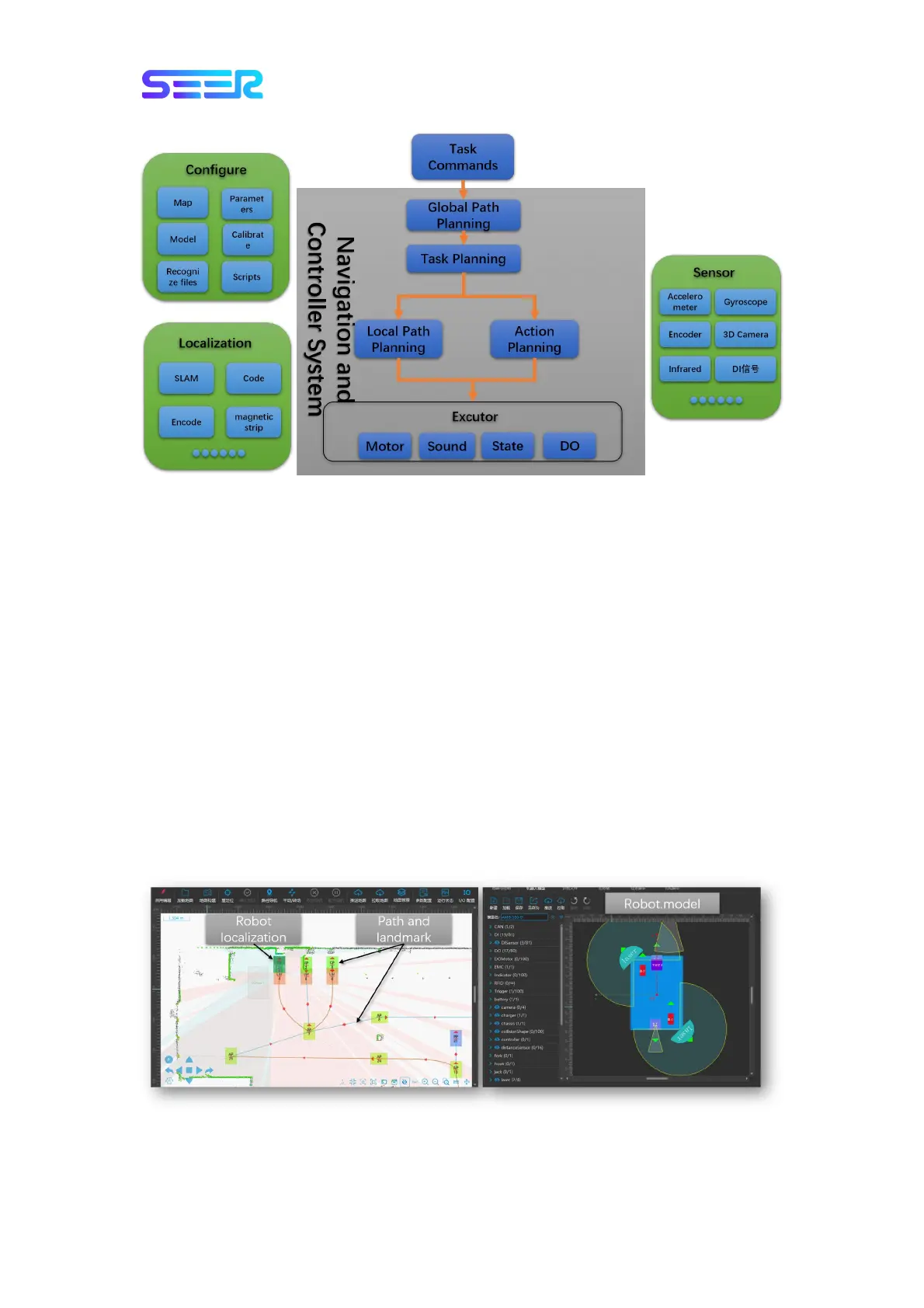
System Structure Diagram of Robot Navigation and Control
The user sends a task instruction to the robot somewhere through the network. The robot
will automatically generate a path to the destination point based on the configurable
content, localization and sensors, and use the actuators to complete the corresponding task
action.
6.2 User Input Information
To enable the robot to navigate automatically, the user must provide the following
information:
On the map where the robot is located, you need to scan the robot map through
RoboShop software, and set the working point location and path on the map
Configure the robot model files
Determine the current location of the robot
Send the destination point location of the robot.
On the map, the robot is expressed as a semi-transparent rectangle, and the point location
and path are also displayed on the map. The robot model file defines the properties of


 To Next Page