7. Debugging
SMF-MP10S User guide V1.1 Shanghai Seer Intelligent Technology Corporation 54
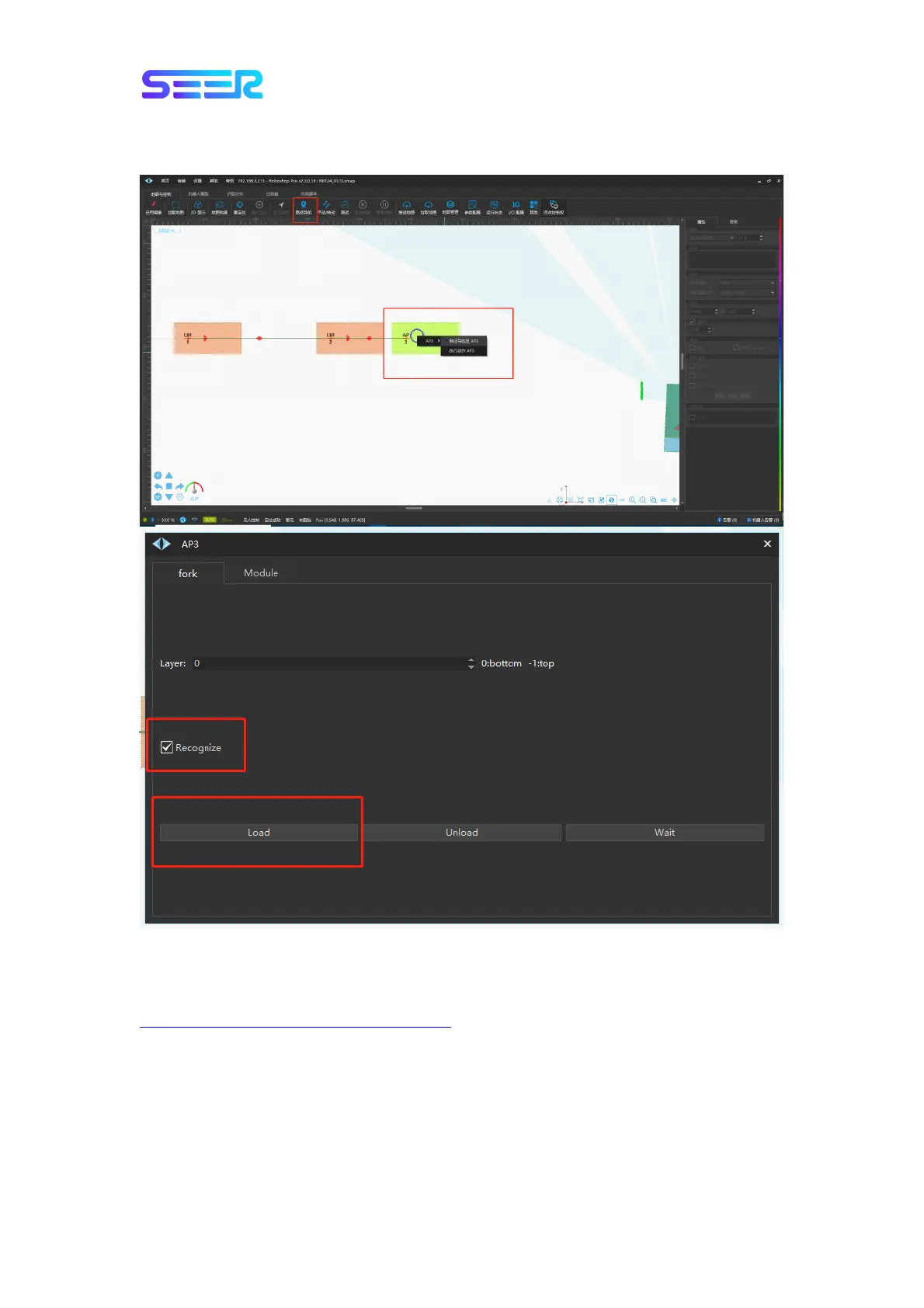
3. Click the “Path navigation”, move to AP3, click the left button, select the action AP3, check
“Recognize” in the pop-up action box, and click Load to send the instruction.
7.7.2 Material Cage Recognition
For specific operations and parameter settings, refer to the document at
https://shimo.im/docs/jJLOpLRfnYguimmA/
QR Code Recognition Instructions for AprilTag.
1. For forklift recognizing the material cage, it is necessary to set the material cage data in
advance, as follows: [Recognition File] - [Pull All]- Select [t001] in the [tag] on the left to
modify or right-click “Copy and add” to create a new one material cage, then modify the
pallet parameters, and then click [Push All] to push the modified material cage recognition
file to the robot.


 To Next Page