7. Debugging
SMF-MP10S User guide V1.1 Shanghai Seer Intelligent Technology Corporation 53
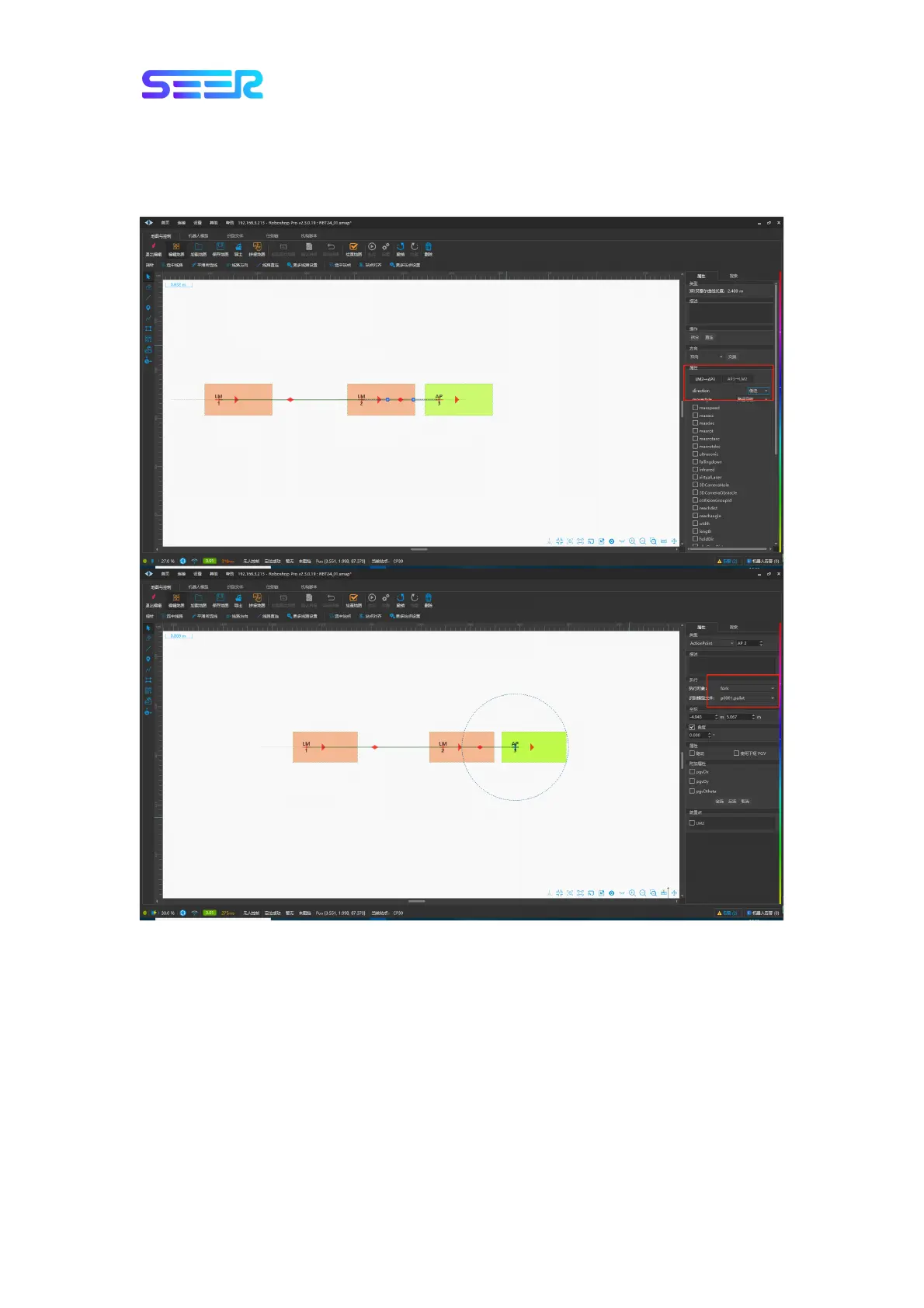
2. Set up three sites on the map: LM1, LM2 and AP3. Connect them in order, set LM2-->AP3
to go backwards, click AP3 to modify [Execution Object] to “fork”, and [Recognition Model
File] to “p001.pallet” (the specific file is selected according to the actual situation), then save
and push the map.


 To Next Page