7. Debugging
SMF-MP10S User guide V1.1 Shanghai Seer Intelligent Technology Corporation 45
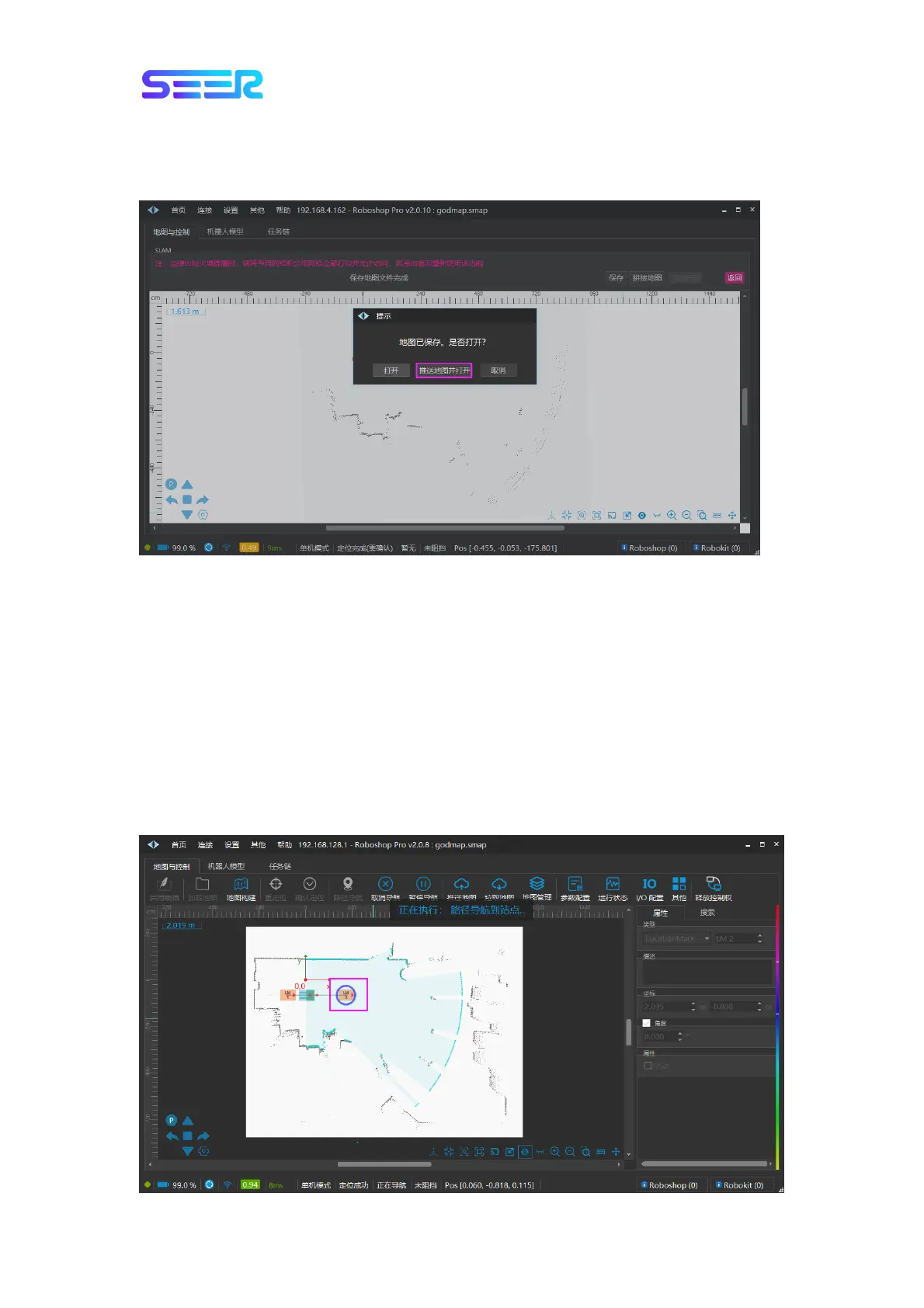
f. After it is saved successfully, a dialog box will pop up to ask whether to open it. Select
[Push the Map and Open it] to open the map just built and synchronize the map, which can
be used directly. At this point, the map building part has been completed.
Description: If you select [Open], the map just built will be opened, and a dialog box with
inconsistent map data will pop up. Select [Push the Map], [Pull the Map] or [Cancel]
according to your needs.
7.3 Path Navigation and Obstacle Verification
Precondition: There are at least two sites on the map which are connected by a Bezier curve.
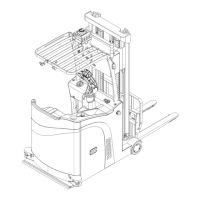
The robot conducts path navigation on the path: Click [Path Navigation] in the module
toolbar, and then click a site, such as clicking the point LM2; the robot will perform path
navigation along the path to the destination point (point LM2), and the robot will reach the
site; the direction of the robot to the point is consistent with the direction of the site, as
shown in the figure below.


 To Next Page