7. Debugging
SMF-MP10S User guide V1.1 Shanghai Seer Intelligent Technology Corporation 41
7. Debugging
7.1 Connect the Robot
To operate the robot, you need to use the latest version of Roboshop:
1. Connect the computer to the network port of the robot via a network cable.
2. Set the computer’s Ethernet IP to the network segment 192.168.192.xxx (xxx must be
more than 200), and the subnet mask as 255.255.255.0; the gateway can be omitted.
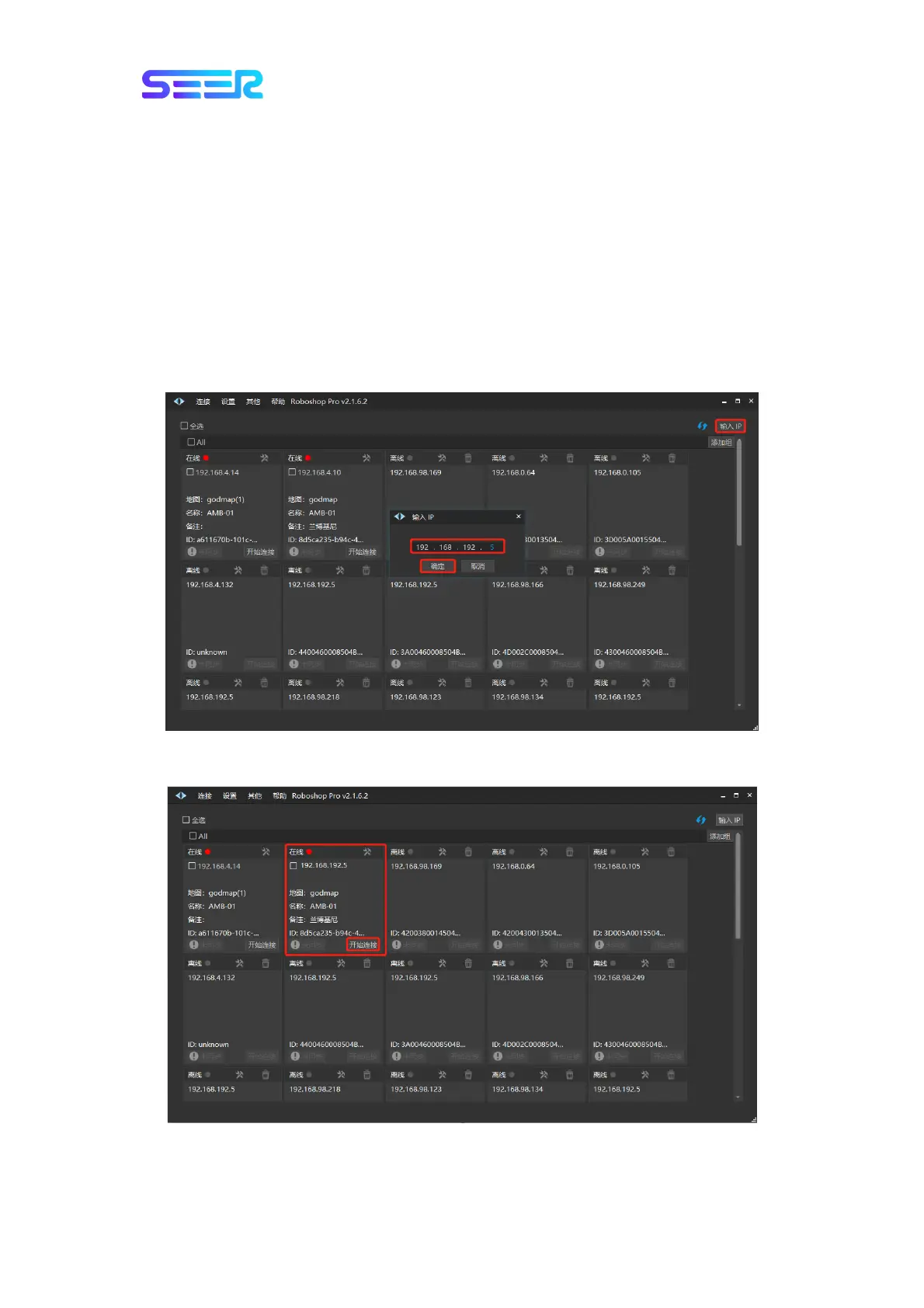
3. Open Roboshop and click the [Refresh] button on the [Homepage] or manually [Enter the
IP] address as [192.168.192.5] to add the robot.
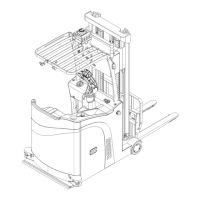
4. Find the robot with the IP address [192.168.192.5] in the robot list on the [Homepage]
and click the button [Start Connecting].


 To Next Page