7. Debugging
SMF-MP10S User guide V1.1 Shanghai Seer Intelligent Technology Corporation 51
7.6 Control the Rising/Dropping of the Fork via Upper Computer
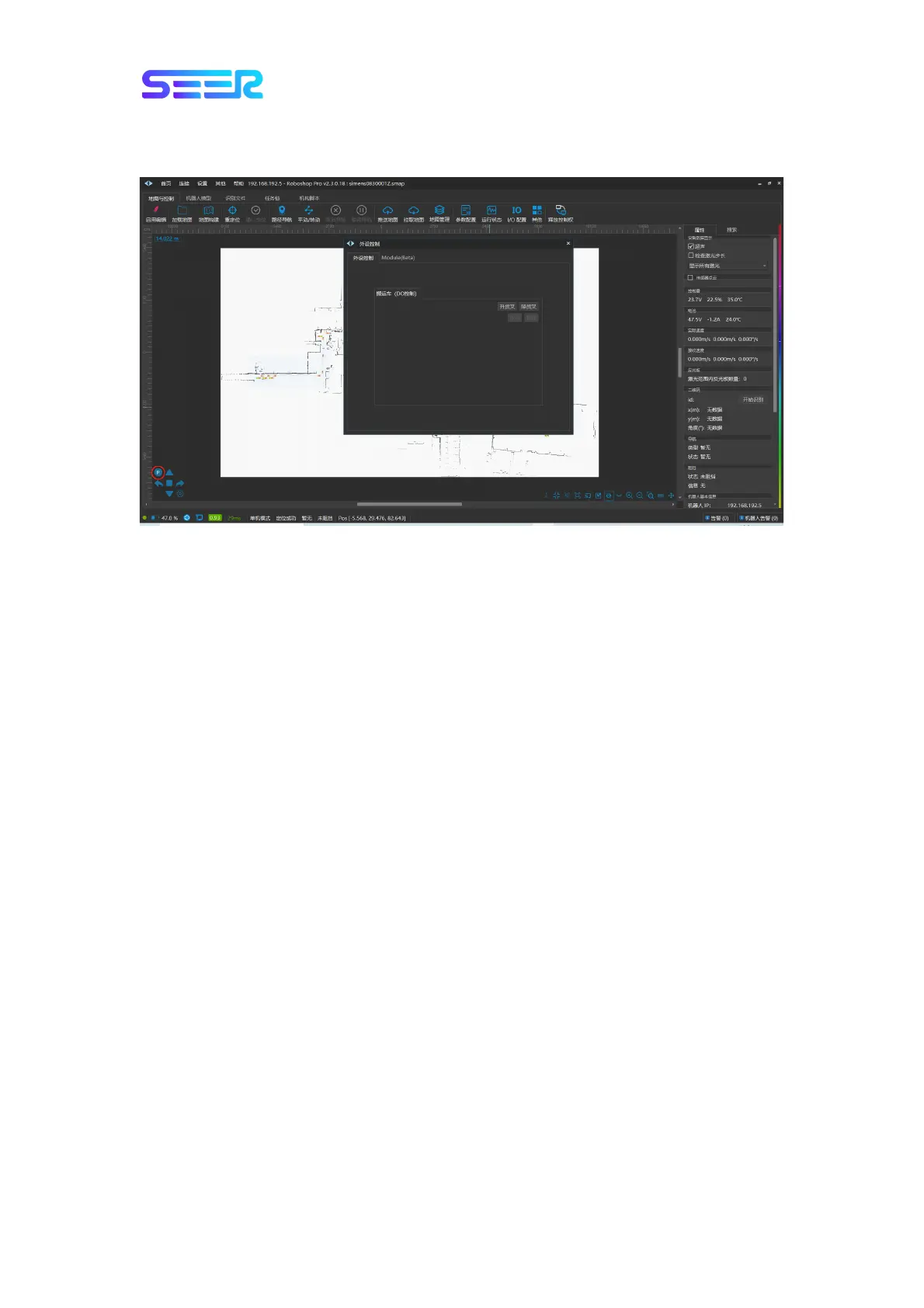
Control the rising/dropping of the fork via upper computer: Confirm that the relocation
status of the robot is normal, and the P button at the lower right corner of the motor
Roboshop.
a. Click [Rise the fork] to rise the robot fork from the current location to the highest height;
b. Click [Drop the fork] to drop the robot fork from the current location to the lowest height;


 To Next Page