7. Debugging
SMF-MP10S User guide V1.1 Shanghai Seer Intelligent Technology Corporation 42
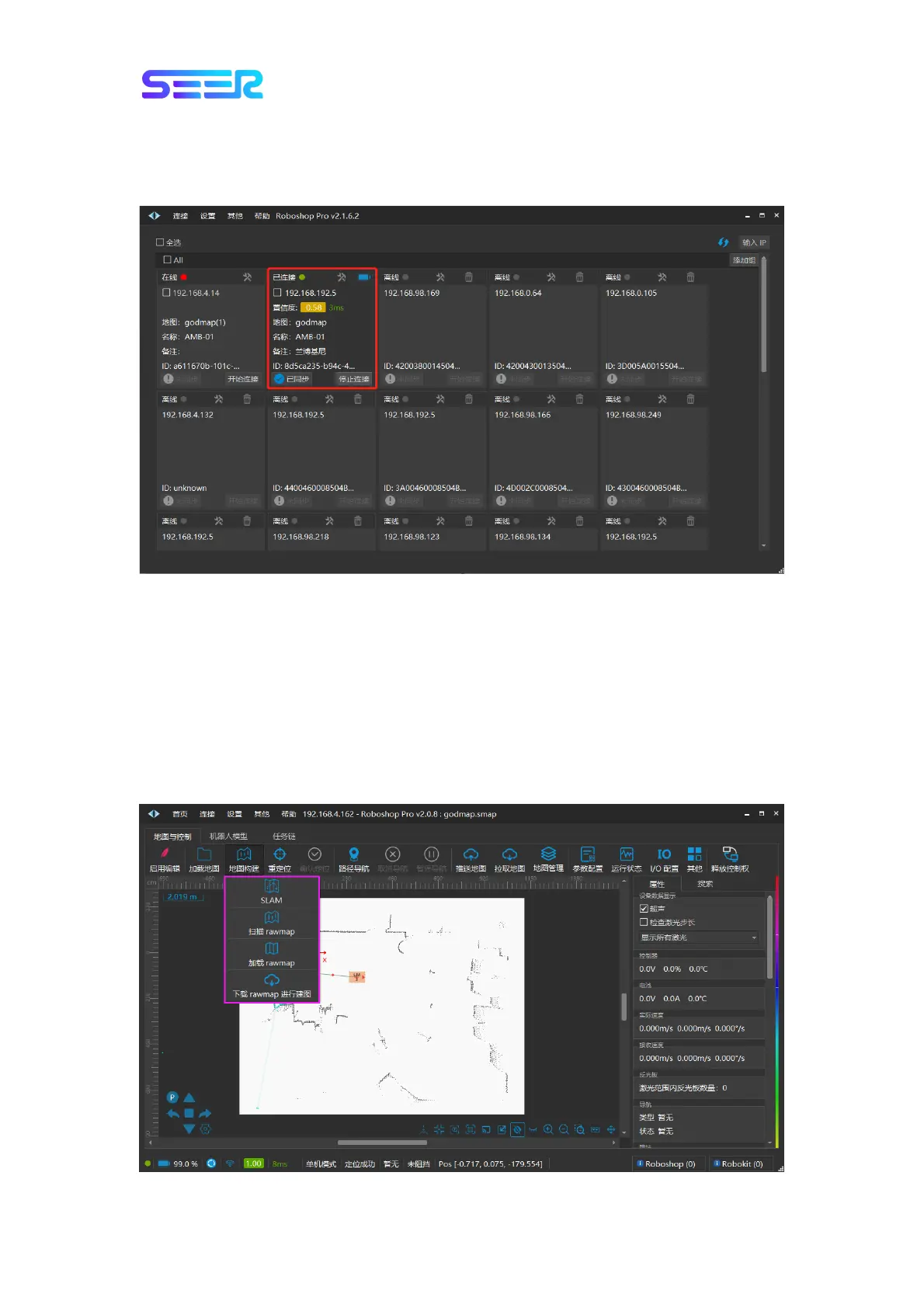
5. It indicates that it has been connected successfully when “Confidence”, “Network Delay”,
“Map”, “Name”, “Remarks (if Any)” and other information of the robot are displayed on the
robot tab.
7.2 Map Building and Editing
Precondition: The robot is connected, and the robot model has been successfully configured
and synchronized.
1. Map Building
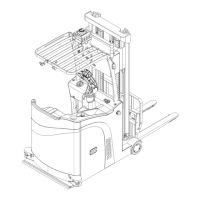
a. Open Roboshop Pro, and double-click the robot to enter the [Map and Control] interface
after successfully connecting the robot.Click [Map Building] in the module toolbar, and all
methods for [Map Building] will pop up.


 To Next Page