7. Debugging
SMF-MP10S User guide V1.1 Shanghai Seer Intelligent Technology Corporation 43
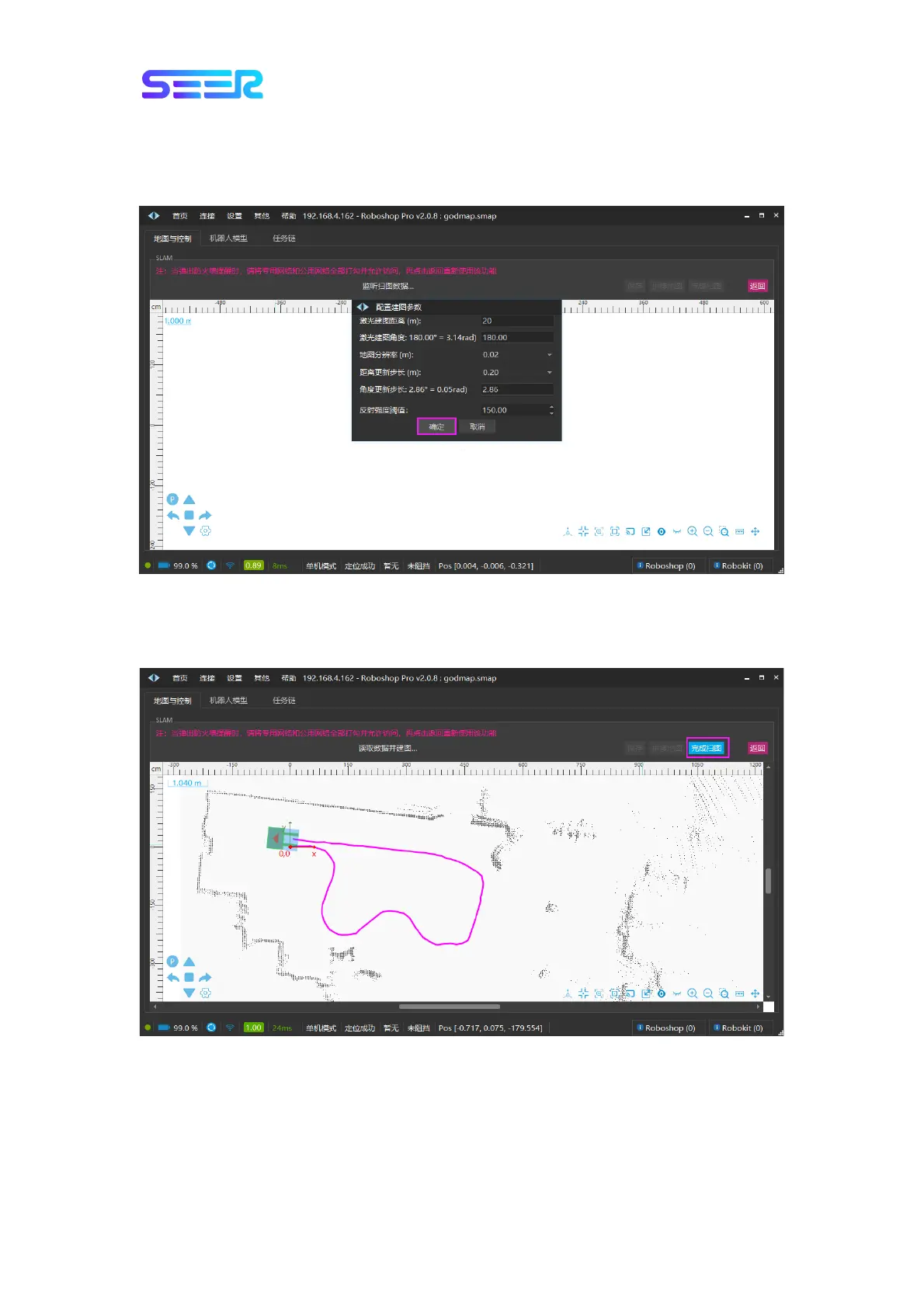
b. Click [Map Building] --> [SLAM], do not modify any parameters in the pop-up interface
(generally, there is no need to modify the parameters of this interface), and click the [OK]
button.
c. Use the keys W (Forward), A (Left turn), S (Reverse), D (Right turn) on the keyboard for
robot control to make the robot move in the scene, and click the [Finish Map Scanning]
button in the upper right corner when you finish scanning the map.


 To Next Page