12. Software Update
SMF-MP10S User guide V1.1 Shanghai Seer Intelligent Technology Corporation 72
12. Software Update
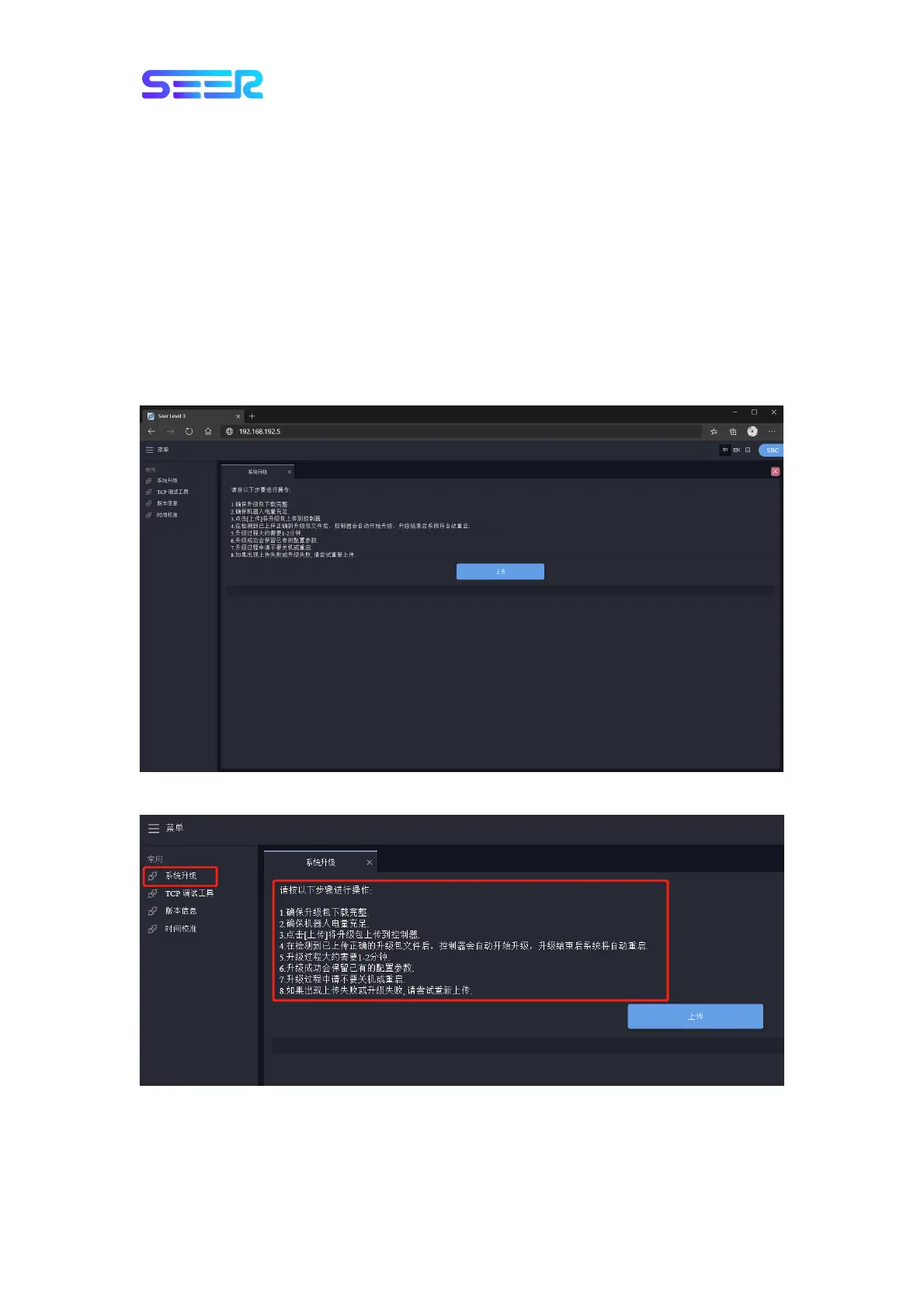
Please follow the steps below to update the robot software:
1. Obtain the necessary software update packages through our distributors or after-sales
channels.
2. Connect the prepared computer and the robot to the same network (wired or wireless,
please set the IP address appropriately to ensure that the computer can connect to the
robot normally).
3. Open the browser (it is recommended to use Chrome browser for ensuring compatibility),
enter the robot IP address (192.168.192.5 for wired connection, or corresponding IP for
wireless connection) to access the robot upgrade interface.
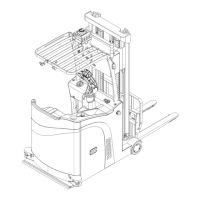
4. Select the system upgrade, and carefully read the system upgrade steps.


 To Next Page