4. Start to Use
SMF-MP10S User guide V1.1 Shanghai Seer Intelligent Technology Corporation 20
4. Start to Use
4.1 Accompanied Articles
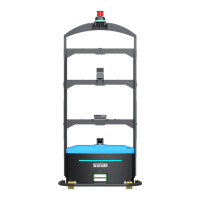
SMF-MP10S robot body
Manual charger/ automatic charging pile (the automatic charging pile is mandatory and
the manual charger is optional)
4.2 Startup of Robot
1. Turn the key switch clockwise.
2. Press on the Start button until the green start indicator is lit up, and then release it. Now,
the ambient light, searchlight and laser will be lit up.
4.3 Shutdown of Robot
1. Make sure that the robot currently has no tasks and is in a stopped state.
2. Press on the Start/Stop button for 2s, then release it, and wait a few seconds for the
power indicator to turn off.
3. Turn the key switch counterclockwise to complete the shutdown process.


 To Next Page