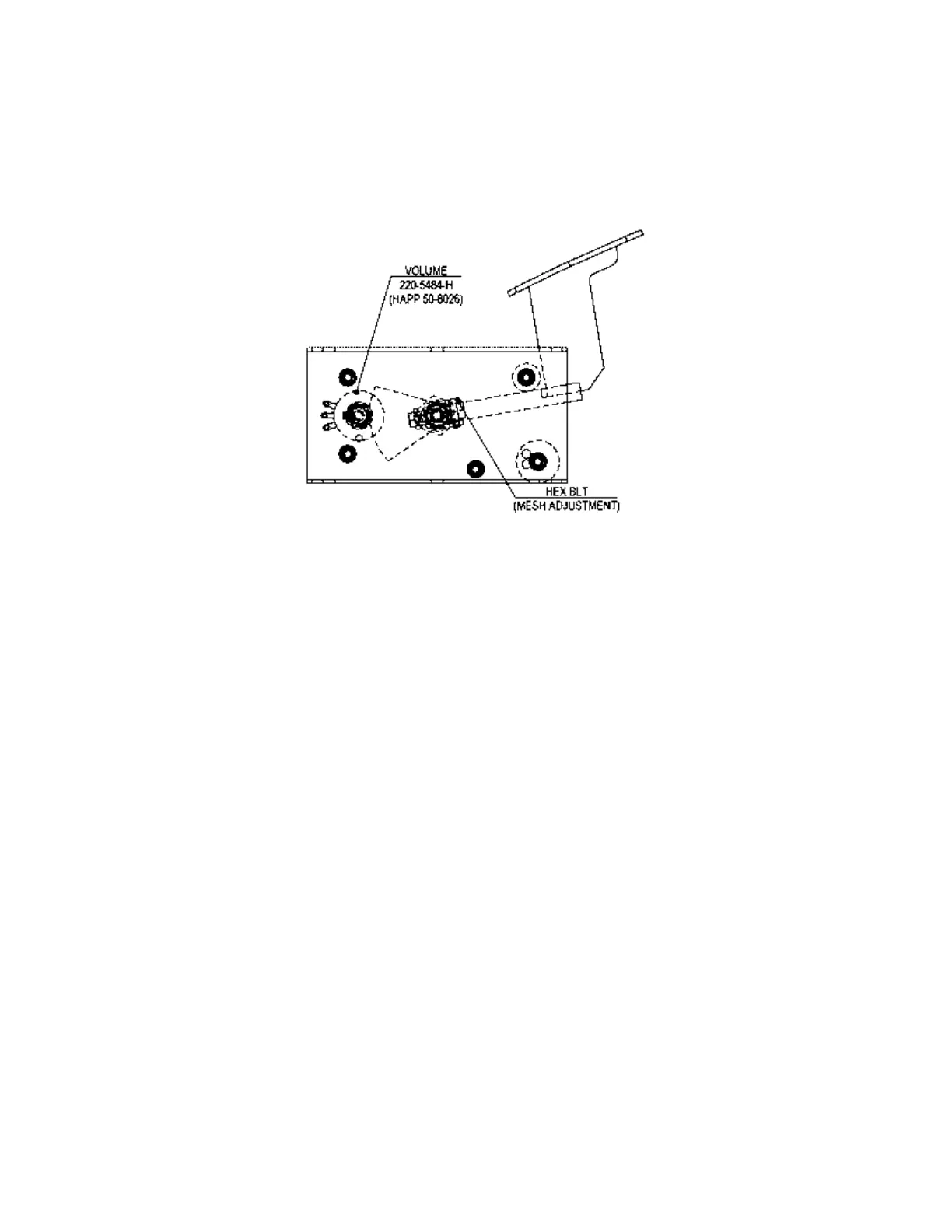
3.11.2. Adjusting Or Replacing The Volume
ADJUSTMENT:
1. Loosen the Hex Bolt shown, and adjust the angle for optimum gear mesh.
2. Check the setting in Section 5.4.
REPLACEMENT:
1. The Volume is panel mounted: remove by undoing the nut and withdrawing the shaft through
the panel hole.
2. After replacing the Volume, engage the gears at the angle shown, and replace the nut.
3. Install the Accelerator (or Brake) Unit and connect the connector.
4. Re-install in reverse order and replace the Floor Lid and IEC Cable before turning power ON.
5. Check the setting in Section 5.4.






 To Next Page