The SL Headmic 1 headset microphone
173
Using the frequency response caps
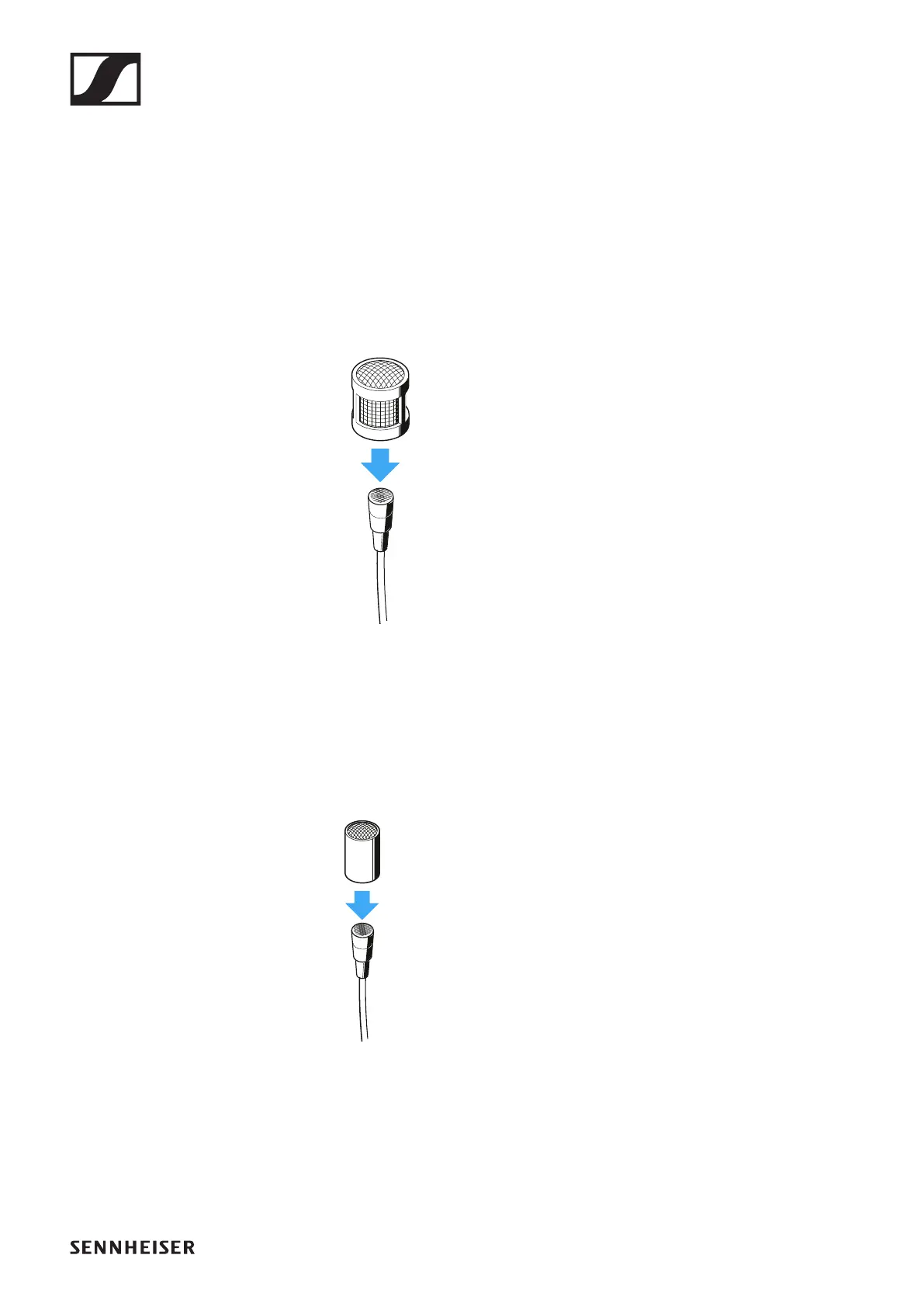
The MZC 2 frequency response cap enables you to change the
sensitivity of the microphone in the presence range. The MZC
2 gives a treble boost of 4 dB. Use this cap if the microphone
cannot be positioned close to the mouth, if the sound is too
muffled or if you want to increase the speech intelligibility.
▷ Slide the MZC 2 frequency response cap over the micro-
phone capsule until you hear it click into place.
►
An additional frequency response cap (MZC 1) is available as
an accessory. The MZC 1 ensures a treble boost of 2 dB.
▷ Slide the MZC 1 frequency response cap over the micro-
phone capsule until you hear it click into place.
►




 To Next Page