SL Rack Receiver DW
63
Product overview and operating elements –
front panel
►
►
►
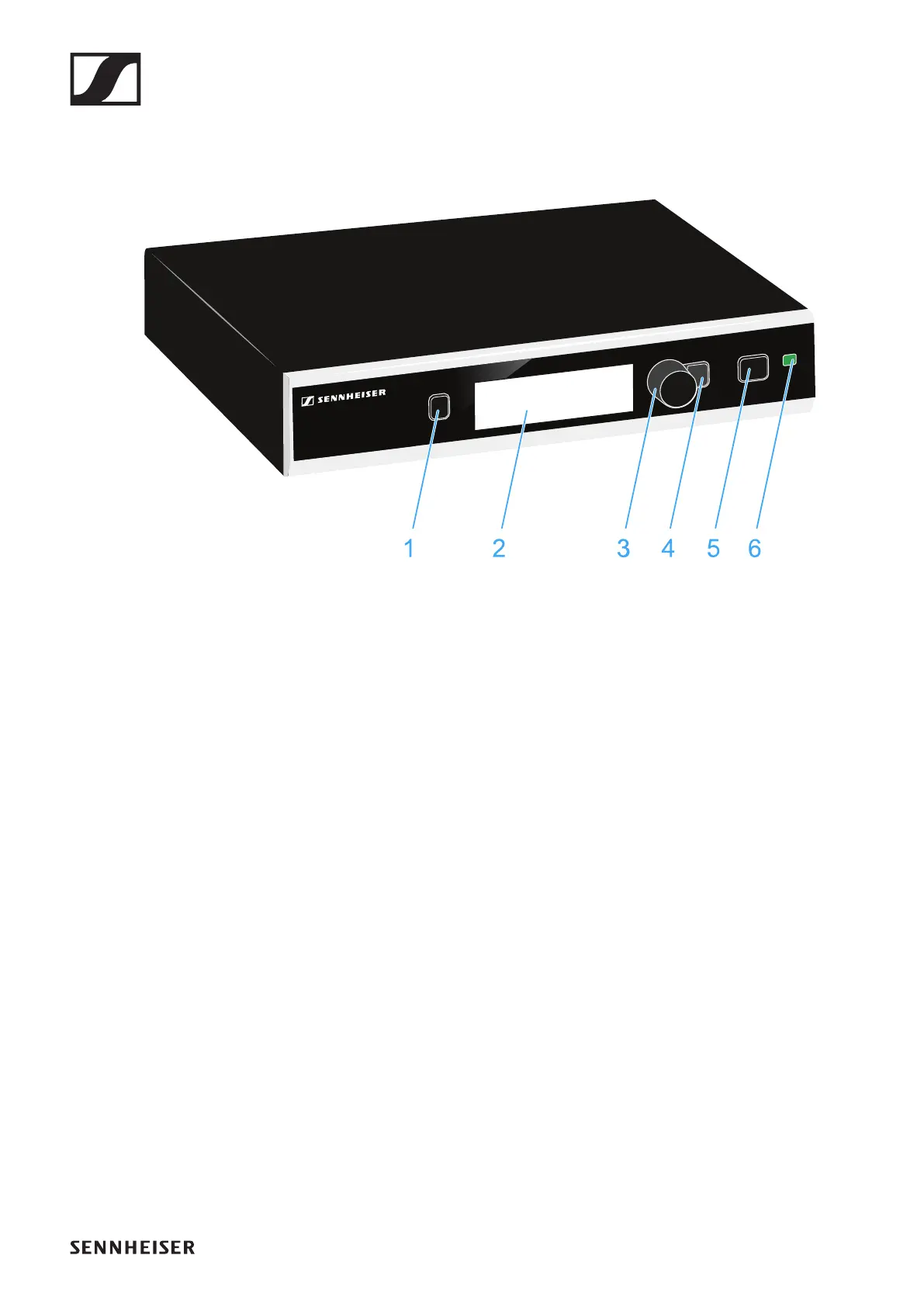
1 PAIR button
• Short-press to identify the paired transmitter.
• Long-press to pair with a different transmitter.
• See „Pairing“.
2 Display panel
• See „Displays on the receiver’s display panel“.
3 Jog dial
• Turn to navigate through the menu, to change settings or
to change from the home screen to the secondary home
screen.
• Press to open the menu or to confirm the entry or selec-
tion.
4 ESC button
• Short-press to navigate to the next higher level in the
menu or to exit a menu item without confirming new set-
tings or entries.
• Long-press to exit the menu and to return to the home
screen.
5 STANDBY button
To switch the receiver on:
▷ Short-press the STANDBY button.




 To Next Page