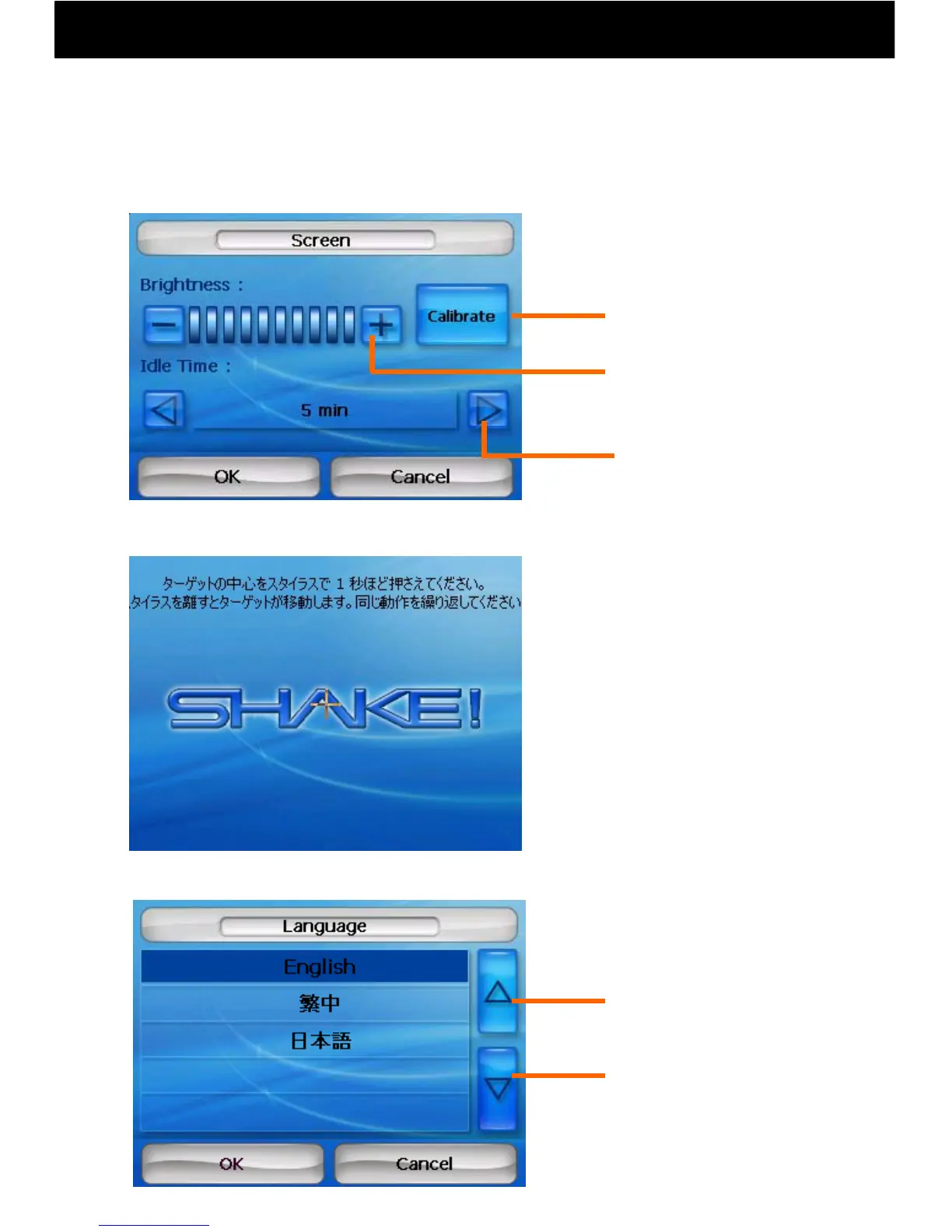
8.2 Screen and Language Settings
-9-
●Screen brightness can be adjusted.
“+” Brighten the screen
“-” Dim the screen
Calibrate the touch point.
* When the power button is pushed for a short time, the screen darkens
and power-saving mode is entered. When pushed again, the original
brightness level is restored.
① Push the plus cursor in the
center of the screen with a stylus
pen etc. for about one second.
② When the stylus pen is
removed, the plus cursor will move.
Please repeat the same action.
● The touch point may be calibrated.
Forward
Back
● Language may be adjusted (Japanese/English/Chinese).
Backlight illumination
time may be adjusted.
*Calibrate when the wrong
point responds when the
screen is touched.
Hold the center of the target with a stylus
for about one second. When the stylus is
removed, the target will move. Please
repeat the same action.
Chinese→
Japanese→



 To Next Page