9.10.5 Search by Point of Interest (POI)
-32-
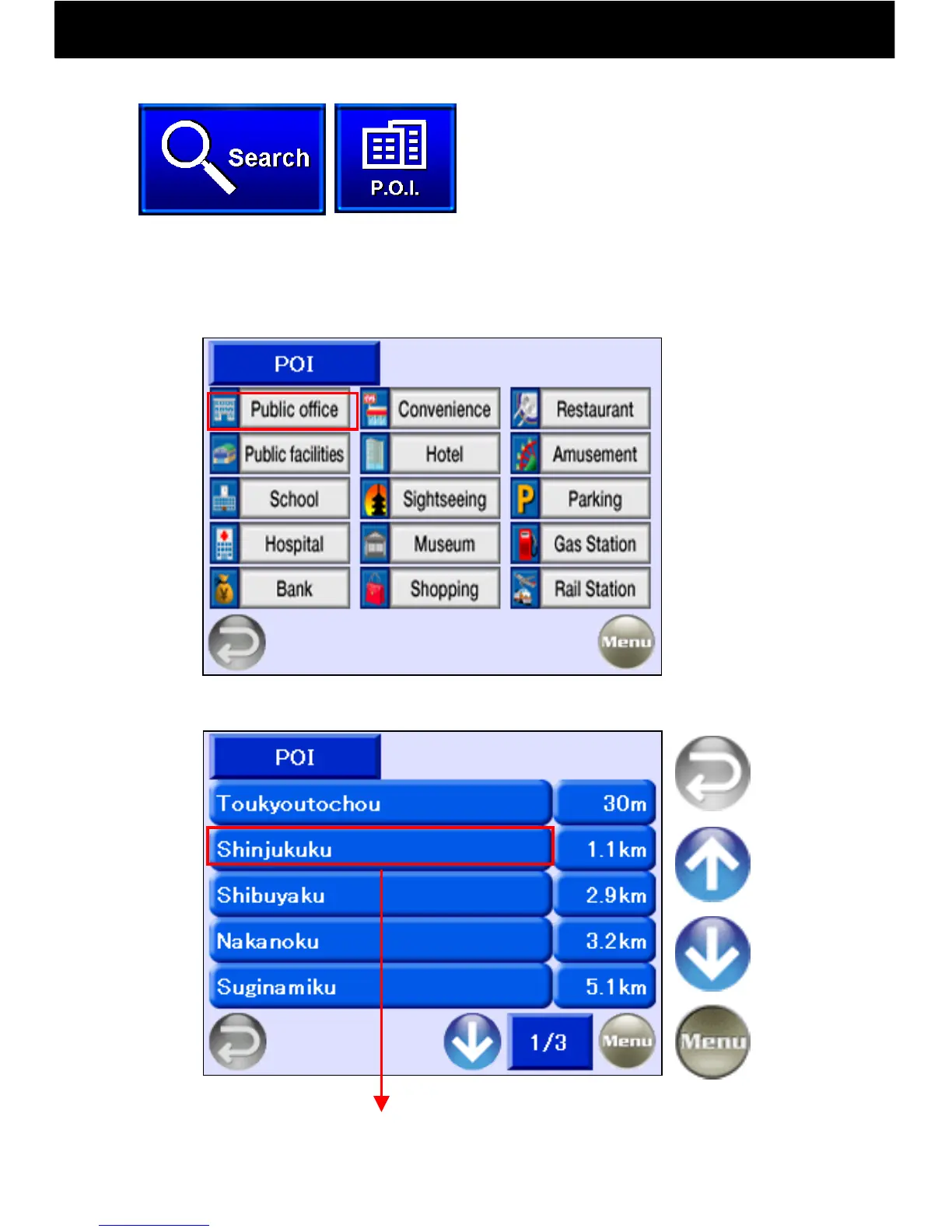
When a POI category is selected, up to 100 POIs within 10 km will be
listed in order of distance from the center of the map that was displayed
just beforehand. Select from among the bar buttons.
Search for
a Public
Office
Return to
Previous
Screen
Return to
Menu
Previous
Page
Next
Page
Touch the Search button and
select “POI” (Point of Interest).
Display Map



 To Next Page