9.1 How to Use Navigation
-11-
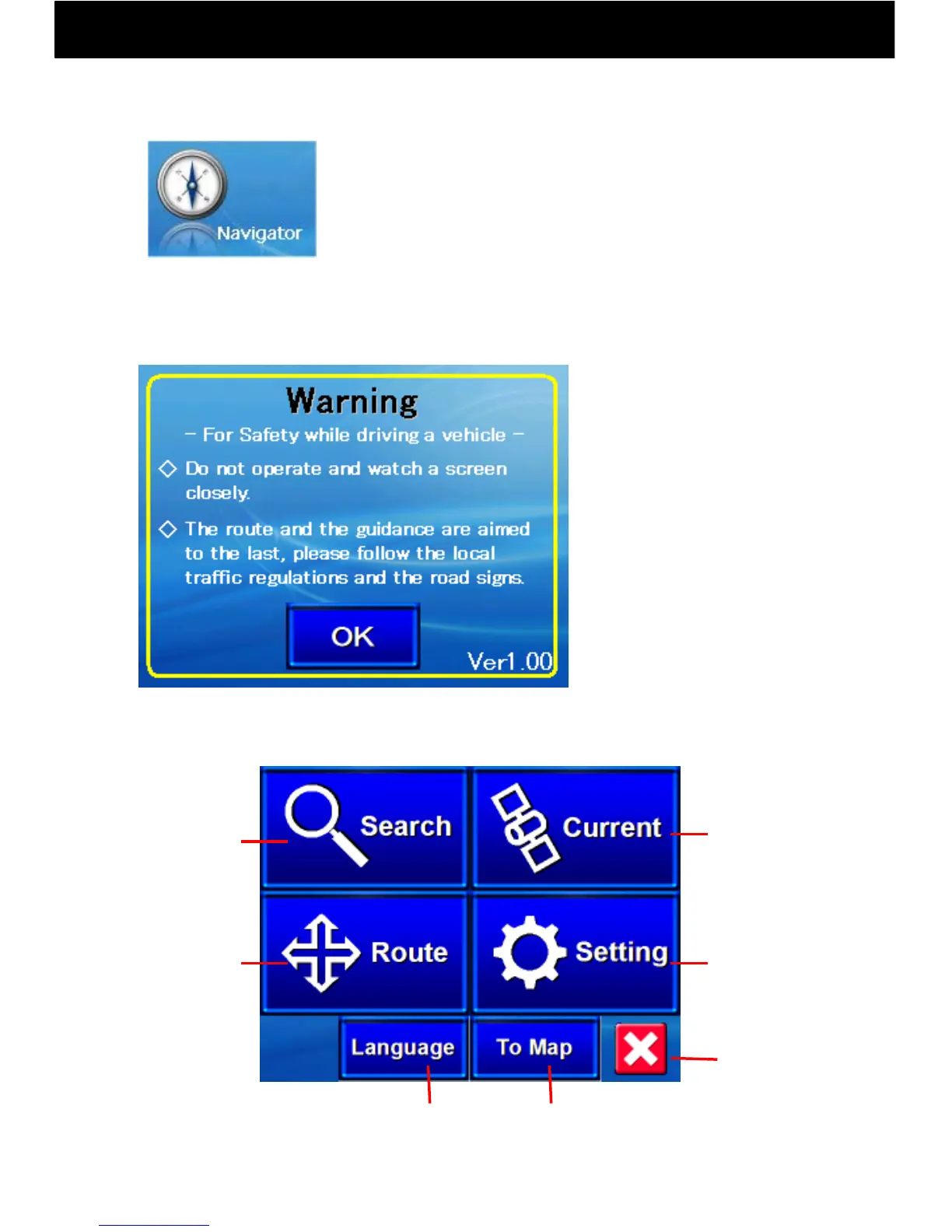
② When you start-up navigation, the following warning message will appear.
Please read it carefully and take care to drive safely. (The driver must not
operate navigation while driving.)
End
Navigation
Switch between
three languages
(Order: Japanese > English > Chinese)
③ When OK is touched, the following navigation menu will appear.
If you touch any of the four buttons on the menu screen, a submenu will
appear.
Display Map
Display the
Current
Location
Map
To the
Settings
Menu
To the
Search Menu
To the
Route Menu
~ 安全のため ~
運転中の操作および画面の注視は
しないでください。
ルートおよびその内容は目安であり、
運転中は実際の交通規制、標識に
従ってください。
Warning!
(1) Starting Navigation
① Start navigation by touching the navigation button
Navigation is mainly done by touching the touch panel
with a finger. Detailed areas that are difficult to touch
with a finger may be touched with something that won’t
damage the screen, such as a stylus pen
◇
◇
For safety when driving
a vehicle:
・Do not focus on the screen
while driving.
・Route guidance is only
a rough guide. Be sure to
follow local traffic regulations
and road signs.



 To Next Page