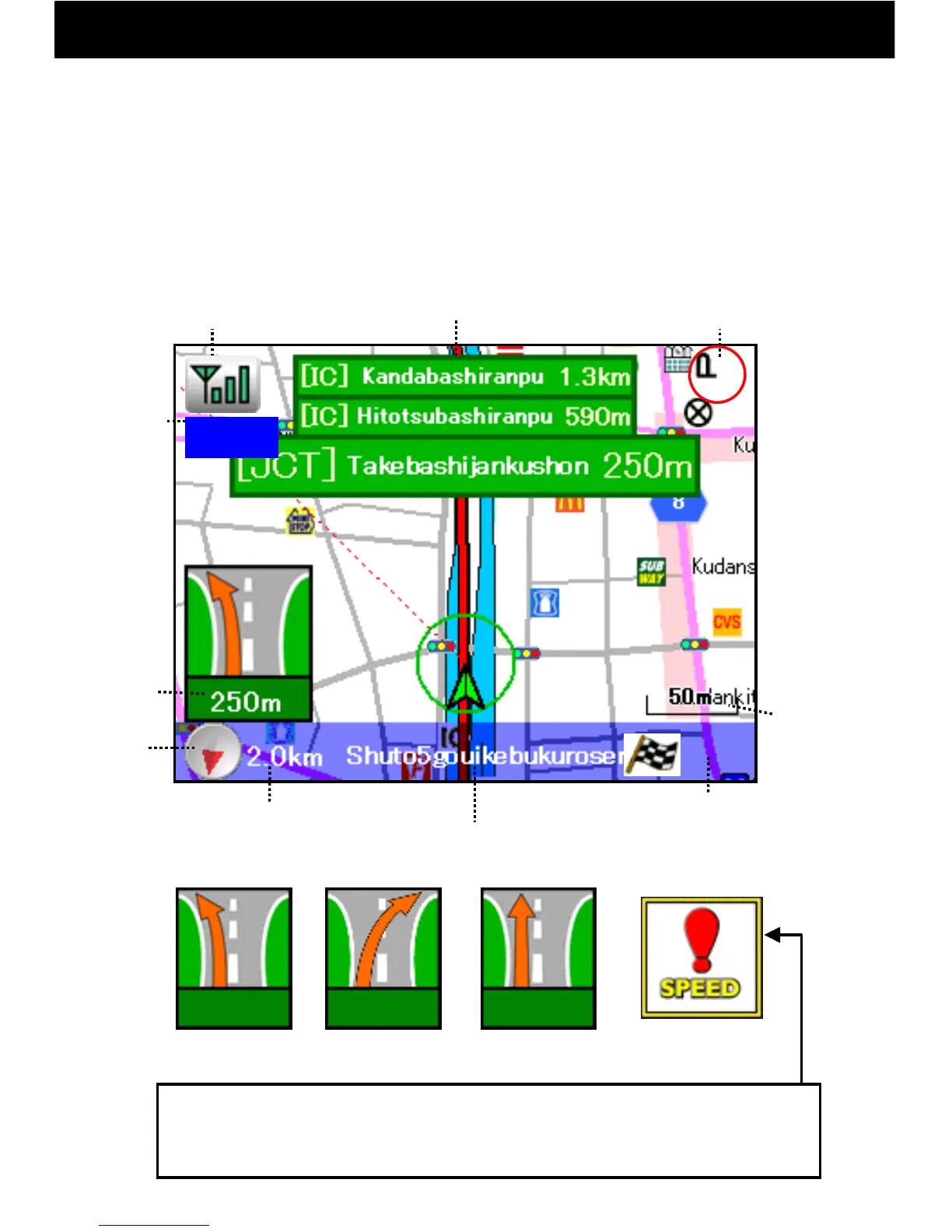
9.7 Expressway Guidance
-24-
200m 200m
200m
For left and right expressway turns, a guidance arrow for the next turn will
be displayed at the bottom left of the screen. Expressway exit guidance is
displayed on the bottom right of the screen.
Verbal assist will be given just before, at 300 m, 500 m, and at 1 km before
a turn.
In addition, at top and center, up to the next three junctions, service areas,
and toll booths etc. are displayed.
Left Turn Right Turn Straight
Speed Camera
Info
*Regardless of vehicle speed, when within about 300 m of a speed
camera, this icon will be displayed and voice assist will be given.
Speed camera info for the oncoming lane may also be displayed.
Distance
to Goal Point
Name of the road
you are on now
Estimated Time
of Arrival
Junction Guidance etc.
Current
Time
Speed Camera Info
display position
Compass
GPS Button
Distance
to
Junction
Zoom
Display:
From 1 km to
25 m this will
be displayed
in up to 7
steps.
1:42
1:45



 To Next Page