9.15 Navi Update
-40-
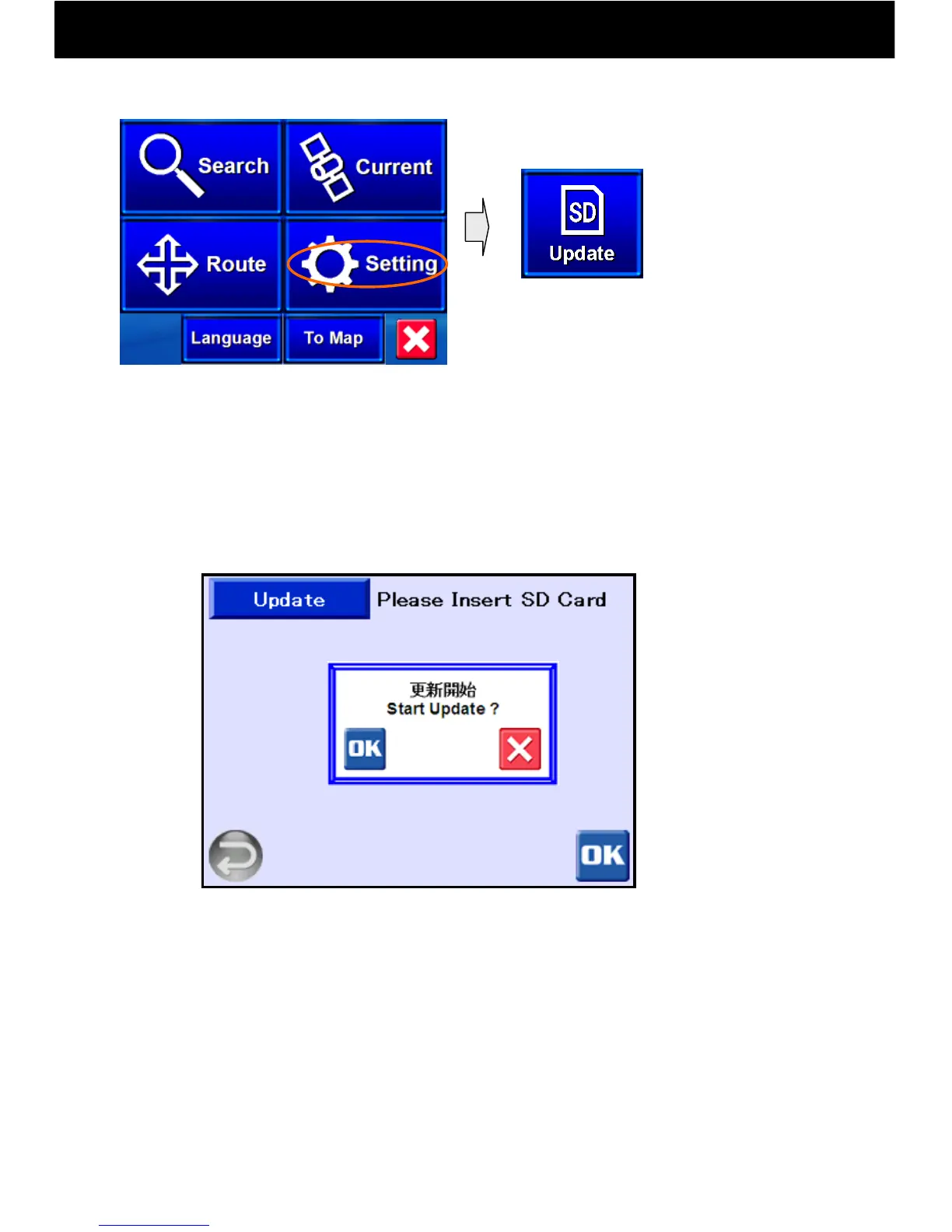
Touch the Settings button and select
“Update.”
Update by SD Card: (Recommended!)
① Get ready by copying new programs or data that you have downloaded
from the net onto an SD Card. (http://www.grandmap.jp/shake)
② Insert your SD Card into the SD Card slot of this device, and press OK
on the next screen. Press OK again on the “Start Update?” pop-up
to begin updating.
Update by USB Cable
① First download the Active Sync program from the Microsoft
website or elsewhere, and install it on your computer.
② Connect the SHAKE! main body to your computer using the USB
cable provided, and run the Active Sync program (please refer to
Microsoft’s Active Sync operating instructions for help).
③ Follow the update instructions (Readme.txt) to copy programs
and data that were downloaded from the net into the flash memory
of this device.
Navi Top Menu



 To Next Page