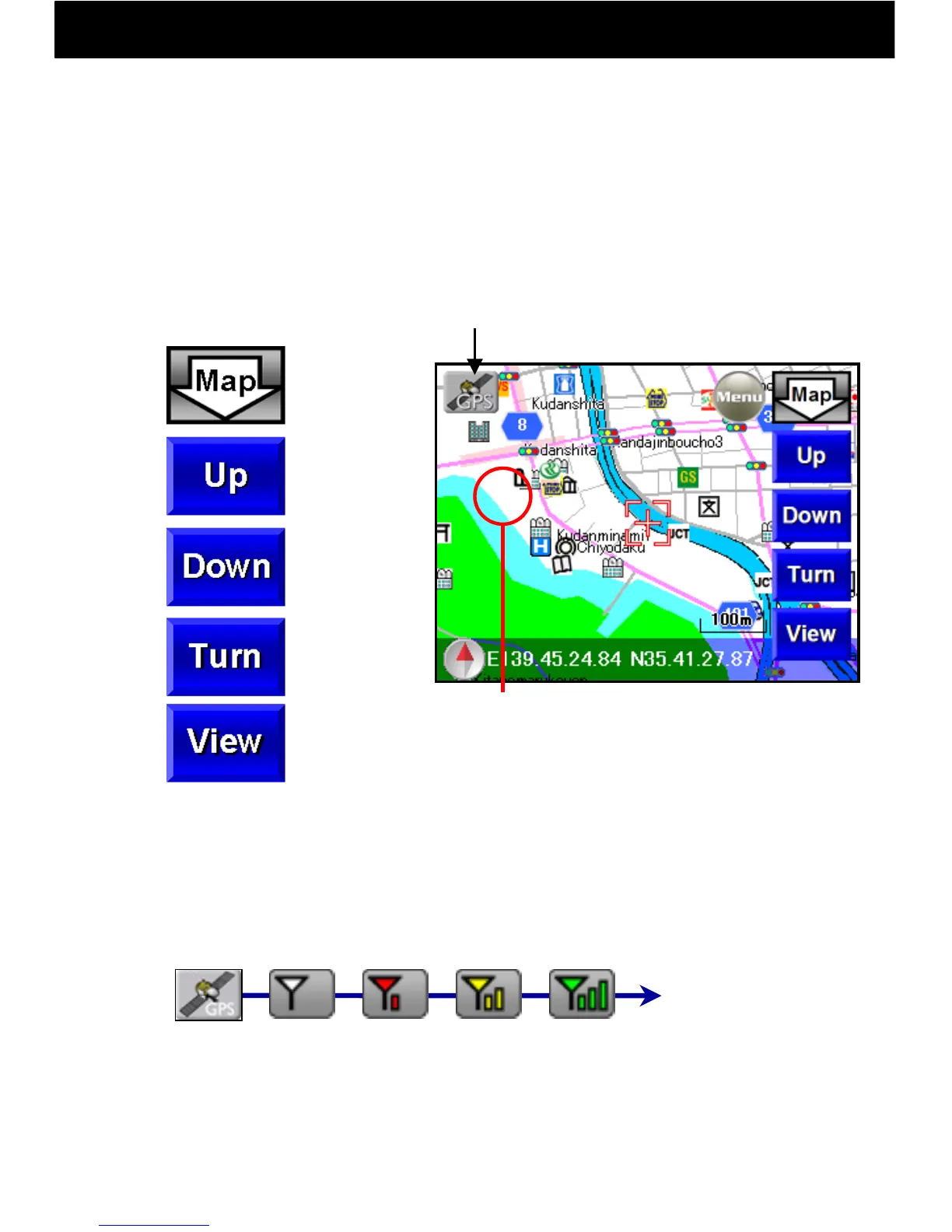
9.5.3 Map Button Operation
-22-
With the Map Button, detailed display, wide-area display, map
rotation, and a switch to bird’s eye view can be displayed.
To move the map screen, touch the map screen anywhere other
than the displayed buttons, and that point will move to the center
of the screen.
● GPS Button
Better Reception
●Map Button
Switch
Button
Display
Details
Wide-area
Display
Rotate map
to right
Switch to a
bird’s-eye
view
Fair
Excellent
Lost
Good
When the GPS button is touched, GPS reception begins and your
current location is displayed.
(Be sure to do this outdoors in a place open to the sky.)
When the map is touched, the point
touched will move to the center (by
touching continuously, continuous
movement is possible).
GPS
OFF
GPS Button
*During GPS reception, the map will not move when touched.
To move the map, turn off GPS by touching the GPS button.



 To Next Page