9.2 Check GPS Performance
-12-
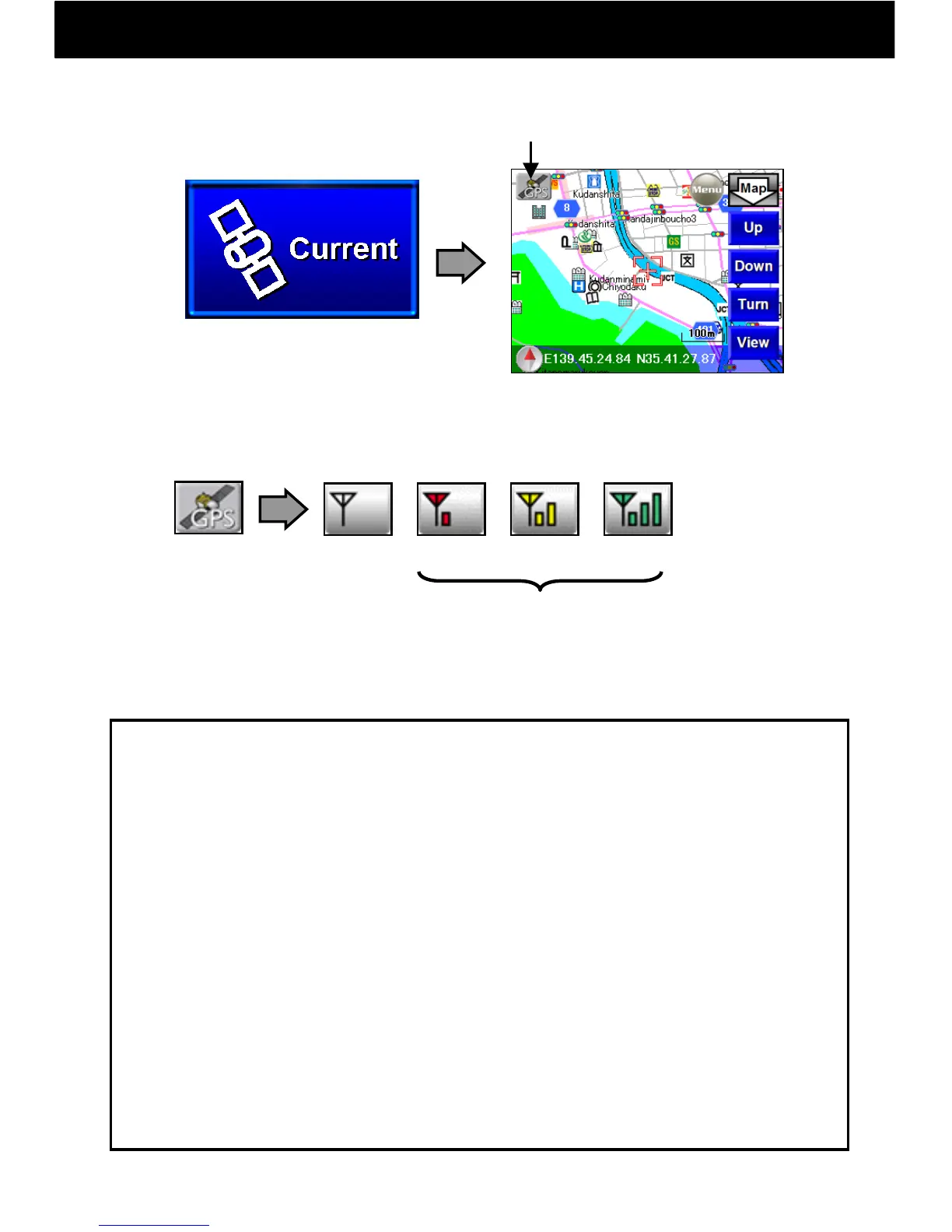
① Push the “Current Location” button on the Navi Top Menu.
② When the GPS button changes to an antenna button and become
“Fair” or better, the current location will be displayed and reception is
possible.
Fail
Excellent
Lost
Good
* When the antenna button is pushed again, GPS turns off.
* During GPS reception, the map will not move when touched.
OK
● GPS is operated by the United States Department of Defense, and
inconveniences may be caused by decreases in accuracy or
breakdowns.
● When using normally, it will take from several seconds to several
minutes to receive a GPS signal. In addition, please conduct GPS
reception in a motionless place that is open to the sky.
● When initial GPS reception takes a long time, please conduct
reception from the best outdoor vantage point possible.
● After purchase, when it has not been used for a long period, or when
you have moved a long distance with the power off, it may take from
several minutes to several tens of minutes to receive a signal.
GPS Reception Notes
GPS Button
GPS
OFF



 To Next Page