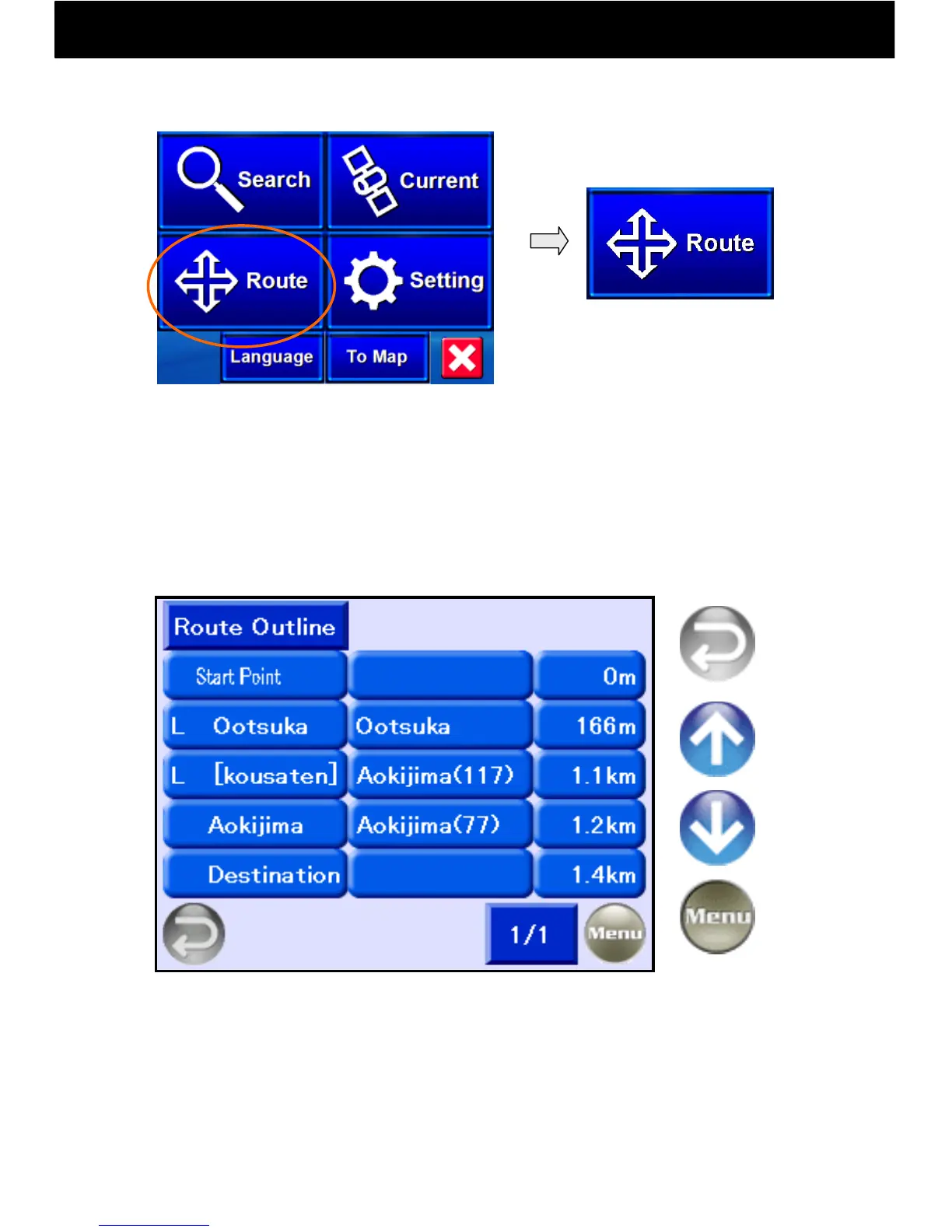
9.12 Route Confirmation Function: Display a Route Outline
-36-
Information on the latest route created will be listed.
When a goal point and start point is set and you drive or do Test Navi,
the route file is automatically saved.
Even when a drive is interrupted, this history remains and may be
listed until a new route is created.
Return to
Previous
screen
Return to
Menu
Previous
page
Next
Page
Touch the Route button and
select “Route Outline.”
The route list is displayed in the order of intersection name, road
name, and distance, from left to right.
The capital letter on the far left indicates the direction of turns.
L = Left turn
R = Right turn
LD = Left direction
RD = Right direction
Navi Top Menu:



 To Next Page