Two
Touches
One
Touch
9.8 Split Navi Menu
-25-
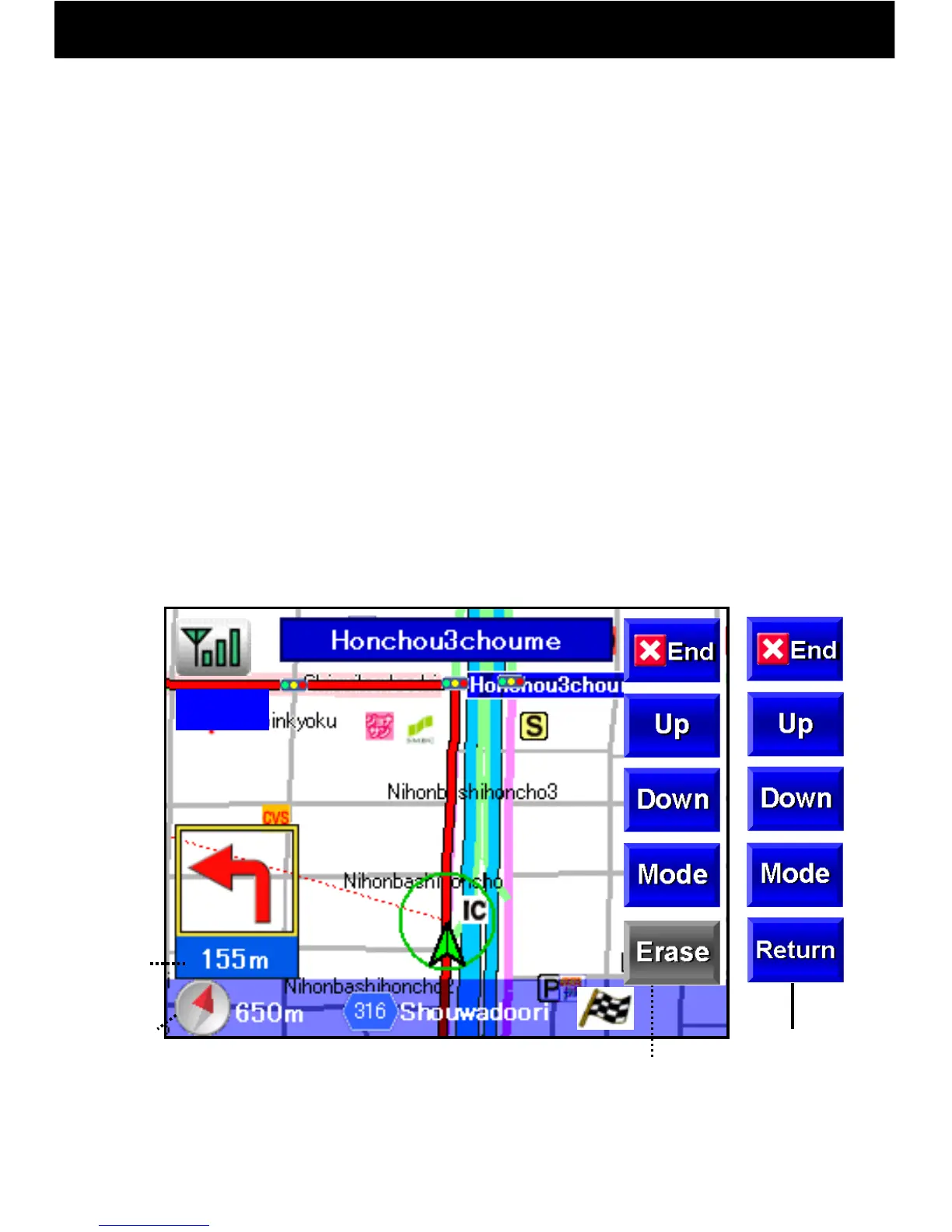
During navigation, by touching the map screen map, operation buttons can be
displayed, and navigation may be interrupted to move the map.
Map Single Touch
① When the map is touched once, navigation continues as is and map
operation buttons are displayed.
② Detailed, wide-area, and day and night mode buttons may be used.
③ When the bottom Erase button is pressed, the map operation
buttons will disappear (or they will disappear automatically after
ten seconds).
Map Double Touch
① When the map is touched twice, navigation will be interrupted, map
operation buttons will appear, and the map will become moveable.
② To restart navigation, press the Return button.
12:00
12:05



 To Next Page