10.2 Photo Album (Photo Viewer Only)
-43-
● Show images (JPEG and BMP)
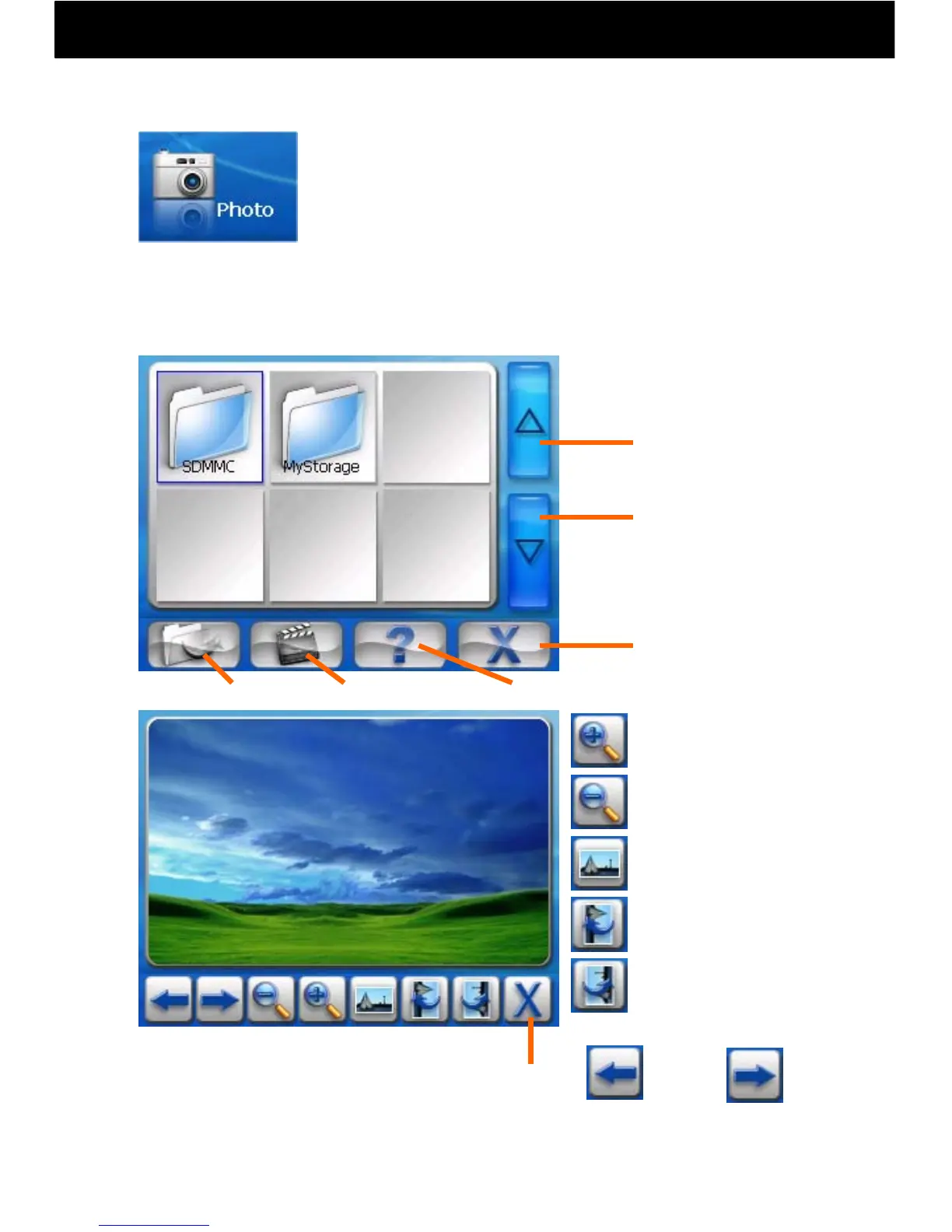
① Touch the Photo Album icon on the main menu.
② When you touch the “SDMMC” folder, the pictures
on the SD Card will automatically be imported to the
play list.
③ You can select images to view from the “Playlist
Screen.”
Return to Main
Menu
Next Picture
Previous Picture
SlideshowFinish Help
Zoom-in
Zoom-out
Adjust Angle
(Clockwise, 90°)
Ordinary Display
Adjust Angle
(Counter-clockwise, 90 °)
Back Forward
Finish and
Return
Playlist Screen:
Note: Pictures cannot be saved to the internal memory in this machine, or
edited or sorted using this product.
Photo Album



 To Next Page