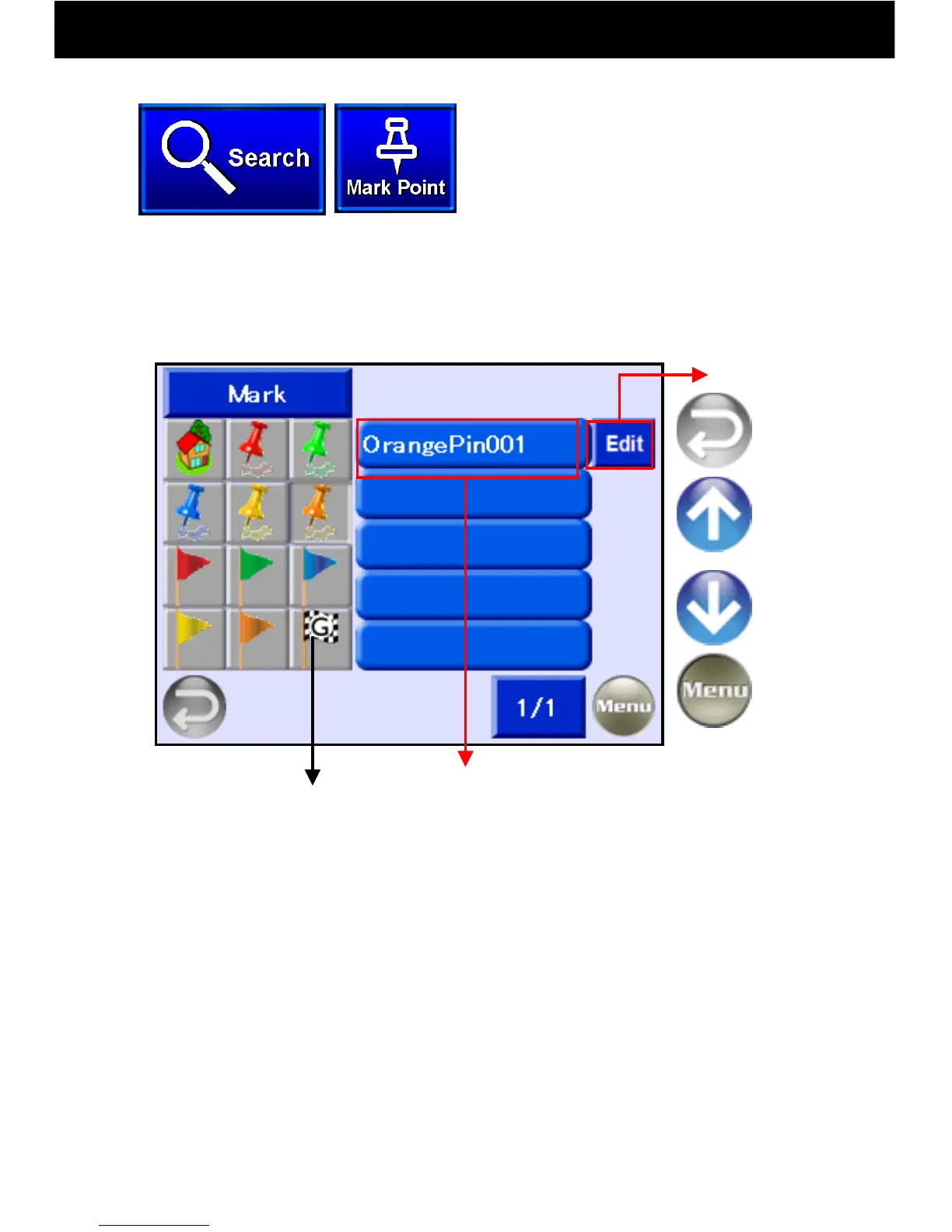
9.10.6 Search by Mark Point
-33-
Touch the Search button and select
“Mark Point.”
Return to
Previous
Screen
Return to
Menu
Previous
Page
Next
Page
Goal Point
History Mark
•Goal points that were searched for and set in the past are marked
with Goal Point History flag marks.
•For all other marks, as with “Orange Pin 001,” a name will be
automatically assigned, but this name may be changed using Edit.
By putting a pin or flag mark on a map, the points that have been set can be
looked up (refer to p. 17 for the mark point set method).
When a mark is selected from the left, set points are listed on the right. Select
one to display a mark point map.
Display Map
Edit Button



 To Next Page