Doc# E145701 6 - 11
6: Using the Shark® 100 Meter
Electro Industries/GaugeTech
The Leader In Power Monitoring and Smart Grid Solutions
Electro Industries/GaugeTech
The Leader In Power Monitoring and Smart Grid Solutions
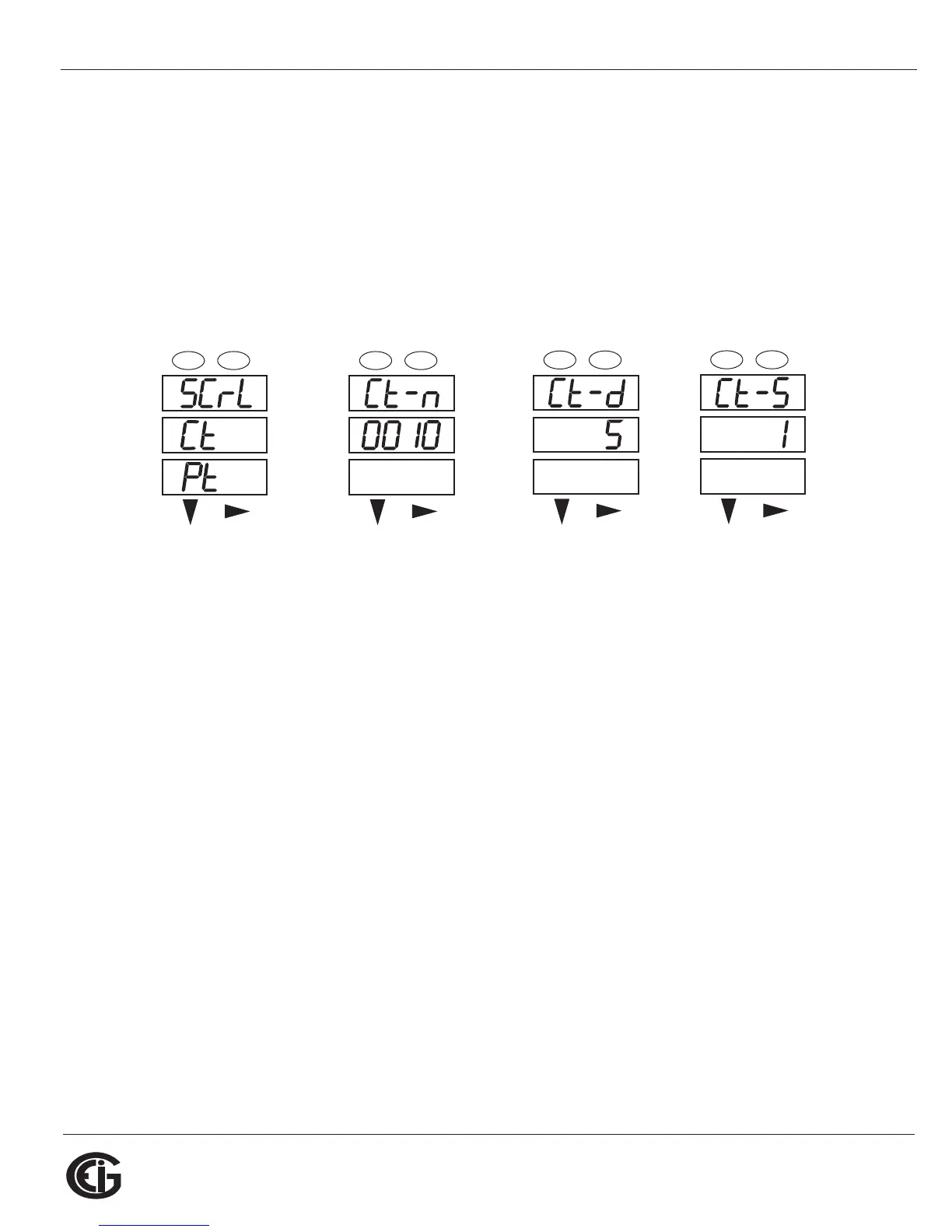
2,000/5 Amps: Set the Ct-n value for 2000 and the Ct-S value for 1.
10,000/5 Amps: Set the Ct-n value for 1000 and the Ct-S value for 10.
NOTES:
• The value for Amps is a product of the Ct-n value and the Ct-S value.
• Ct-n and Ct-S are dictated by primary current; Ct-d is secondary current.
Press Enter Use buttons to set Ct-n Ct-d cannot be changed Use buttons to select
scaling
6.2.5.3: Configuring PT Setting
The PT Setting has three parts: Pt-n (numerator), Pt-d (denominator), and Pt-S (scal-
ing).
1. Press the Enter button when Pt is in the A window. The PT-n screen appears. You
can either:
• Change the value for the PT numerator.
• Access one of the other PT screens by pressing the Enter button: press Enter
once to access the Pt-d screen, twice to access the Pt-S screen.
a. To change the value for the PT numerator or denominator:
From the Pt-n or Pt-d screen:
• Use the Down button to select the number value for a digit.
• Use the Right button to move to the next digit.
MENU ENTER
-
-
MENU ENTER
MENU ENTER
MENU ENTER



 To Next Page