Doc# E145701 6 - 20
6: Using the Shark® 100 Meter
Electro Industries/GaugeTech
The Leader In Power Monitoring and Smart Grid Solutions
Electro Industries/GaugeTech
The Leader In Power Monitoring and Smart Grid Solutions
6.5.2: Connecting to the Transducer/Meter through Communicator
EXT
TM
Software
How to Connect:
1. Open Communicator EXT
TM
software.
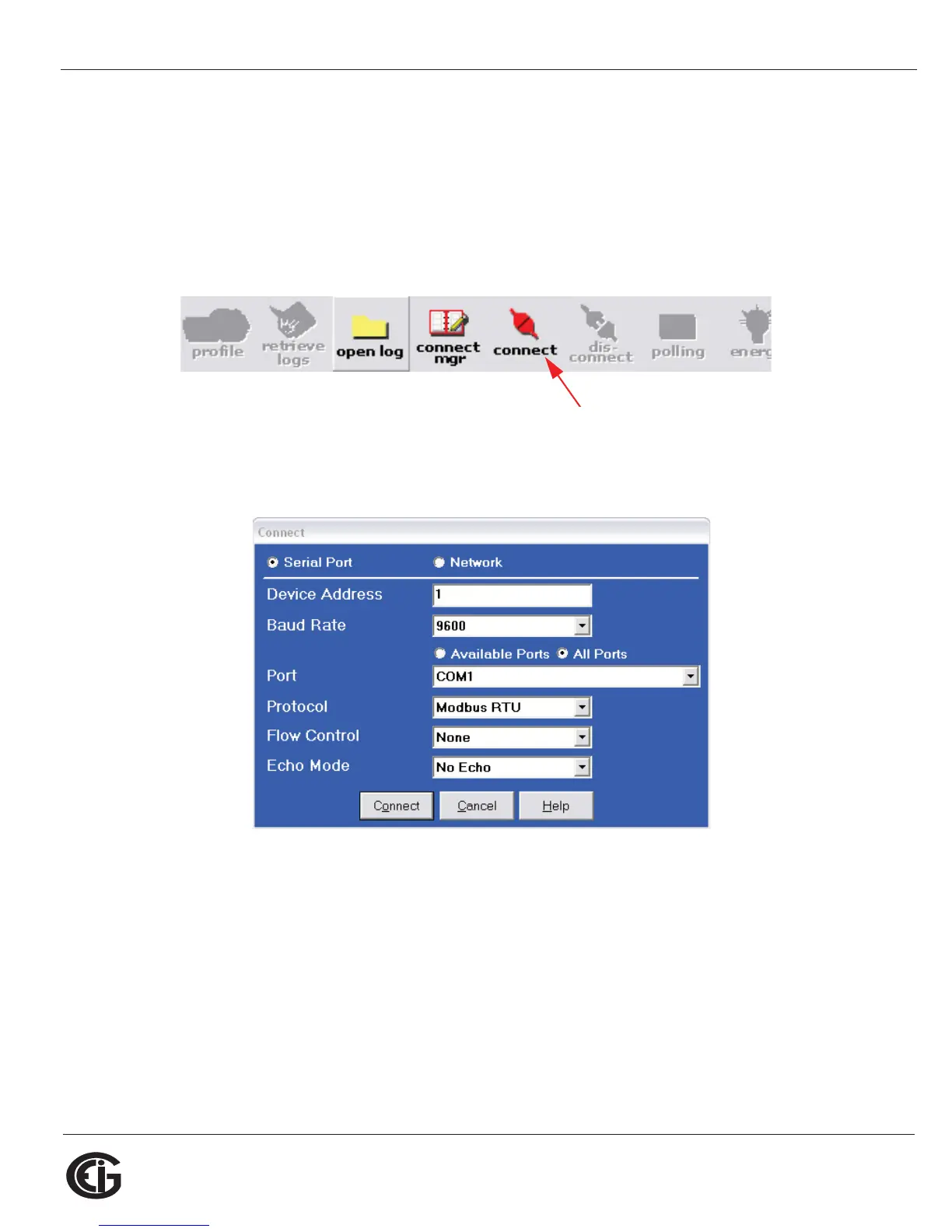
2. Click the Connect icon in the Icon bar.
3. The Connect screen opens. If you are connecting via RS485, make sure your set-
tings are the same as shown here. Use the pull-down menus to make any neces-
sary changes to the settings.
If you are connecting with either a Shark® 100 - INP10 meter/transducer or a
Shark® 100B/100BT meter, click the Network radio button. Your screen changes to
the Connect screen shown on the next page.



 To Next Page