Doc# E145701 5 - 7
5: Communication Installation
Electro Industries/GaugeTech
The Leader In Power Monitoring and Smart Grid Solutions
Electro Industries/GaugeTech
The Leader In Power Monitoring and Smart Grid Solutions
5.1.2.1: Using the Unicom 2500
The Unicom 2500 provides RS485/RS232 conversion. In doing so it allows a Shark®
100/50 with the RS485 option to communicate with a PC. See the Unicom 2500
Installation and Operation Manual for additional information. You can order the Uni-
com 2500 from EIG’s webstore: www.electroind.com/store. Select Communication
Products from the left side of the webpage.
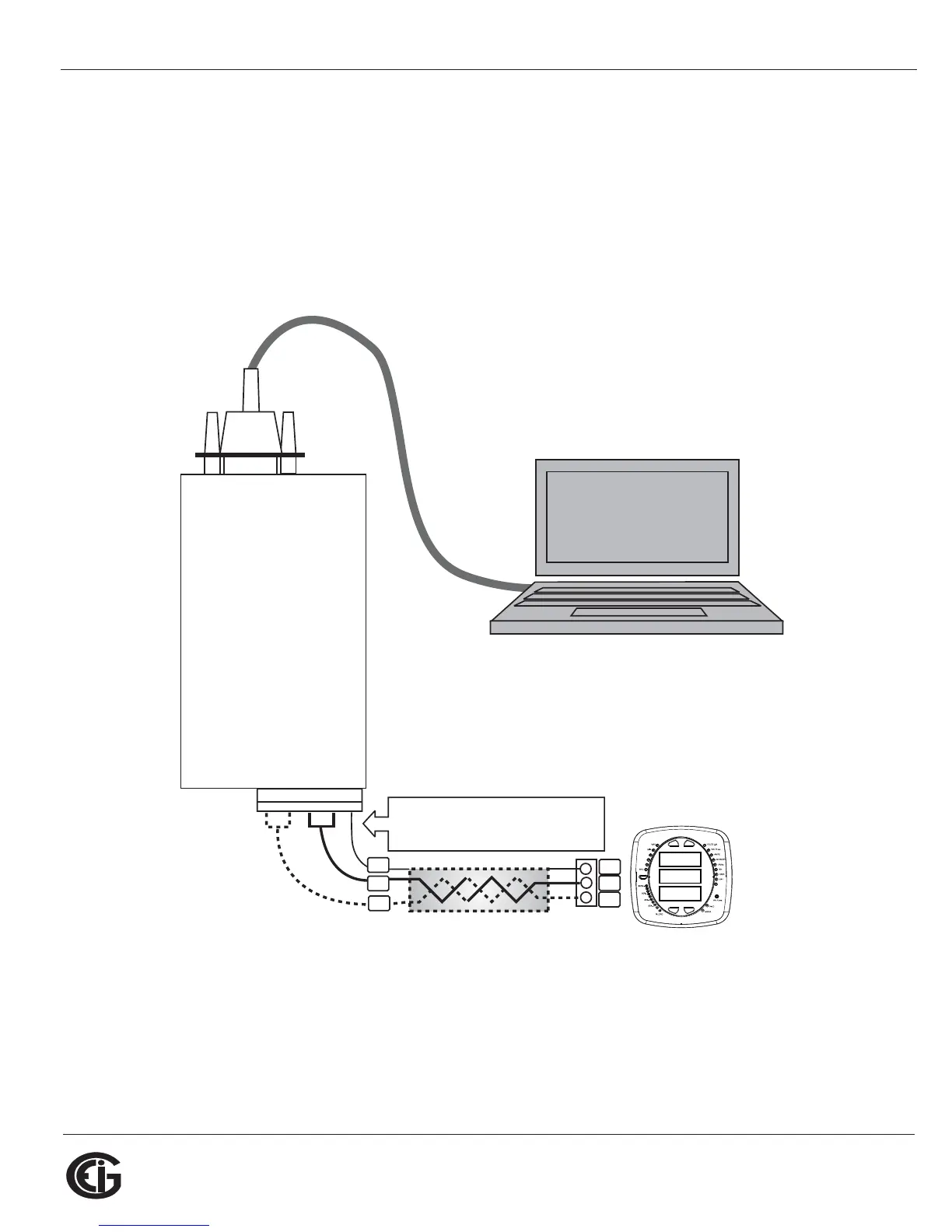
Figure 5.7 illustrates the Unicom 2500 connections for RS485.
Figure 5.7: Unicom 2500 with Connections
120.00
120.00
120.00
(+)
(-)
SH
(+)
(-)
Jumpers:
Short TX(-) to RX(-) becomes (-) signal
Short TX(+) to RX(+) becomes (+) signal
TX(-) RX(-) TX(+) RX(+) SH
RS232 Port
UNICOM 2500
PC
SH



 To Next Page