Doc# E145701 6 - 7
6: Using the Shark® 100 Meter
Electro Industries/GaugeTech
The Leader In Power Monitoring and Smart Grid Solutions
Electro Industries/GaugeTech
The Leader In Power Monitoring and Smart Grid Solutions
6.2.5: Using Configuration Mode
Configuration mode follows Reset: Energy on the Main Menu.
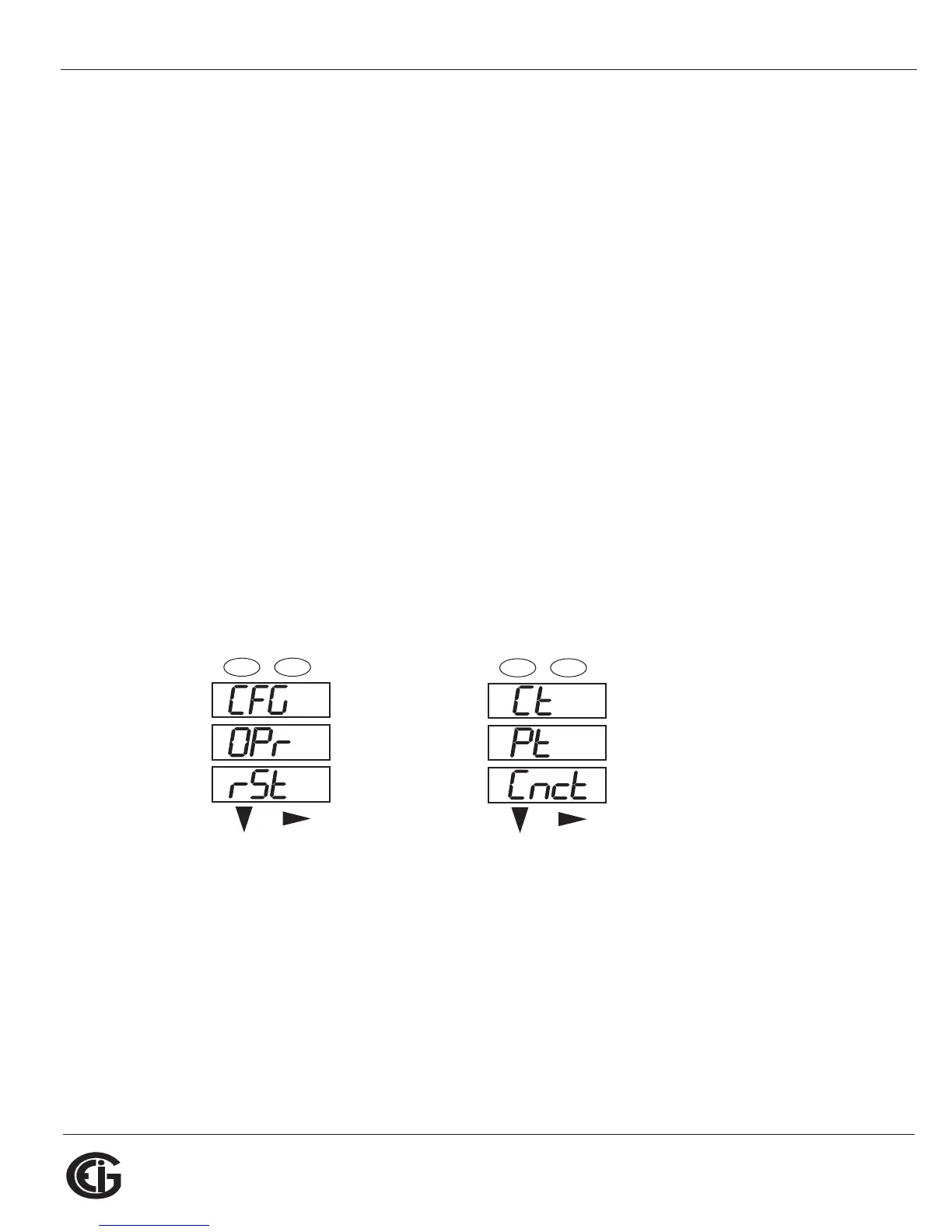
To access Configuration mode
1. Press the Menu button while the meter is auto-scrolling parameters.
2. Press the Down button until the Configuration Mode option (CFG) is in the A win-
dow.
3. Press the Enter button. The Configuration Parameters screen appears.
4. Press the Down button to scroll through the configuration parameters: Scroll
(SCrL), CT, PT, Connection (Cnct) and Port. The parameter currently ‘Active,” i.e.,
configurable, flashes in the A window.
5. Press the Enter button to access the Setting screen for the currently active param-
eter.
NOTE: You can use the Enter button to scroll through all of the Configuration param-
eters and their Setting screens, in order.
Press Enter when CFG is in A window - Parameter screen appears -
Press Down- Press Enter when
Parameter you want is in A window
6. The parameter screen appears, showing the current settings. To change the
settings:
• Use either the Down button or the Right button to select an option.
A
B
C
-
-
-
MENU ENTER



 To Next Page